Videoclipper
Videoclipper
Videoclipperคืออะไร?
Videoclipper เป็นส่วนขยายของ Chrome ที่พัฒนาโดย CharGPT Sidebar และคุณลักษณะหลักของมันคือ "Videoclipper"
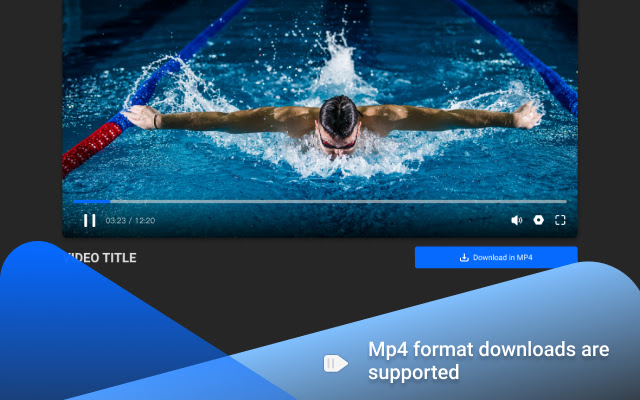
ภาพหน้าจอของส่วนขยาย


ดาวน์โหลดไฟล์ CRX ของส่วนขยาย Videoclipper
ดาวน์โหลดไฟล์ส่วนขยาย Videoclipper ในรูปแบบ crx และติดตั้งส่วนขยาย Chrome ด้วยตนเองในเบราว์เซอร์หรือแชร์ไฟล์ crx กับเพื่อนๆ เพื่อติดตั้งส่วนขยาย Chrome อย่างง่ายดาย
คำแนะนำในการใช้ส่วนขยาย
                        📹It is often necessary to use a large number of video clips when making web videos, however, collecting these fragmented clips is a very troublesome task, to better solve this problem, we designed a tool called🔧video clipper.
✂️Compared with the tools on the market, 🚀it is more convenient web video clipping tool. 🙅It does not require downloading full videos and no additional editing tools, which greatly improves the efficiency.👍
📌Drag the marker to select the clip you want and start clipping it with one click
🎬Support YouTube, more video platforms will be supported later
👁️ Support up to 1080P
🧹Automatically remove ads from videos
🎉Downloading MP4 format
ข้อมูลพื้นฐานของส่วนขยาย
| ชื่อ |  Videoclipper Videoclipper |
| ID | hidolfcolcjjjmbkjaokbjlliomcjkio |
| URL อย่างเป็นทางการ | https://chrome.google.com/webstore/detail/videoclipper/hidolfcolcjjjmbkjaokbjlliomcjkio |
| คำอธิบาย | Videoclipper |
| ขนาดไฟล์ | 2.69 MB |
| จำนวนการติดตั้ง | 87 |
| เวอร์ชันปัจจุบัน | 1.0 |
| อัปเดตครั้งล่าสุด | 2021-11-29 |
| วันที่เผยแพร่ | 2021-11-29 |
| คะแนน | 5.00/5 รวมทั้งหมด 1 คะแนน |
| ผู้พัฒนา | CharGPT Sidebar |
| อีเมล | [email protected] |
| ประเภทการชำระเงิน | free |
| URL หน้านโยบายความเป็นส่วนตัว | https://chatgpt-sidebar.com/privacy.html |
| ภาษาที่รองรับ | en-US |
| manifest.json | |
{
"update_url": "https:\/\/clients2.google.com\/service\/update2\/crx",
"name": "Videoclipper",
"version": "1.0",
"manifest_version": 2,
"description": "Videoclipper",
"options_page": "options.html",
"icons": {
"16": "assets\/logo128.png",
"48": "assets\/logo128.png",
"128": "assets\/logo128.png",
"300": "assets\/logo300.png"
},
"background": {
"persistent": true,
"scripts": [
"background.js",
"lib\/video_wasm\/mp4_muxer.js",
"mbg.js"
]
},
"browser_action": {
"default_popup": "popup.html"
},
"permissions": [
"activeTab",
"storage",
"tabs",
"webRequest",
"webRequestBlocking",
" | |