Lectio Auto login
Dette plugin tilføjere auto login til lectio..
Lectio Auto loginคืออะไร?
Lectio Auto login เป็นส่วนขยายของ Chrome ที่พัฒนาโดย MediaSense และคุณลักษณะหลักของมันคือ "Dette plugin tilføjere auto login til lectio.."
ภาพหน้าจอของส่วนขยาย
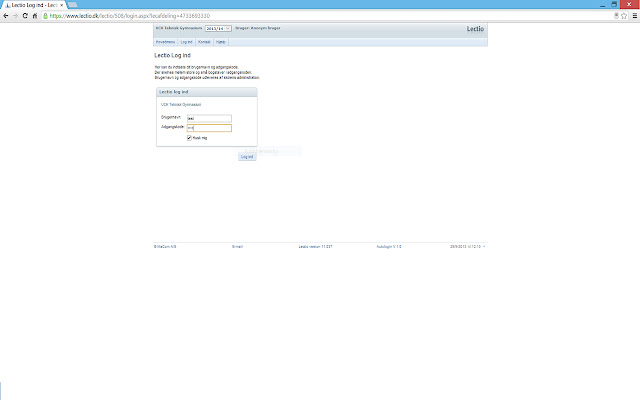
ดาวน์โหลดไฟล์ CRX ของส่วนขยาย Lectio Auto login
ดาวน์โหลดไฟล์ส่วนขยาย Lectio Auto login ในรูปแบบ crx และติดตั้งส่วนขยาย Chrome ด้วยตนเองในเบราว์เซอร์หรือแชร์ไฟล์ crx กับเพื่อนๆ เพื่อติดตั้งส่วนขยาย Chrome อย่างง่ายดาย
คำแนะนำในการใช้ส่วนขยาย
                        Dette plugin sørger for at du automatisk bliver logget ind på Lectio.

Under login siden er der tilføjet en Husk mig knap, som gør at du automatisk bliver logget ind på lectio. For at stoppe med at blive logget ind automatisk, skal du trykke log ud, efter systemet har logget dig ind.
ข้อมูลพื้นฐานของส่วนขยาย
| ชื่อ |  Lectio Auto login Lectio Auto login |
| ID | hjnkjhjbgmhcbhpkkdcmljdcpgmdaack |
| URL อย่างเป็นทางการ | https://chrome.google.com/webstore/detail/lectio-auto-login/hjnkjhjbgmhcbhpkkdcmljdcpgmdaack |
| คำอธิบาย | Dette plugin tilføjere auto login til lectio.. |
| ขนาดไฟล์ | 125 KB |
| จำนวนการติดตั้ง | 18 |
| เวอร์ชันปัจจุบัน | 1.2 |
| อัปเดตครั้งล่าสุด | 2016-03-13 |
| วันที่เผยแพร่ | 2016-03-13 |
| คะแนน | 1.73/5 รวมทั้งหมด 11 คะแนน |
| ผู้พัฒนา | MediaSense |
| ประเภทการชำระเงิน | free |
| ภาษาที่รองรับ | da |
| manifest.json | |
{
    "update_url": "https:\/\/clients2.google.com\/service\/update2\/crx",
    "manifest_version": 2,
    "name": "Lectio Auto login",
    "description": "Dette plugin tilf\u00f8jere auto login til lectio..",
    "version": "1.2",
    "content_scripts": [
        {
            "matches": [
                "http:\/\/*.lectio.dk\/lectio\/*\/*.aspx*",
                "https:\/\/*.lectio.dk\/lectio\/*\/*.aspx*"
            ],
            "js": [
                "jquery.min.js",
                "background.js"
            ]
        }
    ],
    "permissions": [
        "tabs",
        "storage",
        "https:\/\/lectio.dk\/*",
        "https:\/\/www.lectio.dk\/*"
    ]
} | |