Translate To English...
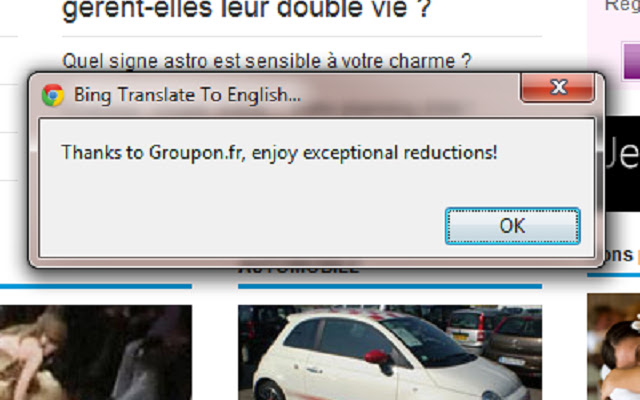
Adds a context menu to allow you to send the highlighted text to the Microsoft Translator API
Translate To English...คืออะไร?
Translate To English... เป็นส่วนขยายของ Chrome ที่พัฒนาโดย Brave Location และคุณลักษณะหลักของมันคือ "Adds a context menu to allow you to send the highlighted text to the Microsoft Translator API"
ภาพหน้าจอของส่วนขยาย

ดาวน์โหลดไฟล์ CRX ของส่วนขยาย Translate To English...
ดาวน์โหลดไฟล์ส่วนขยาย Translate To English... ในรูปแบบ crx และติดตั้งส่วนขยาย Chrome ด้วยตนเองในเบราว์เซอร์หรือแชร์ไฟล์ crx กับเพื่อนๆ เพื่อติดตั้งส่วนขยาย Chrome อย่างง่ายดาย
คำแนะนำในการใช้ส่วนขยาย
                        This extension simply adds a context menu to allow you to send the highlighted text to the Microsoft Translator API and get it translated into English.

Also note that the source code for this simple application can be found on GitHub at https://github.com/bravelocation/BingTranslateChromeExtension
ข้อมูลพื้นฐานของส่วนขยาย
| ชื่อ |  Translate To English... Translate To English... |
| ID | hogdcbncicoifbkfdofpejkkckgkbjig |
| URL อย่างเป็นทางการ | https://chrome.google.com/webstore/detail/translate-to-english/hogdcbncicoifbkfdofpejkkckgkbjig |
| คำอธิบาย | Adds a context menu to allow you to send the highlighted text to the Microsoft Translator API |
| ขนาดไฟล์ | 326 KB |
| จำนวนการติดตั้ง | 16,252 |
| เวอร์ชันปัจจุบัน | 1.3 |
| อัปเดตครั้งล่าสุด | 2019-01-13 |
| วันที่เผยแพร่ | 2019-01-13 |
| คะแนน | 3.94/5 รวมทั้งหมด 68 คะแนน |
| ผู้พัฒนา | Brave Location |
| อีเมล | [email protected] |
| ประเภทการชำระเงิน | free |
| เว็บไซต์ส่วนขยาย | http://www.bravelocation.com |
| ภาษาที่รองรับ | en |
| manifest.json | |
{
    "update_url": "https:\/\/clients2.google.com\/service\/update2\/crx",
    "name": "Translate To English...",
    "description": "Adds a context menu to allow you to send the highlighted text to the Microsoft Translator API",
    "version": "1.3",
    "manifest_version": 2,
    "permissions": [
        "contextMenus"
    ],
    "icons": {
        "16": "translate16.png",
        "48": "translate48.png",
        "128": "translate128.png"
    },
    "content_security_policy": "script-src 'self' https:\/\/api.microsofttranslator.com; object-src 'self'",
    "background": {
        "scripts": [
            "translatescript.js"
        ]
    }
} | |