Blerp for YouTube Audio Creation
The blerp.com extension to easily create sound bites and audio clips from YouTube videos.
Blerp for YouTube Audio Creationคืออะไร?
Blerp for YouTube Audio Creation เป็นส่วนขยายของ Chrome ที่พัฒนาโดย https://blerp.com และคุณลักษณะหลักของมันคือ "The blerp.com extension to easily create sound bites and audio clips from YouTube videos."
ภาพหน้าจอของส่วนขยาย
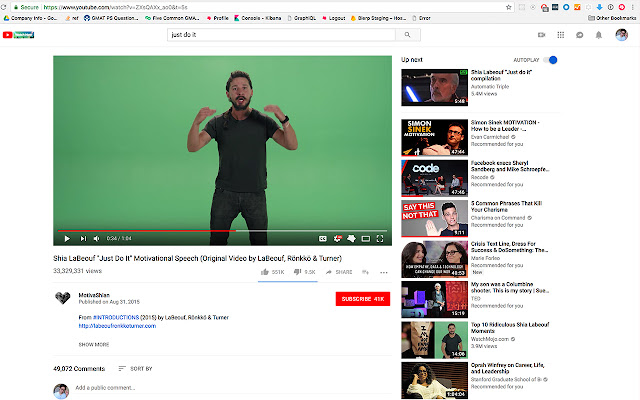
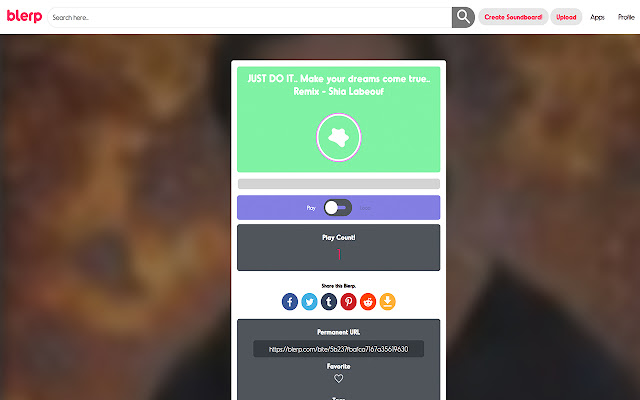
ดาวน์โหลดไฟล์ CRX ของส่วนขยาย Blerp for YouTube Audio Creation
ดาวน์โหลดไฟล์ส่วนขยาย Blerp for YouTube Audio Creation ในรูปแบบ crx และติดตั้งส่วนขยาย Chrome ด้วยตนเองในเบราว์เซอร์หรือแชร์ไฟล์ crx กับเพื่อนๆ เพื่อติดตั้งส่วนขยาย Chrome อย่างง่ายดาย
คำแนะนำในการใช้ส่วนขยาย
                        Create and share audio clips from your favorite youtube videos! Blerp is the platform for sharing, creating, and discovering awesome sound bites.

INSTRUCTIONS
1. Download Extension
2. Create account on https://blerp.com and login
3. Go to a youtube video page
4. Click the blerp icon on the youtube video seek bar
5. Use blerp upload tool to finish creating your sound bite

Once an audio clip is created, use blerp to share your soundbite to any platform (social media and messaging)! Use any of our apps at https://blerp.com/apps to find and save your favorite audio clips.

Our mission at blerp is to help people harness the ability to be different as well as make it easier for people to build human connections through unique expression.
ข้อมูลพื้นฐานของส่วนขยาย
| ชื่อ |  Blerp for YouTube Audio Creation Blerp for YouTube Audio Creation |
| ID | icegggloogckapffpbppdghhhmdbelpb |
| URL อย่างเป็นทางการ | https://chrome.google.com/webstore/detail/blerp-for-youtube-audio-c/icegggloogckapffpbppdghhhmdbelpb |
| คำอธิบาย | The blerp.com extension to easily create sound bites and audio clips from YouTube videos. |
| ขนาดไฟล์ | 67.23 KB |
| จำนวนการติดตั้ง | 343 |
| เวอร์ชันปัจจุบัน | 0.0.1 |
| อัปเดตครั้งล่าสุด | 2018-06-26 |
| วันที่เผยแพร่ | 2018-06-26 |
| คะแนน | 5.00/5 รวมทั้งหมด 6 คะแนน |
| ผู้พัฒนา | https://blerp.com |
| อีเมล | [email protected] |
| ประเภทการชำระเงิน | free |
| เว็บไซต์ส่วนขยาย | https://blerp.com |
| URL หน้าช่วยเหลือ | https://blerp.com/support |
| URL หน้านโยบายความเป็นส่วนตัว | https://blerp.com/privacy |
| ภาษาที่รองรับ | en |
| manifest.json | |
{
    "update_url": "https:\/\/clients2.google.com\/service\/update2\/crx",
    "manifest_version": 2,
    "name": "Blerp for YouTube Audio Creation",
    "short_name": "Blerp",
    "version": "0.0.1",
    "description": "The blerp.com extension to easily create sound bites and audio clips from YouTube videos.",
    "browser_action": {
        "default_icon": {
            "16": ".\/images\/blerp-icon16.png",
            "48": ".\/images\/blerp-icon48.png",
            "128": ".\/images\/blerp-icon128.png"
        },
        "default_title": "Blerp"
    },
    "icons": {
        "16": ".\/images\/blerp-icon16.png",
        "48": ".\/images\/blerp-icon48.png",
        "128": ".\/images\/blerp-icon128.png"
    },
    "homepage_url": "https:\/\/blerp.com",
    "content_scripts": [
        {
            "css": [
                ".\/styles\/styles.css"
            ],
            "js": [
                ".\/content.js"
            ],
            "matches": [
                "*:\/\/*.youtube.com\/*"
            ]
        }
    ],
    "background": {
        "scripts": [
            ".\/background.js"
        ]
    },
    "permissions": [
        "tabs"
    ]
} | |