SICOP+
Captura placa do SICOP e faz a busca no Detran
SICOP+คืออะไร?
SICOP+ เป็นส่วนขยายของ Chrome ที่พัฒนาโดย rudsomlima และคุณลักษณะหลักของมันคือ "Captura placa do SICOP e faz a busca no Detran"
ภาพหน้าจอของส่วนขยาย
ดาวน์โหลดไฟล์ CRX ของส่วนขยาย SICOP+
ดาวน์โหลดไฟล์ส่วนขยาย SICOP+ ในรูปแบบ crx และติดตั้งส่วนขยาย Chrome ด้วยตนเองในเบราว์เซอร์หรือแชร์ไฟล์ crx กับเพื่อนๆ เพื่อติดตั้งส่วนขยาย Chrome อย่างง่ายดาย
คำแนะนำในการใช้ส่วนขยาย
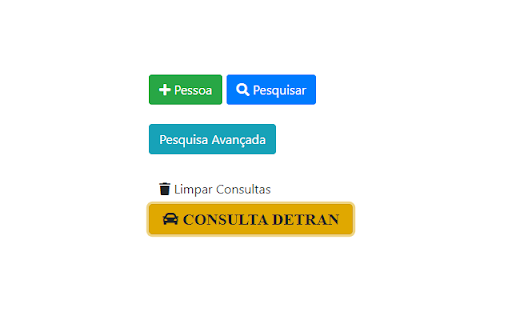
Esta extensão cria um botão "CONSULTA DETRAN" no SICOP, permitindo consultar o veículo no seu respectivo DETRAN. Em 01/12/2022, todos os estados funcionando, exceto Sergipe. ข้อมูลพื้นฐานของส่วนขยาย
| ชื่อ |  SICOP+ SICOP+ |
| ID | icjglnlnjhcmjmopodjkgicpffkhdanc |
| URL อย่างเป็นทางการ | https://chromewebstore.google.com/detail/sicop+/icjglnlnjhcmjmopodjkgicpffkhdanc |
| คำอธิบาย | Captura placa do SICOP e faz a busca no Detran |
| ขนาดไฟล์ | 56.3 KB |
| จำนวนการติดตั้ง | 1,697 |
| เวอร์ชันปัจจุบัน | 1.6.10 |
| อัปเดตครั้งล่าสุด | 2024-02-07 |
| วันที่เผยแพร่ | 2022-02-14 |
| คะแนน | 5.00/5 รวมทั้งหมด 4 คะแนน |
| ผู้พัฒนา | rudsomlima |
| อีเมล | [email protected] |
| ประเภทการชำระเงิน | free |
| ภาษาที่รองรับ | pt-BR |
| manifest.json | |
{
    "update_url": "https:\/\/clients2.google.com\/service\/update2\/crx",
    "manifest_version": 3,
    "name": "SICOP+",
    "description": "Captura placa do SICOP e faz a busca no Detran",
    "version": "1.6.10",
    "permissions": [
        "storage"
    ],
    "background": {
        "service_worker": "background.js"
    },
    "content_scripts": [
        {
            "matches": [
                "https:\/\/sicop.prf.gov.br\/*"
            ],
            "js": [
                "jquery-3.7.1.min.js",
                "cria_btn.js",
                "content.js"
            ],
            "run_at": "document_end",
            "all_frames": true
        },
        {
            "matches": [
                "https:\/\/www.ap.getran.com.br\/*",
                "https:\/\/www.detran.ac.gov.br\/*",
                "https:\/\/www.detran.al.gov.br\/*",
                "https:\/\/digital.detran.am.gov.br\/*",
                "https:\/\/servicos.detran.ba.gov.br\/SituacaoVeiculo",
                "https:\/\/*.detran.ce.gov.br\/*",
                "https:\/\/*.detran.df.gov.br\/*",
                "https:\/\/publicodetran.es.gov.br\/*",
                "https:\/\/www.go.gov.br\/servicos-digitais\/detran\/consulta-veiculos\/consultar-dados",
                "https:\/\/portal.detrannet.detran.ma.gov.br\/*",
                "https:\/\/transito.mg.gov.br\/veiculos\/situacao-do-veiculo\/consultar-situacao-do-veiculo",
                "https:\/\/www.meudetran.ms.gov.br\/*",
                "https:\/\/www.detran.mt.gov.br\/*",
                "https:\/\/www.detran.pa.gov.br\/*",
                "https:\/\/wsdetran.pb.gov.br\/*",
                "https:\/\/online5.detran.pe.gov.br\/*",
                "http:\/\/taxas.detran.pi.gov.br\/*",
                "https:\/\/www.extratodebito.detran.pr.gov.br\/*",
                "https:\/\/www2.detran.rj.gov.br\/portal\/veiculos\/consultaCadastro",
                "https:\/\/www2.detran.rn.gov.br\/*",
                "https:\/\/centralservicos.detran.ro.gov.br\/*",
                "https:\/\/www.rr.getran.com.br\/*",
                "https:\/\/pcsdetran.rs.gov.br\/consulta-veiculo",
                "http:\/\/consultas.detrannet.sc.gov.br\/*",
                "https:\/\/www.detran.se.gov.br\/*",
                "https:\/\/www.ipva.fazenda.sp.gov.br\/*",
                "https:\/\/*.to.gov.br\/*",
                "file:\/\/\/*"
            ],
            "js": [
                "jquery-3.7.1.min.js",
                "consulta.js"
            ],
            "run_at": "document_end",
            "all_frames": true
        }
    ],
    "action": {
        "default_icon": "carro.png"
    },
    "icons": {
        "48": "carro_48.png",
        "128": "carro.png"
    }
} | |