Unblock Selection and Right click
Always allow selection of text and context menu (right click of mouse) on sites.
Unblock Selection and Right clickคืออะไร?
Unblock Selection and Right click เป็นส่วนขยายของ Chrome ที่พัฒนาโดย https://roei.stream และคุณลักษณะหลักของมันคือ "Always allow selection of text and context menu (right click of mouse) on sites."
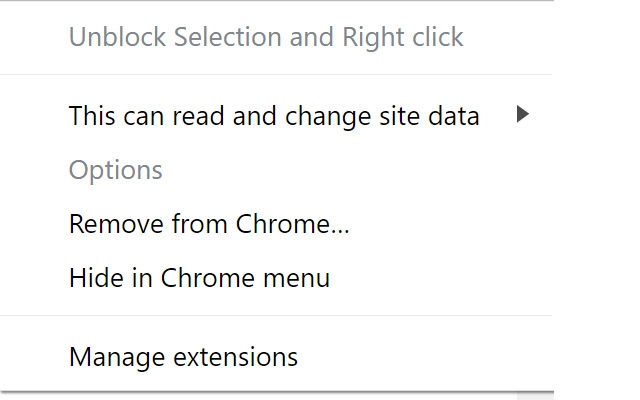
ภาพหน้าจอของส่วนขยาย
ดาวน์โหลดไฟล์ CRX ของส่วนขยาย Unblock Selection and Right click
ดาวน์โหลดไฟล์ส่วนขยาย Unblock Selection and Right click ในรูปแบบ crx และติดตั้งส่วนขยาย Chrome ด้วยตนเองในเบราว์เซอร์หรือแชร์ไฟล์ crx กับเพื่อนๆ เพื่อติดตั้งส่วนขยาย Chrome อย่างง่ายดาย
คำแนะนำในการใช้ส่วนขยาย
                        Unblock sites that tries to prevent you from selecting text or using the context menu (right click of the mouse) with this simple yet powerful extension.
This extension has only few lines of code.
This extension does not read your site's content has any permissions.
Feel free to contact me if you find sites that are not supported by this add on.
ข้อมูลพื้นฐานของส่วนขยาย
| ชื่อ |  Unblock Selection and Right click Unblock Selection and Right click |
| ID | ihfbclliibagmlaooebjkibceepfehbl |
| URL อย่างเป็นทางการ | https://chrome.google.com/webstore/detail/unblock-selection-and-rig/ihfbclliibagmlaooebjkibceepfehbl |
| คำอธิบาย | Always allow selection of text and context menu (right click of mouse) on sites. |
| ขนาดไฟล์ | 150 KB |
| จำนวนการติดตั้ง | 902 |
| เวอร์ชันปัจจุบัน | 1.1 |
| อัปเดตครั้งล่าสุด | 2019-10-20 |
| วันที่เผยแพร่ | 2019-10-20 |
| คะแนน | 3.00/5 รวมทั้งหมด 2 คะแนน |
| ผู้พัฒนา | https://roei.stream |
| ประเภทการชำระเงิน | free |
| เว็บไซต์ส่วนขยาย | https://roei.stream |
| URL หน้าช่วยเหลือ | https://roei.stream/support/ |
| ภาษาที่รองรับ | en |
| manifest.json | |
{
"update_url": "https:\/\/clients2.google.com\/service\/update2\/crx",
"manifest_version": 2,
"name": "Unblock Selection and Right click",
"short_name": "Unblock Selection",
"description": "Always allow selection of text and context menu (right click of mouse) on sites.",
"version": "1.1",
"content_scripts": [
{
"js": [
"unblock.js"
],
"matches": [
" | |