Smart Note
A friendly notepad you can easily add tabs to a note.
Smart Noteคืออะไร?
Smart Note เป็นส่วนขยายของ Chrome ที่พัฒนาโดย Vere Perrot และคุณลักษณะหลักของมันคือ "A friendly notepad you can easily add tabs to a note."
ภาพหน้าจอของส่วนขยาย
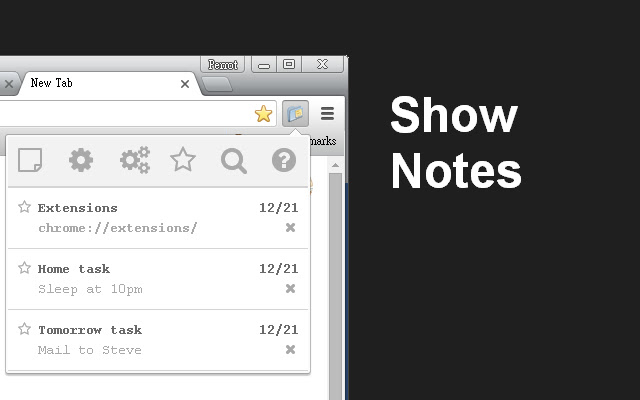


ดาวน์โหลดไฟล์ CRX ของส่วนขยาย Smart Note
ดาวน์โหลดไฟล์ส่วนขยาย Smart Note ในรูปแบบ crx และติดตั้งส่วนขยาย Chrome ด้วยตนเองในเบราว์เซอร์หรือแชร์ไฟล์ crx กับเพื่อนๆ เพื่อติดตั้งส่วนขยาย Chrome อย่างง่ายดาย
คำแนะนำในการใช้ส่วนขยาย
                        A friendly notepad you can easily add tabs to a note.

Features:
* Add note.
* Add todo list.
* Add tab to a note.
* Add tabs to a note.
* Show favorite notes.
* Search in the notes.
* Open the smart note as tab.
* Edit tabs.
* Edit notes.
* Show help page.
* Sync notes to your google account.
* Click fav icon to open a link.
* Support Chinese(China),Chinese(Taiwan),English locales.
ข้อมูลพื้นฐานของส่วนขยาย
| ชื่อ |  Smart Note Smart Note |
| ID | ilhflppjpbggfgpicjblmfcckadkobcb |
| URL อย่างเป็นทางการ | https://chrome.google.com/webstore/detail/smart-note/ilhflppjpbggfgpicjblmfcckadkobcb |
| คำอธิบาย | A friendly notepad you can easily add tabs to a note. |
| ขนาดไฟล์ | 416 KB |
| จำนวนการติดตั้ง | 995 |
| เวอร์ชันปัจจุบัน | 1.7 |
| อัปเดตครั้งล่าสุด | 2016-01-02 |
| วันที่เผยแพร่ | 2016-01-02 |
| คะแนน | 4.50/5 รวมทั้งหมด 6 คะแนน |
| ผู้พัฒนา | Vere Perrot |
| ประเภทการชำระเงิน | free |
| ภาษาที่รองรับ | en,zh-CN,zh-TW |
| manifest.json | |
{
    "update_url": "https:\/\/clients2.google.com\/service\/update2\/crx",
    "manifest_version": 2,
    "name": "__MSG_extName__",
    "description": "__MSG_description__",
    "version": "1.7",
    "author": "Vere Perrot",
    "default_locale": "en",
    "icons": {
        "16": "images\/icon16.png",
        "48": "images\/icon48.png",
        "128": "images\/icon128.png"
    },
    "browser_action": {
        "default_icon": "images\/icon.png",
        "default_popup": "index.html"
    },
    "permissions": [
        "debugger",
        "storage",
        "tabs"
    ],
    "content_security_policy": "script-src 'self' 'unsafe-eval'; object-src 'self'"
} | |