Chrome Passwords
With Chrome Passwords you just have to remember one password! Chrome Passwords does not store any sensitive information, such as…
Chrome Passwordsคืออะไร?
Chrome Passwords เป็นส่วนขยายของ Chrome ที่พัฒนาโดย Christoph Roeder และคุณลักษณะหลักของมันคือ "With Chrome Passwords you just have to remember one password! Chrome Passwords does not store any sensitive information, such as…"
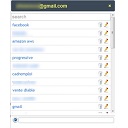
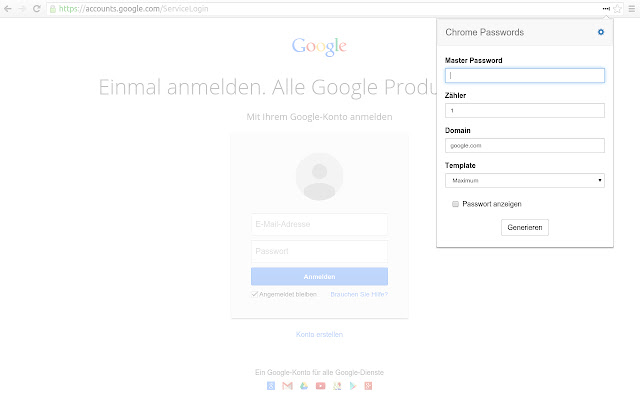
ภาพหน้าจอของส่วนขยาย


ดาวน์โหลดไฟล์ CRX ของส่วนขยาย Chrome Passwords
ดาวน์โหลดไฟล์ส่วนขยาย Chrome Passwords ในรูปแบบ crx และติดตั้งส่วนขยาย Chrome ด้วยตนเองในเบราว์เซอร์หรือแชร์ไฟล์ crx กับเพื่อนๆ เพื่อติดตั้งส่วนขยาย Chrome อย่างง่ายดาย
คำแนะนำในการใช้ส่วนขยาย
                        With Chrome Passwords you just have to remember one password!

Chrome Passwords does not store any sensitive information, such as other password managers, it generates unique passwords for each website with your master password.

For this, the open source algorithm of the well known Master Password App [1] is used.

Through this open algorithm, apps are already available for all kinds of operating systems. (Windows, MacOS, IOS, Android, ... )

[1] https://masterpasswordapp.com
ข้อมูลพื้นฐานของส่วนขยาย
| ชื่อ |  Chrome Passwords Chrome Passwords |
| ID | injddhenpdfbccendcpjghdclnadepnp |
| URL อย่างเป็นทางการ | https://chrome.google.com/webstore/detail/chrome-passwords/injddhenpdfbccendcpjghdclnadepnp |
| คำอธิบาย | With Chrome Passwords you just have to remember one password! Chrome Passwords does not store any sensitive information, such as… |
| ขนาดไฟล์ | 187 KB |
| จำนวนการติดตั้ง | 213 |
| เวอร์ชันปัจจุบัน | 2.2 |
| อัปเดตครั้งล่าสุด | 2021-01-08 |
| วันที่เผยแพร่ | 2016-02-05 |
| คะแนน | 4.67/5 รวมทั้งหมด 3 คะแนน |
| ผู้พัฒนา | Christoph Roeder |
| อีเมล | [email protected] |
| ประเภทการชำระเงิน | free |
| URL หน้าช่วยเหลือ | https://github.com/brightdroid/chrome-passwords |
| ภาษาที่รองรับ | de,en |
| manifest.json | |
{
    "update_url": "https:\/\/clients2.google.com\/service\/update2\/crx",
    "manifest_version": 2,
    "name": "Chrome Passwords",
    "version": "2.2",
    "default_locale": "en",
    "minimum_chrome_version": "38",
    "permissions": [
        "activeTab",
        "declarativeContent",
        "storage"
    ],
    "icons": {
        "48": "images\/icon48.png",
        "128": "images\/icon128.png"
    },
    "background": {
        "scripts": [
            "scripts\/jquery.min.js",
            "scripts\/background.min.js",
            "scripts\/lib\/setImmediate-polyfill.js",
            "scripts\/lib\/pbkdf2.js",
            "scripts\/lib\/scrypt.js",
            "scripts\/lib\/mpw.js"
        ],
        "persistent": false
    },
    "content_scripts": [
        {
            "matches": [
                "*:\/\/*\/*"
            ],
            "js": [
                "scripts\/jquery.min.js",
                "scripts\/content.min.js"
            ],
            "all_frames": true
        }
    ],
    "web_accessible_resources": [
        "images\/*.png",
        "scripts\/*.js.map"
    ],
    "options_page": "options.html",
    "page_action": {
        "default_title": "Chrome Passwords",
        "default_popup": "popup.html",
        "default_icon": "images\/icon38.png"
    },
    "content_security_policy": "script-src 'self' http:\/\/localhost:* 'unsafe-eval'; object-src 'self'",
    "commands": {
        "_execute_page_action": {
            "suggested_key": {
                "default": "Alt+P",
                "windows": "Alt+P",
                "mac": "Alt+P"
            }
        }
    }
} | |