Ocular for Periscope.tv [BETA]
Ocular allows you to control and mute Periscope volume. More functionality to follow.
Ocular for Periscope.tv [BETA]คืออะไร?
Ocular for Periscope.tv [BETA] เป็นส่วนขยายของ Chrome ที่พัฒนาโดย samgielis และคุณลักษณะหลักของมันคือ "Ocular allows you to control and mute Periscope volume. More functionality to follow."
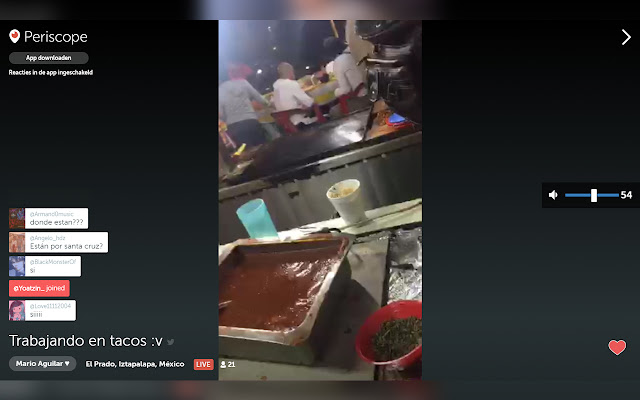
ภาพหน้าจอของส่วนขยาย


ดาวน์โหลดไฟล์ CRX ของส่วนขยาย Ocular for Periscope.tv [BETA]
ดาวน์โหลดไฟล์ส่วนขยาย Ocular for Periscope.tv [BETA] ในรูปแบบ crx และติดตั้งส่วนขยาย Chrome ด้วยตนเองในเบราว์เซอร์หรือแชร์ไฟล์ crx กับเพื่อนๆ เพื่อติดตั้งส่วนขยาย Chrome อย่างง่ายดาย
คำแนะนำในการใช้ส่วนขยาย
Ocular allows you to control and mute Periscope volume. More functionality to follow. ข้อมูลพื้นฐานของส่วนขยาย
| ชื่อ | ![Ocular for Periscope.tv [BETA]](https://lh3.googleusercontent.com/pPaCCc8Y4FWl3hm0AjtVxC_m7DJ0hWukMXq767OG92RXs4HIIGEdm3hRlwB0O4TUvSzaNoNd-JOXNosMbgTjHr7ZCg=w128-h128-e365-rj-sc0x00ffffff) Ocular for Periscope.tv [BETA] Ocular for Periscope.tv [BETA] |
| ID | jcamcagoghddgpcbhaighifcccckejie |
| URL อย่างเป็นทางการ | https://chrome.google.com/webstore/detail/ocular-for-periscopetv-be/jcamcagoghddgpcbhaighifcccckejie |
| คำอธิบาย | Ocular allows you to control and mute Periscope volume. More functionality to follow. |
| ขนาดไฟล์ | 106 KB |
| จำนวนการติดตั้ง | 226 |
| เวอร์ชันปัจจุบัน | 0.1 |
| อัปเดตครั้งล่าสุด | 2019-03-08 |
| วันที่เผยแพร่ | 2019-03-08 |
| คะแนน | 4.29/5 รวมทั้งหมด 21 คะแนน |
| ผู้พัฒนา | samgielis |
| ประเภทการชำระเงิน | free |
| ภาษาที่รองรับ | en |
| manifest.json | |
{
    "update_url": "https:\/\/clients2.google.com\/service\/update2\/crx",
    "name": "Ocular for Periscope.tv [BETA]",
    "description": "Ocular allows you to control and mute Periscope volume. More functionality to follow.",
    "version": "0.1",
    "author": "Sam Gielis",
    "manifest_version": 2,
    "icons": {
        "16": "icon16.png",
        "48": "icon48.png",
        "128": "icon128.png"
    },
    "permissions": [
        "storage",
        "activeTab",
        "https:\/\/*.periscope.tv\/w\/*"
    ],
    "content_scripts": [
        {
            "matches": [
                "https:\/\/*.periscope.tv\/w\/*"
            ],
            "js": [
                "ocular.js"
            ],
            "css": [
                ".\/css\/ocular.css",
                ".\/css\/fonts.css"
            ]
        }
    ],
    "web_accessible_resources": [
        "ocular.js",
        ".\/css\/ocular.css",
        ".\/css\/*",
        "\/fonts\/*.woff2"
    ],
    "content_security_policy": "script-src 'self' https:\/\/ssl.google-analytics.com; object-src 'self'"
} | |
![Periscope for PC Windows 10 [Guide]](https://lh3.googleusercontent.com/kr1IiindsRqNLPA6KA7eQfqBPq7vdR--KeskINayFOygzmXwBvnUj2x9EpiljrFW172tZtYTLQ=w128-h128-e365-rj-sc0x00ffffff)