Expertise.tv Screen Sharing Extension
This Chrome extension allows you to share your screen when using Expertise.tv video conferencing.
Expertise.tv Screen Sharing Extensionคืออะไร?
Expertise.tv Screen Sharing Extension เป็นส่วนขยายของ Chrome ที่พัฒนาโดย http://expertise.tv และคุณลักษณะหลักของมันคือ "This Chrome extension allows you to share your screen when using Expertise.tv video conferencing."
ภาพหน้าจอของส่วนขยาย
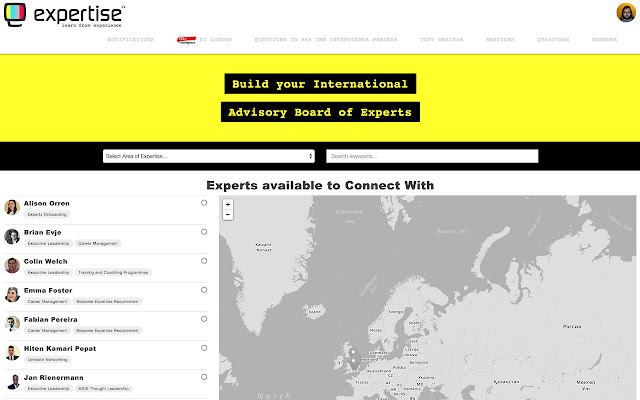
ดาวน์โหลดไฟล์ CRX ของส่วนขยาย Expertise.tv Screen Sharing Extension
ดาวน์โหลดไฟล์ส่วนขยาย Expertise.tv Screen Sharing Extension ในรูปแบบ crx และติดตั้งส่วนขยาย Chrome ด้วยตนเองในเบราว์เซอร์หรือแชร์ไฟล์ crx กับเพื่อนๆ เพื่อติดตั้งส่วนขยาย Chrome อย่างง่ายดาย
คำแนะนำในการใช้ส่วนขยาย
This Chrome extension allows you to share your screen when using Expertise.tv video conferencing. ข้อมูลพื้นฐานของส่วนขยาย
| ชื่อ |  Expertise.tv Screen Sharing Extension Expertise.tv Screen Sharing Extension |
| ID | jegcodgdfkeelkodcogioadhihmlhpgj |
| URL อย่างเป็นทางการ | https://chrome.google.com/webstore/detail/expertisetv-screen-sharin/jegcodgdfkeelkodcogioadhihmlhpgj |
| คำอธิบาย | This Chrome extension allows you to share your screen when using Expertise.tv video conferencing. |
| ขนาดไฟล์ | 22.45 KB |
| จำนวนการติดตั้ง | 805 |
| เวอร์ชันปัจจุบัน | 1.3 |
| อัปเดตครั้งล่าสุด | 2015-02-20 |
| วันที่เผยแพร่ | 2015-02-20 |
| คะแนน | 4.60/5 รวมทั้งหมด 5 คะแนน |
| ผู้พัฒนา | http://expertise.tv |
| ประเภทการชำระเงิน | free |
| เว็บไซต์ส่วนขยาย | https://expertise.tv |
| ภาษาที่รองรับ | en |
| manifest.json | |
{
    "update_url": "https:\/\/clients2.google.com\/service\/update2\/crx",
    "name": "Expertise.tv Screen Sharing Extension",
    "author": "Alex Speller",
    "version": "1.3",
    "manifest_version": 2,
    "minimum_chrome_version": "34",
    "description": "This Chrome extension allows you to share your screen when using Expertise.tv video conferencing.",
    "homepage_url": "https:\/\/expertise.tv\/",
    "background": {
        "scripts": [
            "background-script.js"
        ],
        "persistent": false
    },
    "content_scripts": [
        {
            "js": [
                "content-script.js"
            ],
            "all_frames": true,
            "matches": [
                "https:\/\/*.expertise.tv\/*",
                "https:\/\/localhost-expertise.ssl\/*"
            ]
        }
    ],
    "icons": {
        "16": "logo16.png",
        "48": "logo48.png",
        "128": "logo128.png"
    },
    "permissions": [
        "desktopCapture"
    ],
    "web_accessible_resources": [
        "icon.png"
    ]
} | |