Youtube Live Checker
Check YouTube Live and New Videos in Subscriptions.
Youtube Live Checkerคืออะไร?
Youtube Live Checker เป็นส่วนขยายของ Chrome ที่พัฒนาโดย http://terminalhouse.com และคุณลักษณะหลักของมันคือ "Check YouTube Live and New Videos in Subscriptions."
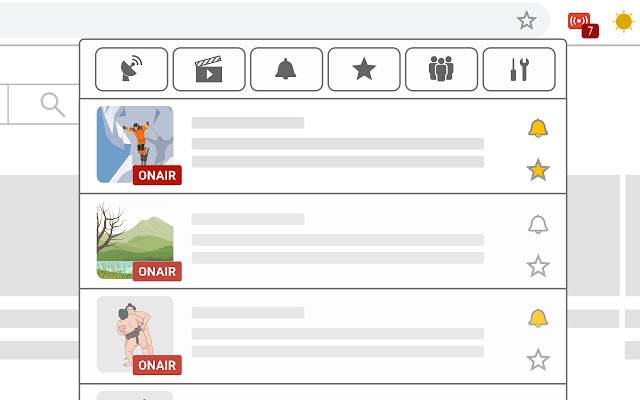
ภาพหน้าจอของส่วนขยาย

ดาวน์โหลดไฟล์ CRX ของส่วนขยาย Youtube Live Checker
ดาวน์โหลดไฟล์ส่วนขยาย Youtube Live Checker ในรูปแบบ crx และติดตั้งส่วนขยาย Chrome ด้วยตนเองในเบราว์เซอร์หรือแชร์ไฟล์ crx กับเพื่อนๆ เพื่อติดตั้งส่วนขยาย Chrome อย่างง่ายดาย
คำแนะนำในการใช้ส่วนขยาย
                        Press this button to check onair channels and new videos. And you can also notify them.

*This app was translated into English using Google Translate.
If I did a strange translation, it would be helpful to report it with the correct translation.
I will fix it as soon as possible.
ข้อมูลพื้นฐานของส่วนขยาย
| ชื่อ |  Youtube Live Checker Youtube Live Checker |
| ID | jghnkkomfecnakafbmnbeahjbefdonjo |
| URL อย่างเป็นทางการ | https://chrome.google.com/webstore/detail/youtube-live-checker/jghnkkomfecnakafbmnbeahjbefdonjo |
| คำอธิบาย | Check YouTube Live and New Videos in Subscriptions. |
| ขนาดไฟล์ | 88.97 KB |
| จำนวนการติดตั้ง | 2,473 |
| เวอร์ชันปัจจุบัน | 0.0.1.6 |
| อัปเดตครั้งล่าสุด | 2020-11-04 |
| วันที่เผยแพร่ | 2020-06-22 |
| คะแนน | 4.33/5 รวมทั้งหมด 9 คะแนน |
| ผู้พัฒนา | http://terminalhouse.com |
| อีเมล | [email protected] |
| ประเภทการชำระเงิน | free |
| URL หน้านโยบายความเป็นส่วนตัว | http://https |
| ภาษาที่รองรับ | en,ja |
| manifest.json | |
{
    "update_url": "https:\/\/clients2.google.com\/service\/update2\/crx",
    "version": "0.0.1.6",
    "default_locale": "en",
    "name": "__MSG_extName__",
    "description": "__MSG_extDescription__",
    "icons": {
        "16": "icon\/icon16.png",
        "48": "icon\/icon48.png",
        "128": "icon\/icon128.png"
    },
    "background": {
        "scripts": [
            "js\/jquery-3.2.1.min.js",
            "js\/background.js"
        ],
        "persistent": false
    },
    "browser_action": {
        "default_title": "Youtube Live Checker",
        "default_popup": "popup.html",
        "default_icon": {
            "16": "icon\/icon16.png"
        }
    },
    "permissions": [
        "https:\/\/www.youtube.com\/",
        "alarms",
        "idle",
        "storage",
        "notifications"
    ],
    "manifest_version": 2,
    "content_security_policy": "script-src 'self' 'unsafe-eval'; object-src 'self'"
} | |













![HyperChat [Improved YouTube Chat]](https://lh3.googleusercontent.com/S3_Fc4pZJDp503jgQVTw7VzKPWn0jz7BnMHrrZriA4WCzN_NiTQLeo9sZa_oPc2crY_HNApbFjbzPYyFDu_oTjfG)