Flappy Bird Game
A recreation of Flappy bird Created with P5.js
Flappy Bird Gameคืออะไร?
Flappy Bird Game เป็นส่วนขยายของ Chrome ที่พัฒนาโดย hammish และคุณลักษณะหลักของมันคือ "A recreation of Flappy bird Created with P5.js"
ภาพหน้าจอของส่วนขยาย
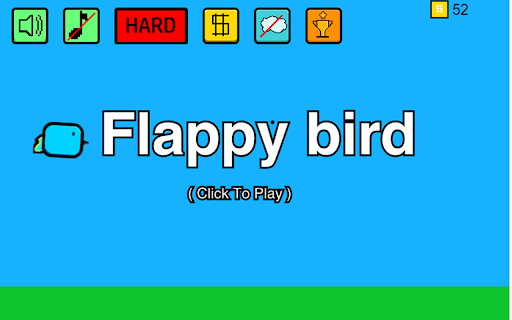
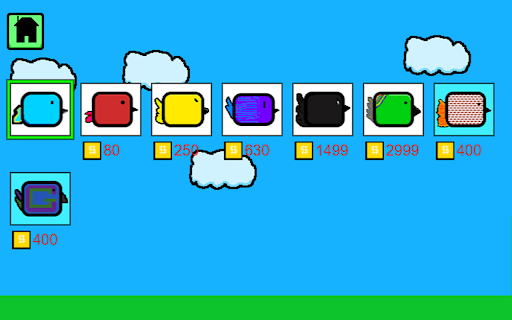

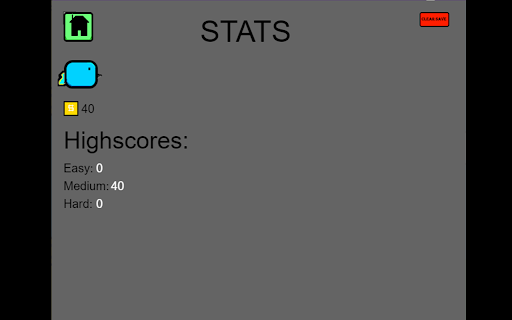
ดาวน์โหลดไฟล์ CRX ของส่วนขยาย Flappy Bird Game
ดาวน์โหลดไฟล์ส่วนขยาย Flappy Bird Game ในรูปแบบ crx และติดตั้งส่วนขยาย Chrome ด้วยตนเองในเบราว์เซอร์หรือแชร์ไฟล์ crx กับเพื่อนๆ เพื่อติดตั้งส่วนขยาย Chrome อย่างง่ายดาย
คำแนะนำในการใช้ส่วนขยาย
                        A recreation of flappy bird with a new art style
play unblocked and free on google chrome
No ads

runs best on google chrome with minimal tabs open on

music: Voxel Revolution by Kevin Macleod
HOW TO PLAY:
open the extensions tab and click "Flappy Bird Game"
click the screen to start
click or press up arrow to jump
try to avoid the Pillars
click the money icon to access the shop where you can purchase and equip other birds
click the trophy icon to access the stats viewer

please report any bugs found to the contact email found below

made with p5.js and howler.js
contact: [email protected]

NOT A FULL RECREATION OF THE ORIGINAL; ART, MUSIC AND UI ARE DIFFERENT
ข้อมูลพื้นฐานของส่วนขยาย
| ชื่อ |  Flappy Bird Game Flappy Bird Game |
| ID | jhdmjggpjbhlpdehmabpibpfgmnmdohb |
| URL อย่างเป็นทางการ | https://chromewebstore.google.com/detail/flappy-bird-game/jhdmjggpjbhlpdehmabpibpfgmnmdohb |
| คำอธิบาย | A recreation of Flappy bird Created with P5.js |
| ขนาดไฟล์ | 4.08 MB |
| จำนวนการติดตั้ง | 237 |
| เวอร์ชันปัจจุบัน | 2.19 |
| อัปเดตครั้งล่าสุด | 2023-11-20 |
| วันที่เผยแพร่ | 2023-03-07 |
| คะแนน | 5.00/5 รวมทั้งหมด 2 คะแนน |
| ผู้พัฒนา | hammish |
| อีเมล | [email protected] |
| ประเภทการชำระเงิน | free |
| ภาษาที่รองรับ | en |
| manifest.json | |
{
    "update_url": "https:\/\/clients2.google.com\/service\/update2\/crx",
    "manifest_version": 3,
    "name": "Flappy Bird Game",
    "version": "2.19",
    "permissions": [
        "storage"
    ],
    "action": {
        "default_popup": "index.html",
        "default_title": "Flappy bird",
        "default_icon": "icons\/icon-64.png"
    },
    "description": "A recreation of Flappy bird Created with P5.js",
    "icons": {
        "128": "icons\/icon-128.png",
        "64": "icons\/icon-64.png",
        "32": "icons\/icon-32.png"
    }
} | |







![Flappy Bird [offline]](https://lh3.googleusercontent.com/58hIc4-VnlJ2ifyEXS_omLUQI_362emj180ybBibMdUeb46rLWzsz_wHu_6nQDCDAT8MwlMTwNfREIqnMXpGvaaS)