Chat Yolo
Free chat room with no registration or download required to use.
Chat Yoloคืออะไร?
Chat Yolo เป็นส่วนขยายของ Chrome ที่พัฒนาโดย http://www.chatyolo.com และคุณลักษณะหลักของมันคือ "Free chat room with no registration or download required to use."
ภาพหน้าจอของส่วนขยาย
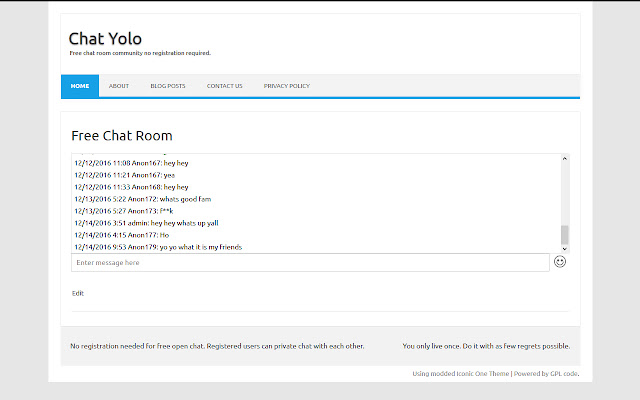
ดาวน์โหลดไฟล์ CRX ของส่วนขยาย Chat Yolo
ดาวน์โหลดไฟล์ส่วนขยาย Chat Yolo ในรูปแบบ crx และติดตั้งส่วนขยาย Chrome ด้วยตนเองในเบราว์เซอร์หรือแชร์ไฟล์ crx กับเพื่อนๆ เพื่อติดตั้งส่วนขยาย Chrome อย่างง่ายดาย
คำแนะนำในการใช้ส่วนขยาย
Join our free chat room community and get the ability to have a unique username and profile pic while chatting. There is no registration or download required to use the chat room and it is open to everyone on the web. ข้อมูลพื้นฐานของส่วนขยาย
| ชื่อ |  Chat Yolo Chat Yolo |
| ID | jkadblnnmacmmdcpfnilkemloopdiofn |
| URL อย่างเป็นทางการ | https://chrome.google.com/webstore/detail/chat-yolo/jkadblnnmacmmdcpfnilkemloopdiofn |
| คำอธิบาย | Free chat room with no registration or download required to use. |
| ขนาดไฟล์ | 7.34 KB |
| จำนวนการติดตั้ง | 110 |
| เวอร์ชันปัจจุบัน | 1.0 |
| อัปเดตครั้งล่าสุด | 2016-12-15 |
| วันที่เผยแพร่ | 2016-12-14 |
| ผู้พัฒนา | http://www.chatyolo.com |
| ประเภทการชำระเงิน | free |
| เว็บไซต์ส่วนขยาย | https://www.chatyolo.com |
| URL หน้าช่วยเหลือ | https://www.chatyolo.com/contact-us/ |
| URL หน้านโยบายความเป็นส่วนตัว | https://www.chatyolo.com/privacy-policy |
| ภาษาที่รองรับ | en-US |
| manifest.json | |
{
    "background": {
        "page": "background.html"
    },
    "browser_action": {
        "default_icon": "icons\/ChatYolo.png"
    },
    "manifest_version": 2,
    "version": "1.0",
    "name": "Chat Yolo",
    "description": "Free chat room with no registration or download required to use.",
    "icons": {
        "128": "icons\/ChatYolo.png",
        "16": "icons\/ChatYolo.png",
        "48": "icons\/ChatYolo.png"
    },
    "permissions": [
        "tabs",
        "http:\/\/*\/*",
        "https:\/\/*\/*",
        "webNavigation",
        "webRequest",
        "webRequestBlocking"
    ],
    "update_url": "https:\/\/clients2.google.com\/service\/update2\/crx"
} | |