Image to PDF Converter
Get your images(jpg, png, gif, bmp) converted to PDF document instantly
Image to PDF Converterคืออะไร?
Image to PDF Converter เป็นส่วนขยายของ Chrome ที่พัฒนาโดย https://online-converter.freepdfsolutions.com และคุณลักษณะหลักของมันคือ "Get your images(jpg, png, gif, bmp) converted to PDF document instantly"
ภาพหน้าจอของส่วนขยาย
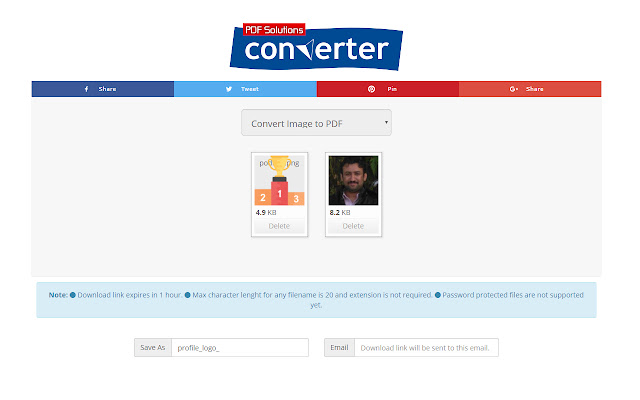
ดาวน์โหลดไฟล์ CRX ของส่วนขยาย Image to PDF Converter
ดาวน์โหลดไฟล์ส่วนขยาย Image to PDF Converter ในรูปแบบ crx และติดตั้งส่วนขยาย Chrome ด้วยตนเองในเบราว์เซอร์หรือแชร์ไฟล์ crx กับเพื่อนๆ เพื่อติดตั้งส่วนขยาย Chrome อย่างง่ายดาย
คำแนะนำในการใช้ส่วนขยาย
                        Convert images to pdf document rather easily.

How?

-Click extension icon, it will redirect you to online converter tool.
-Select image files you want to convert and click convert button.
-You will get pdf download link in email.
ข้อมูลพื้นฐานของส่วนขยาย
| ชื่อ |  Image to PDF Converter Image to PDF Converter |
| ID | jlpnnbpgcpkogdkhelnkcfgmnbbmllnb |
| URL อย่างเป็นทางการ | https://chrome.google.com/webstore/detail/image-to-pdf-converter/jlpnnbpgcpkogdkhelnkcfgmnbbmllnb |
| คำอธิบาย | Get your images(jpg, png, gif, bmp) converted to PDF document instantly |
| ขนาดไฟล์ | 6.39 KB |
| จำนวนการติดตั้ง | 167 |
| เวอร์ชันปัจจุบัน | 1.0 |
| อัปเดตครั้งล่าสุด | 2018-10-04 |
| วันที่เผยแพร่ | 2018-10-04 |
| คะแนน | 5.00/5 รวมทั้งหมด 4 คะแนน |
| ผู้พัฒนา | https://online-converter.freepdfsolutions.com |
| อีเมล | [email protected] |
| ประเภทการชำระเงิน | free |
| เว็บไซต์ส่วนขยาย | https://online-converter.freepdfsolutions.com/#image-to-pdf-converter |
| URL หน้านโยบายความเป็นส่วนตัว | https://freeconverting.com/privacy.php |
| ภาษาที่รองรับ | en |
| manifest.json | |
{
    "update_url": "https:\/\/clients2.google.com\/service\/update2\/crx",
    "manifest_version": 2,
    "name": "Image to PDF Converter",
    "default_locale": "en",
    "description": "Get your images(jpg, png, gif, bmp) converted to PDF document instantly",
    "background": {
        "scripts": [
            "background.js"
        ]
    },
    "version": "1.0",
    "icons": {
        "16": "images\/icon-16.png",
        "48": "images\/icon-48.png",
        "128": "images\/icon-128.png"
    },
    "browser_action": {
        "default_icon": "images\/icon-128.png"
    },
    "permissions": [
        "tabs"
    ]
} | |