Save to Screenly
Display live web pages on your Screenly digital sign.
Save to Screenlyคืออะไร?
Save to Screenly เป็นส่วนขยายของ Chrome ที่พัฒนาโดย Screenly และคุณลักษณะหลักของมันคือ "Display live web pages on your Screenly digital sign."
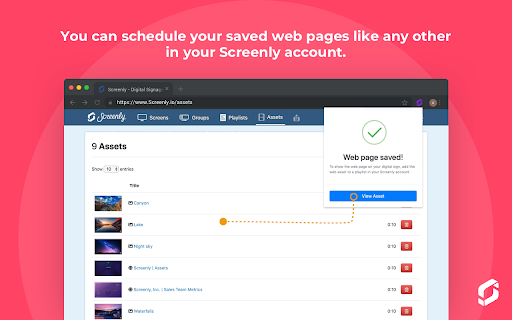
ภาพหน้าจอของส่วนขยาย


ดาวน์โหลดไฟล์ CRX ของส่วนขยาย Save to Screenly
ดาวน์โหลดไฟล์ส่วนขยาย Save to Screenly ในรูปแบบ crx และติดตั้งส่วนขยาย Chrome ด้วยตนเองในเบราว์เซอร์หรือแชร์ไฟล์ crx กับเพื่อนๆ เพื่อติดตั้งส่วนขยาย Chrome อย่างง่ายดาย
คำแนะนำในการใช้ส่วนขยาย
                        Easily and quickly create digital signage content from a web page, and display this content on your Screenly-powered digital signs. Whether you have a chart, an analytics page, or just an inspirational quote, the Save to Screenly extension makes publishing to your screens a breeze.

Save to Screenly also makes it easy to display web pages that require a username and password. The Save Authentication option saves your current login session so that Screenly can display the password-protected web page on your digital sign. If your session expires, use Save to Screenly to update it quickly.
ข้อมูลพื้นฐานของส่วนขยาย
| ชื่อ |  Save to Screenly Save to Screenly |
| ID | kcoehkngnbhlmdcgcadliaadlmbjmcln |
| URL อย่างเป็นทางการ | https://chromewebstore.google.com/detail/save-to-screenly/kcoehkngnbhlmdcgcadliaadlmbjmcln |
| คำอธิบาย | Display live web pages on your Screenly digital sign. |
| ขนาดไฟล์ | 88.92 KB |
| จำนวนการติดตั้ง | 442 |
| เวอร์ชันปัจจุบัน | 1.0.1 |
| อัปเดตครั้งล่าสุด | 2019-08-18 |
| วันที่เผยแพร่ | 2019-08-14 |
| ผู้พัฒนา | Screenly |
| ประเภทการชำระเงิน | free |
| URL หน้านโยบายความเป็นส่วนตัว | https://www.screenly.io/privacy-policy |
| ภาษาที่รองรับ | en |
| manifest.json | |
{
    "update_url": "https:\/\/clients2.google.com\/service\/update2\/crx",
    "manifest_version": 2,
    "name": "Save to Screenly",
    "version": "1.0.1",
    "description": "Display live web pages on your Screenly digital sign.",
    "icons": {
        "16": "assets\/images\/screenly-logo-16.png",
        "48": "assets\/images\/screenly-logo-48.png",
        "128": "assets\/images\/screenly-logo-128.png"
    },
    "permissions": [
        "storage",
        "activeTab",
        "cookies",
        "http:\/\/*\/*",
        "https:\/\/*\/*"
    ],
    "browser_action": {
        "default_popup": "popup.html",
        "default_title": "Save to Screenly",
        "default_icon": {
            "16": "assets\/images\/screenly-logo-16.png",
            "32": "assets\/images\/screenly-logo-32.png"
        }
    },
    "options_page": "options.html"
} | |