Picture Downloader
Picture Downloader. Browse and save - image downloader on webpages.
Picture Downloaderคืออะไร?
Picture Downloader เป็นส่วนขยายของ Chrome ที่พัฒนาโดย Picture Downloader และคุณลักษณะหลักของมันคือ "Picture Downloader. Browse and save - image downloader on webpages."
ภาพหน้าจอของส่วนขยาย
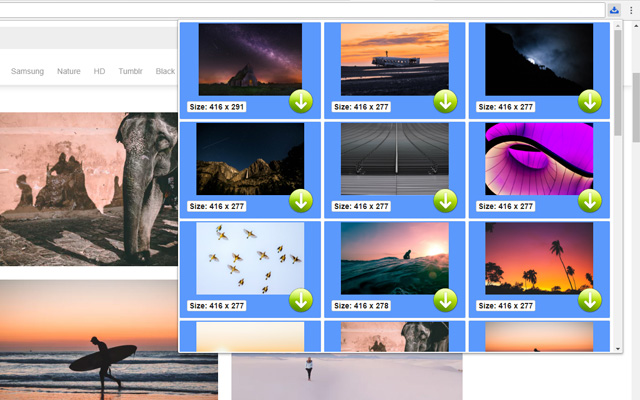
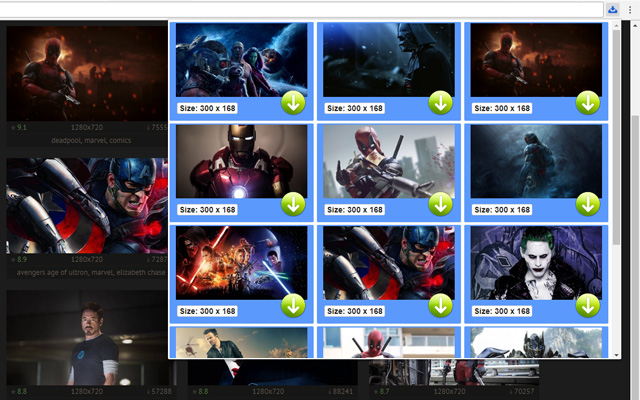

ดาวน์โหลดไฟล์ CRX ของส่วนขยาย Picture Downloader
ดาวน์โหลดไฟล์ส่วนขยาย Picture Downloader ในรูปแบบ crx และติดตั้งส่วนขยาย Chrome ด้วยตนเองในเบราว์เซอร์หรือแชร์ไฟล์ crx กับเพื่อนๆ เพื่อติดตั้งส่วนขยาย Chrome อย่างง่ายดาย
คำแนะนำในการใช้ส่วนขยาย
                        Picture Downloader is useful tool for displaying, browsing and downloading photos from any webpages.

* Finds pictures on any websites.
* The size of each image is displayed.
* Image download to your hard disk.

How it works
************
* Click to the icon on current webpage.
* Here you can start downloading.

Fast and professional Picture Downloader for all users.
ข้อมูลพื้นฐานของส่วนขยาย
| ชื่อ |  Picture Downloader Picture Downloader |
| ID | kokbcpaapofnbifgdlmokekjphgdlphp |
| URL อย่างเป็นทางการ | https://chrome.google.com/webstore/detail/picture-downloader/kokbcpaapofnbifgdlmokekjphgdlphp |
| คำอธิบาย | Picture Downloader. Browse and save - image downloader on webpages. |
| ขนาดไฟล์ | 91.22 KB |
| จำนวนการติดตั้ง | 8,193 |
| เวอร์ชันปัจจุบัน | 1.2.2 |
| อัปเดตครั้งล่าสุด | 2022-11-27 |
| วันที่เผยแพร่ | 2020-03-11 |
| คะแนน | 2.79/5 รวมทั้งหมด 29 คะแนน |
| ผู้พัฒนา | Picture Downloader |
| อีเมล | [email protected] |
| ประเภทการชำระเงิน | free |
| ภาษาที่รองรับ | en |
| manifest.json | |
{
"update_url": "https:\/\/clients2.google.com\/service\/update2\/crx",
"version": "1.2.2",
"name": "Picture Downloader",
"description": "Picture Downloader. Browse and save - image downloader on webpages.",
"background": {
"scripts": [
"jquery.js",
"background.js"
]
},
"browser_action": {
"default_icon": "img\/ico_19.png",
"default_popup": "popup.html"
},
"content_security_policy": "script-src 'self'; object-src 'self'",
"icons": {
"128": "img\/ico_128.png",
"16": "img\/ico_16.png",
"48": "img\/ico_48.png"
},
"manifest_version": 2,
"permissions": [
"activeTab",
" | |