IITG AutoLogin++
Automatically log into the IITG network with this extension. No more manual logins or keeping tabs open every time!
IITG AutoLogin++คืออะไร?
IITG AutoLogin++ เป็นส่วนขยายของ Chrome ที่พัฒนาโดย samuellaskar3 และคุณลักษณะหลักของมันคือ "Automatically log into the IITG network with this extension. No more manual logins or keeping tabs open every time!"
ภาพหน้าจอของส่วนขยาย

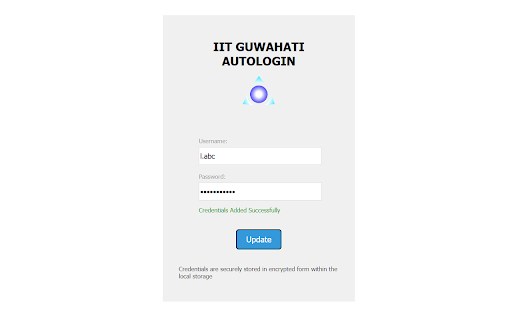
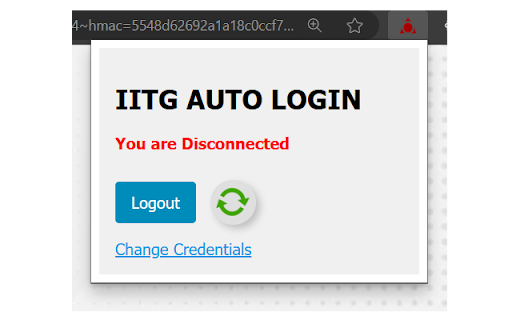
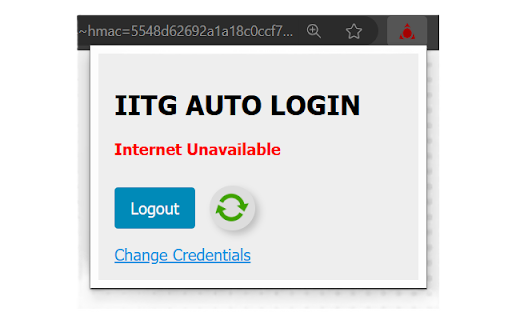

ดาวน์โหลดไฟล์ CRX ของส่วนขยาย IITG AutoLogin++
ดาวน์โหลดไฟล์ส่วนขยาย IITG AutoLogin++ ในรูปแบบ crx และติดตั้งส่วนขยาย Chrome ด้วยตนเองในเบราว์เซอร์หรือแชร์ไฟล์ crx กับเพื่อนๆ เพื่อติดตั้งส่วนขยาย Chrome อย่างง่ายดาย
คำแนะนำในการใช้ส่วนขยาย
                        Automatically log into the IITG network with this extension. No more manual logins or keeping tabs open every time!

Additional Features:
1. Encrypts your email and password before storing on local storage.
2. Displays possible reason for authentication failure.
3. Icons changes based on login and internet access status.

Note: The extension is opensource and all contributions are welcome.
GitHub URL: https://github.com/Samuel-Aktar-Laskar/IITG-Auto-Login-Extension
ข้อมูลพื้นฐานของส่วนขยาย
| ชื่อ |  IITG AutoLogin++ IITG AutoLogin++ |
| ID | laoonocbajmmlbobelmlcejplifbigli |
| URL อย่างเป็นทางการ | https://chromewebstore.google.com/detail/iitg-autologin++/laoonocbajmmlbobelmlcejplifbigli |
| คำอธิบาย | Automatically log into the IITG network with this extension. No more manual logins or keeping tabs open every time! |
| ขนาดไฟล์ | 49.59 KB |
| จำนวนการติดตั้ง | 332 |
| เวอร์ชันปัจจุบัน | 1.0 |
| อัปเดตครั้งล่าสุด | 2024-01-09 |
| วันที่เผยแพร่ | 2024-01-09 |
| ผู้พัฒนา | samuellaskar3 |
| อีเมล | [email protected] |
| ประเภทการชำระเงิน | free |
| URL หน้านโยบายความเป็นส่วนตัว | https://aktarcompany.blogspot.com/2024/01/iitg-autologin-privacy-policy.html |
| ภาษาที่รองรับ | en |
| manifest.json | |
{
    "update_url": "https:\/\/clients2.google.com\/service\/update2\/crx",
    "manifest_version": 3,
    "name": "IITG AutoLogin++",
    "description": "Automatically log into the IITG network with this extension. No more manual logins or keeping tabs open every time!",
    "version": "1.0",
    "background": {
        "service_worker": "background.js",
        "type": "module"
    },
    "action": {
        "default_popup": "Popup.html"
    },
    "options_page": "Options.html",
    "permissions": [
        "storage",
        "offscreen"
    ],
    "host_permissions": [
        "https:\/\/agnigarh.iitg.ac.in:1442\/*"
    ],
    "icons": {
        "128": "Icons\/icon_active2.png"
    }
} | |