Coupon Express
Coupon Express will notify you when there are coupons available for the website you are shopping on.
Coupon Expressคืออะไร?
Coupon Express เป็นส่วนขยายของ Chrome ที่พัฒนาโดย claymorgan53 และคุณลักษณะหลักของมันคือ "Coupon Express will notify you when there are coupons available for the website you are shopping on."
ภาพหน้าจอของส่วนขยาย
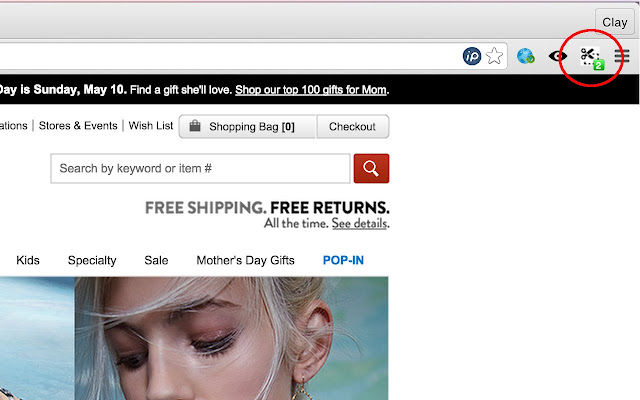


ดาวน์โหลดไฟล์ CRX ของส่วนขยาย Coupon Express
ดาวน์โหลดไฟล์ส่วนขยาย Coupon Express ในรูปแบบ crx และติดตั้งส่วนขยาย Chrome ด้วยตนเองในเบราว์เซอร์หรือแชร์ไฟล์ crx กับเพื่อนๆ เพื่อติดตั้งส่วนขยาย Chrome อย่างง่ายดาย
คำแนะนำในการใช้ส่วนขยาย
                        Never forget to use a coupon again! Use Coupon Express as an all-in-one tool to find and share coupons directly in your browser. Get exclusive coupons for your favorite stores today, including:

- Amazon
- BestBuy
- GoDaddy
- Nordstrom
- Backcountry
- Walmart and thousands more...

See the full list of stores with coupons by visiting our website below.
ข้อมูลพื้นฐานของส่วนขยาย
| ชื่อ |  Coupon Express Coupon Express |
| ID | lcfmmolfmomahkfbnchjemmbnamamfei |
| URL อย่างเป็นทางการ | https://chrome.google.com/webstore/detail/coupon-express/lcfmmolfmomahkfbnchjemmbnamamfei |
| คำอธิบาย | Coupon Express will notify you when there are coupons available for the website you are shopping on. |
| ขนาดไฟล์ | 257 KB |
| จำนวนการติดตั้ง | 107 |
| เวอร์ชันปัจจุบัน | 2.1 |
| อัปเดตครั้งล่าสุด | 2015-05-13 |
| วันที่เผยแพร่ | 2015-05-13 |
| คะแนน | 5.00/5 รวมทั้งหมด 1 คะแนน |
| ผู้พัฒนา | claymorgan53 |
| ประเภทการชำระเงิน | free |
| เว็บไซต์ส่วนขยาย | http://couponexpress.co/merchants |
| ภาษาที่รองรับ | en-US |
| manifest.json | |
{
    "update_url": "https:\/\/clients2.google.com\/service\/update2\/crx",
    "manifest_version": 2,
    "name": "Coupon Express",
    "description": "Coupon Express will notify you when there are coupons available for the website you are shopping on.",
    "version": "2.1",
    "background": {
        "scripts": [
            "functions.js",
            "jquery.js",
            "background.js"
        ],
        "persistent": true
    },
    "browser_action": {
        "default_icon": "scissors.png",
        "default_popup": "popup.html"
    },
    "permissions": [
        "tabs",
        "activeTab",
        "storage",
        "cookies",
        "http:\/\/couponexpress.co\/"
    ]
} | |