hangout now!
get hangout links quickly
hangout now!คืออะไร?
hangout now! เป็นส่วนขยายของ Chrome ที่พัฒนาโดย Dayvson Lima และคุณลักษณะหลักของมันคือ "get hangout links quickly"
ภาพหน้าจอของส่วนขยาย
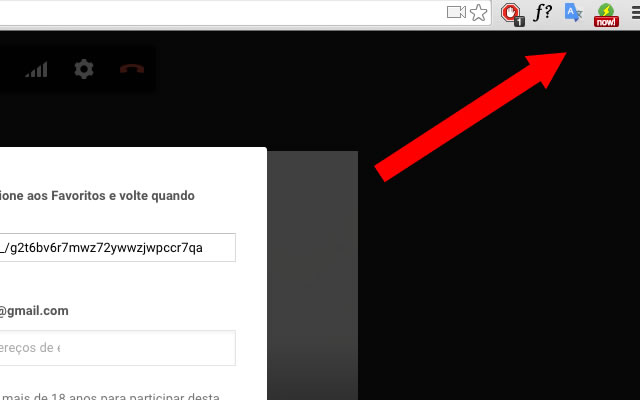
ดาวน์โหลดไฟล์ CRX ของส่วนขยาย hangout now!
ดาวน์โหลดไฟล์ส่วนขยาย hangout now! ในรูปแบบ crx และติดตั้งส่วนขยาย Chrome ด้วยตนเองในเบราว์เซอร์หรือแชร์ไฟล์ crx กับเพื่อนๆ เพื่อติดตั้งส่วนขยาย Chrome อย่างง่ายดาย
คำแนะนำในการใช้ส่วนขยาย
                        Obtenha links de hangout rapidamente.
Este aplicativo le ajuda a obter links para chamadas do hangout apenas clicando sobre o botão da extensão do Google Chrome
ข้อมูลพื้นฐานของส่วนขยาย
| ชื่อ |  hangout now! hangout now! |
| ID | lcpjhmeildkcpnohidhmelpledbijphp |
| URL อย่างเป็นทางการ | https://chrome.google.com/webstore/detail/hangout-now/lcpjhmeildkcpnohidhmelpledbijphp |
| คำอธิบาย | get hangout links quickly |
| ขนาดไฟล์ | 17.2 KB |
| จำนวนการติดตั้ง | 593 |
| เวอร์ชันปัจจุบัน | 0.0.1 |
| อัปเดตครั้งล่าสุด | 2015-06-12 |
| วันที่เผยแพร่ | 2015-06-12 |
| คะแนน | 5.00/5 รวมทั้งหมด 1 คะแนน |
| ผู้พัฒนา | Dayvson Lima |
| ประเภทการชำระเงิน | free |
| ภาษาที่รองรับ | en |
| manifest.json | |
{
    "update_url": "https:\/\/clients2.google.com\/service\/update2\/crx",
    "name": "__MSG_appName__",
    "version": "0.0.1",
    "manifest_version": 2,
    "description": "__MSG_appDescription__",
    "icons": {
        "16": "images\/hang-16.png",
        "128": "images\/hang-128.png"
    },
    "default_locale": "en",
    "background": {
        "scripts": [
            "scripts\/chromereload.js",
            "scripts\/background.js"
        ]
    },
    "browser_action": {
        "default_icon": {
            "19": "images\/hang-19.png",
            "38": "images\/hang-38.png"
        },
        "default_title": "Get Hangout Now!",
        "default_popup": "popup.html"
    },
    "options_page": "options.html",
    "omnibox": {
        "keyword": "Fast Hangout Links"
    },
    "content_scripts": [
        {
            "matches": [
                "http:\/\/*\/*",
                "https:\/\/*\/*"
            ],
            "js": [
                "scripts\/contentscript.js"
            ],
            "run_at": "document_end",
            "all_frames": false
        }
    ],
    "permissions": [
        "tabs",
        "history",
        "http:\/\/*\/*",
        "https:\/\/*\/*"
    ]
} | |