Youtube Connect
Control Youtube with other devices.
Youtube Connectคืออะไร?
Youtube Connect เป็นส่วนขยายของ Chrome ที่พัฒนาโดย Ameya Thakur และคุณลักษณะหลักของมันคือ "Control Youtube with other devices."
ภาพหน้าจอของส่วนขยาย

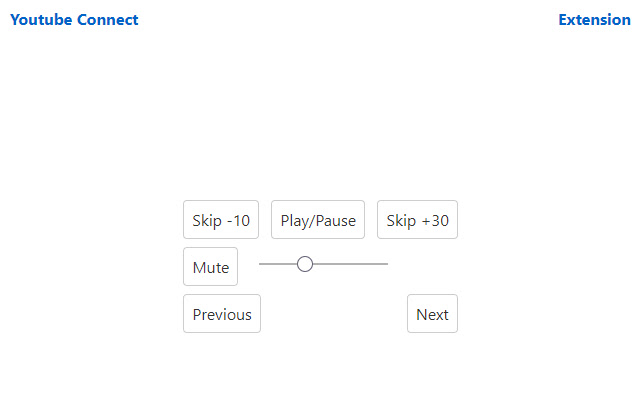
ดาวน์โหลดไฟล์ CRX ของส่วนขยาย Youtube Connect
ดาวน์โหลดไฟล์ส่วนขยาย Youtube Connect ในรูปแบบ crx และติดตั้งส่วนขยาย Chrome ด้วยตนเองในเบราว์เซอร์หรือแชร์ไฟล์ crx กับเพื่อนๆ เพื่อติดตั้งส่วนขยาย Chrome อย่างง่ายดาย
คำแนะนำในการใช้ส่วนขยาย
                        Simply install the extension and open a Youtube video or playlist. A new button will be added to the settings bar of your video. Enable Youtube Connect and either scan the QR code or open the remote application and enter the 8 word mnemonic to connect to your session. This is a side project and is not perfect, but good enough for most use. Feel free to view the source and make contributions if you wish (or fork the project).

If Youtube connect is not enabling in the player, it likely means that the API server has shut down. If that occurs and you need to continue using the extension, you may modify the extension to use an API server you run yourself (based on the available source code).
ข้อมูลพื้นฐานของส่วนขยาย
| ชื่อ |  Youtube Connect Youtube Connect |
| ID | lgfgmmnhfecoppibekiekkhncickeoki |
| URL อย่างเป็นทางการ | https://chrome.google.com/webstore/detail/youtube-connect/lgfgmmnhfecoppibekiekkhncickeoki |
| คำอธิบาย | Control Youtube with other devices. |
| ขนาดไฟล์ | 21.96 KB |
| จำนวนการติดตั้ง | 28 |
| เวอร์ชันปัจจุบัน | 0.1.2 |
| อัปเดตครั้งล่าสุด | 2021-01-22 |
| วันที่เผยแพร่ | 2020-07-22 |
| ผู้พัฒนา | Ameya Thakur |
| อีเมล | [email protected] |
| ประเภทการชำระเงิน | free |
| เว็บไซต์ส่วนขยาย | https://youtubeconnect.ameyathakur.com |
| ภาษาที่รองรับ | en |
| manifest.json | |
{
    "update_url": "https:\/\/clients2.google.com\/service\/update2\/crx",
    "manifest_version": 2,
    "name": "Youtube Connect",
    "version": "0.1.2",
    "author": "Ameya Thakur",
    "homepage_url": "https:\/\/youtubeconnect.ameyathakur.com",
    "description": "Control Youtube with other devices.",
    "content_security_policy": "default-src 'self'",
    "icons": {
        "48": "icons\/icon.png",
        "96": "icons\/[email protected]",
        "128": "icons\/packageicon128.png"
    },
    "content_scripts": [
        {
            "matches": [
                "*:\/\/*.youtube.com\/*"
            ],
            "js": [
                "browser-polyfill.min.js",
                "wordlist.js",
                "ytconnect.js"
            ],
            "css": [
                "styles.css"
            ]
        }
    ],
    "permissions": [
        "storage",
        "https:\/\/api.youtubeconnect.ameyathakur.com\/*"
    ]
} | |