NTUWLogin Bot
This extension helps you login to the NTUWL wireless network automatically.
NTUWLogin Botคืออะไร?
NTUWLogin Bot เป็นส่วนขยายของ Chrome ที่พัฒนาโดย Jianfeng และคุณลักษณะหลักของมันคือ "This extension helps you login to the NTUWL wireless network automatically."
ภาพหน้าจอของส่วนขยาย


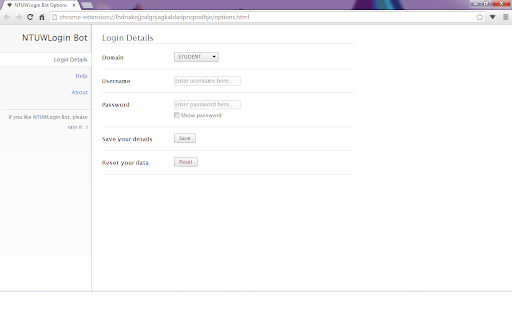
ดาวน์โหลดไฟล์ CRX ของส่วนขยาย NTUWLogin Bot
ดาวน์โหลดไฟล์ส่วนขยาย NTUWLogin Bot ในรูปแบบ crx และติดตั้งส่วนขยาย Chrome ด้วยตนเองในเบราว์เซอร์หรือแชร์ไฟล์ crx กับเพื่อนๆ เพื่อติดตั้งส่วนขยาย Chrome อย่างง่ายดาย
คำแนะนำในการใช้ส่วนขยาย
                        This tiny extension helps you use the NTUWL wireless network in a very convenient way.

Update in 1.2.1. Suggestions for feedback is added to About page.

Update in 1.2.0. Log in address modified to be able to work for more situations.  For example, It will work with wifi near Chinese Library, too.

Every time you are redirected to the login page of NTUWL, NTUWLogin Bot will automatically fill in the form, login for you, and redirect you back.

Just fill in your login details in the options and let NTUWLogin Bot help you.

Btw, NTUWLogin Bot will definitely NOT store your personal information. All your data will be store locally on your computer.
ข้อมูลพื้นฐานของส่วนขยาย
| ชื่อ |  NTUWLogin Bot NTUWLogin Bot |
| ID | lhdnakojjcalgnjagkaldadpncpodhje |
| URL อย่างเป็นทางการ | https://chromewebstore.google.com/detail/ntuwlogin-bot/lhdnakojjcalgnjagkaldadpncpodhje |
| คำอธิบาย | This extension helps you login to the NTUWL wireless network automatically. |
| ขนาดไฟล์ | 54.62 KB |
| จำนวนการติดตั้ง | 111 |
| เวอร์ชันปัจจุบัน | 1.2.1 |
| อัปเดตครั้งล่าสุด | 2014-06-07 |
| วันที่เผยแพร่ | 2014-06-06 |
| คะแนน | 4.57/5 รวมทั้งหมด 7 คะแนน |
| ผู้พัฒนา | Jianfeng |
| ประเภทการชำระเงิน | free |
| ภาษาที่รองรับ | en |
| manifest.json | |
{
    "update_url": "https:\/\/clients2.google.com\/service\/update2\/crx",
    "manifest_version": 2,
    "name": "NTUWLogin Bot",
    "description": "This extension helps you login to the NTUWL wireless network automatically.",
    "version": "1.2.1",
    "background": {
        "scripts": [
            "js\/background.js"
        ],
        "persistent": false
    },
    "permissions": [
        "http:\/\/*\/*",
        "https:\/\/*\/*",
        "webNavigation",
        "tabs"
    ],
    "options_page": "options.html",
    "icons": {
        "48": "images\/icon-48.png",
        "128": "images\/icon-128.png"
    },
    "browser_action": {
        "default_icon": {
            "19": "images\/icon-19.png",
            "38": "images\/icon-38.png"
        },
        "default_popup": "popup.html"
    }
} | |