Scholarscope
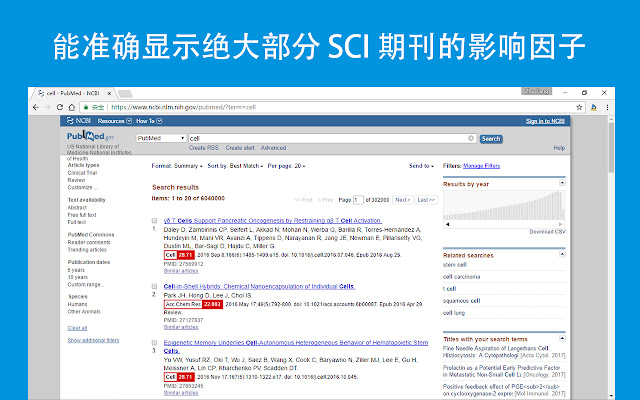
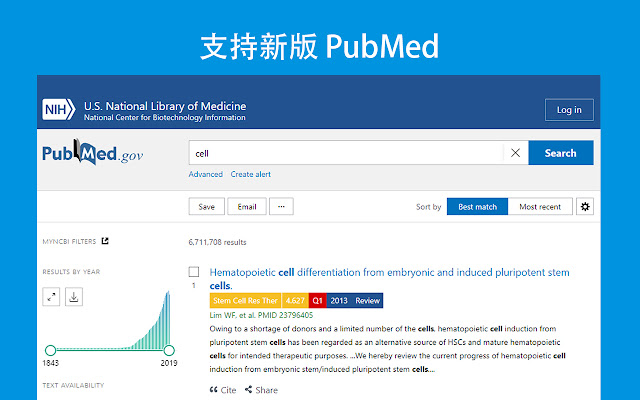
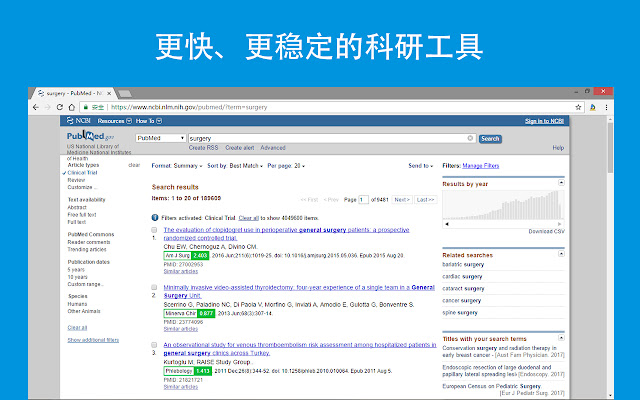
自动加载PubMed搜索结果中期刊的信息,助力科学研究,加快科研进展
Scholarscopeคืออะไร?
Scholarscope เป็นส่วนขยายของ Chrome ที่พัฒนาโดย Scholarscope และคุณลักษณะหลักของมันคือ "自动加载PubMed搜索结果中期刊的信息,助力科学研究,加快科研进展"
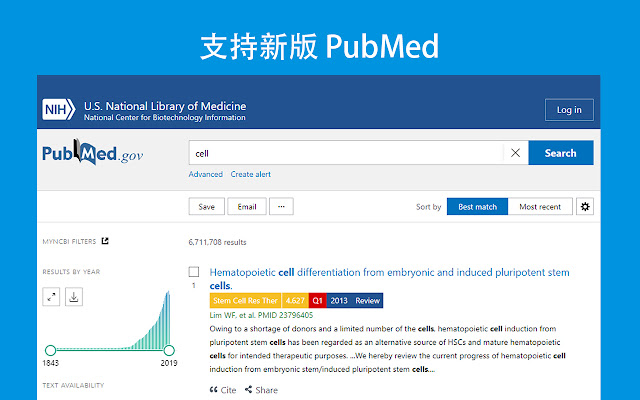
ภาพหน้าจอของส่วนขยาย


ดาวน์โหลดไฟล์ CRX ของส่วนขยาย Scholarscope
ดาวน์โหลดไฟล์ส่วนขยาย Scholarscope ในรูปแบบ crx และติดตั้งส่วนขยาย Chrome ด้วยตนเองในเบราว์เซอร์หรือแชร์ไฟล์ crx กับเพื่อนๆ เพื่อติดตั้งส่วนขยาย Chrome อย่างง่ายดาย
คำแนะนำในการใช้ส่วนขยาย
                        自动加载PubMed搜索结果中期刊的信息。
PubMed是美国国立卫生研究所管理的、向全球开放的数据库。用户可以在网站上检索已经或是即将发表的文献,并查看这些文献的相关信息,包括作者、期刊、发表日期、摘要和下载信息。PubMed的链接为 https://pubmed.ncbi.nlm.nih.gov/
ข้อมูลพื้นฐานของส่วนขยาย
| ชื่อ |  Scholarscope Scholarscope |
| ID | lkfianapjmcmdpemdmkmkkkifdjglkpe |
| URL อย่างเป็นทางการ | https://chrome.google.com/webstore/detail/scholarscope/lkfianapjmcmdpemdmkmkkkifdjglkpe |
| คำอธิบาย | 自动加载PubMed搜索结果中期刊的信息,助力科学研究,加快科研进展 |
| ขนาดไฟล์ | 139 KB |
| จำนวนการติดตั้ง | 40,000 |
| เวอร์ชันปัจจุบัน | 3.0.16 |
| อัปเดตครั้งล่าสุด | 2020-07-28 |
| วันที่เผยแพร่ | 2020-07-28 |
| คะแนน | 4.92/5 รวมทั้งหมด 61 คะแนน |
| ผู้พัฒนา | Scholarscope |
| อีเมล | [email protected] |
| ประเภทการชำระเงิน | free |
| เว็บไซต์ส่วนขยาย | https://www.scholarscope.cn/ |
| URL หน้าช่วยเหลือ | http://blog.scholarscope.cn/feedback/ |
| URL หน้านโยบายความเป็นส่วนตัว | https://account.scholarscope.online/privacy.html |
| ภาษาที่รองรับ | zh-CN |
| manifest.json | |
{
    "update_url": "https:\/\/clients2.google.com\/service\/update2\/crx",
    "author": "Scholarscope",
    "name": "Scholarscope",
    "version": "3.0.16",
    "manifest_version": 2,
    "description": "\u81ea\u52a8\u52a0\u8f7dPubMed\u641c\u7d22\u7ed3\u679c\u4e2d\u671f\u520a\u7684\u4fe1\u606f\uff0c\u52a9\u529b\u79d1\u5b66\u7814\u7a76\uff0c\u52a0\u5feb\u79d1\u7814\u8fdb\u5c55",
    "homepage_url": "https:\/\/www.scholarscope.cn",
    "icons": {
        "128": "\/images\/icon128.png",
        "96": "\/images\/icon96.png",
        "48": "\/images\/icon48.png",
        "16": "\/images\/icon16.png"
    },
    "default_locale": "zh_CN",
    "browser_action": {
        "default_icon": "\/images\/icon19.png",
        "default_title": "Scholarscope",
        "default_popup": "popup.html"
    },
    "content_scripts": [
        {
            "matches": [
                "https:\/\/pubmed.ncbi.nlm.nih.gov\/*",
                "https:\/\/www.ncbi.nlm.nih.gov\/pubmed\/*",
                "https:\/\/www.ncbi.nlm.nih.gov\/pubmed?*",
                "https:\/\/www.ncbi.nlm.nih.gov\/pubmed",
                "*:\/\/*.edu.cn\/*"
            ],
            "css": [
                "css\/style.css"
            ],
            "js": [
                "js\/searchengine.js",
                "js\/qrcode.js"
            ],
            "run_at": "document_end"
        },
        {
            "matches": [
                "http:\/\/blog.scholarscope.cn\/feedback\/"
            ],
            "js": [
                "js\/feedback.js"
            ],
            "run_at": "document_end"
        }
    ],
    "options_ui": {
        "open_in_tab": true,
        "page": "options.html"
    },
    "background": {
        "scripts": [
            "js\/background.js"
        ]
    },
    "incognito": "spanning",
    "permissions": [
        "tabs",
        "storage",
        "contextMenus",
        "https:\/\/*.scholarscope.cn\/",
        "https:\/\/*.nih.gov\/*",
        "*:\/\/*.edu.cn\/*"
    ],
    "web_accessible_resources": [
        "js\/searchengine.js",
        "js\/feedback.js",
        "images\/icon30.png",
        "images\/DownloadPDF.png",
        "images\/informicon.png",
        "images\/qrbutton.png",
        "images\/readimg.png",
        "images\/wantimg.png",
        "images\/likeimg.png",
        "images\/dislikeimg.png",
        "images\/read.png",
        "images\/want.png",
        "images\/like.png",
        "images\/dislike.png",
        "images\/check.png",
        "images\/search.png",
        "images\/Endnote.png",
        "images\/Endnote-short.png",
        "images\/loading.gif",
        "images\/download.png",
        "images\/icon96.png",
        "images\/doublearrow.png",
        "images\/Sorting.png",
        "images\/qrbutton-short.png",
        "images\/abstract.png",
        "images\/tag.png"
    ]
} | |