Miley Cyrus Photo Gallery
Miley Cyrus Photo Gallery provides images about this sexy singer, songwriter, and actress.
Miley Cyrus Photo Galleryคืออะไร?
Miley Cyrus Photo Gallery เป็นส่วนขยายของ Chrome ที่พัฒนาโดย photos apps และคุณลักษณะหลักของมันคือ "Miley Cyrus Photo Gallery provides images about this sexy singer, songwriter, and actress."
ภาพหน้าจอของส่วนขยาย
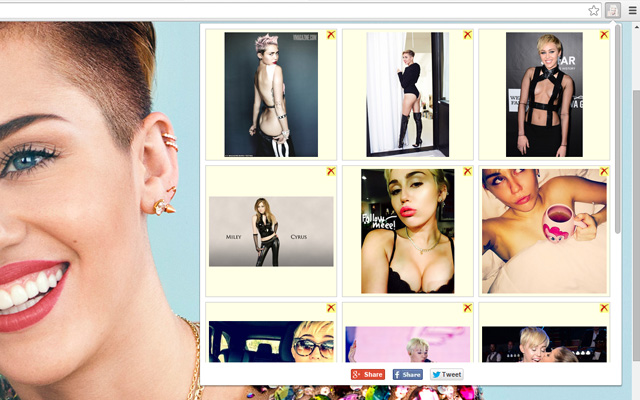
ดาวน์โหลดไฟล์ CRX ของส่วนขยาย Miley Cyrus Photo Gallery
ดาวน์โหลดไฟล์ส่วนขยาย Miley Cyrus Photo Gallery ในรูปแบบ crx และติดตั้งส่วนขยาย Chrome ด้วยตนเองในเบราว์เซอร์หรือแชร์ไฟล์ crx กับเพื่อนๆ เพื่อติดตั้งส่วนขยาย Chrome อย่างง่ายดาย
คำแนะนำในการใช้ส่วนขยาย
                        Miley Cyrus application brings photos from her videos clips, music songs and her personal pictures.

Fans can add actual photos from any web site and share this app on Twitter, G+, Facebook.

How to:
- right-click on the photo.
- click to in context menu "Miley Cyrus Photo Gallery"
- the image shows in popup
ข้อมูลพื้นฐานของส่วนขยาย
| ชื่อ |  Miley Cyrus Photo Gallery Miley Cyrus Photo Gallery |
| ID | lkgighlcohpcgcjodfoeooamanekaokh |
| URL อย่างเป็นทางการ | https://chrome.google.com/webstore/detail/miley-cyrus-photo-gallery/lkgighlcohpcgcjodfoeooamanekaokh |
| คำอธิบาย | Miley Cyrus Photo Gallery provides images about this sexy singer, songwriter, and actress. |
| ขนาดไฟล์ | 94.88 KB |
| จำนวนการติดตั้ง | 14 |
| เวอร์ชันปัจจุบัน | 1.0 |
| อัปเดตครั้งล่าสุด | 2015-02-20 |
| วันที่เผยแพร่ | 2015-02-20 |
| คะแนน | 5.00/5 รวมทั้งหมด 2 คะแนน |
| ผู้พัฒนา | photos apps |
| ประเภทการชำระเงิน | free |
| ภาษาที่รองรับ | en |
| manifest.json | |
{
    "update_url": "https:\/\/clients2.google.com\/service\/update2\/crx",
    "name": "Miley Cyrus Photo Gallery",
    "description": "Miley Cyrus Photo Gallery provides images about this sexy singer, songwriter, and actress.",
    "version": "1.0",
    "manifest_version": 2,
    "background": {
        "scripts": [
            "jquery.js",
            "conf.js",
            "background.js"
        ]
    },
    "browser_action": {
        "default_icon": "img_sep\/ico_19.png",
        "default_popup": "popup.html"
    },
    "options_page": "options.html",
    "content_security_policy": "script-src 'self'; object-src 'self'",
    "permissions": [
        "tabs",
        "http:\/\/*\/*",
        "https:\/\/*\/*",
        "contextMenus",
        "notifications",
        "unlimitedStorage"
    ],
    "icons": {
        "16": "img_sep\/ico_16.png",
        "48": "img_sep\/ico_48.png"
    }
} | |