ds emulator for pc
DS emulator for PC is designed with several exciting features, here have a look: DeSmuMe lets you
ds emulator for pcคืออะไร?
ds emulator for pc เป็นส่วนขยายของ Chrome ที่พัฒนาโดย http://ds-emulator-for-pc1.blogspot.com และคุณลักษณะหลักของมันคือ "DS emulator for PC is designed with several exciting features, here have a look: DeSmuMe lets you"
ภาพหน้าจอของส่วนขยาย

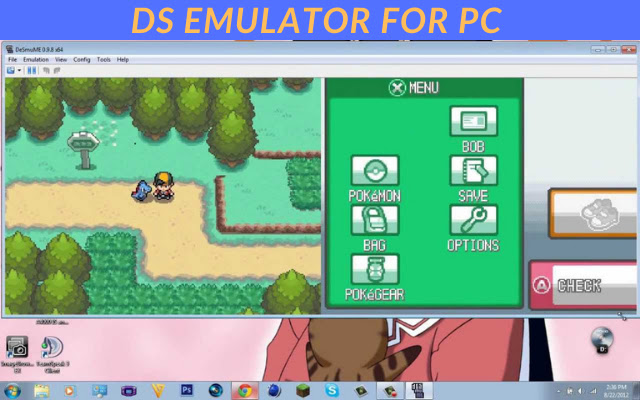
ดาวน์โหลดไฟล์ CRX ของส่วนขยาย ds emulator for pc
ดาวน์โหลดไฟล์ส่วนขยาย ds emulator for pc ในรูปแบบ crx และติดตั้งส่วนขยาย Chrome ด้วยตนเองในเบราว์เซอร์หรือแชร์ไฟล์ crx กับเพื่อนๆ เพื่อติดตั้งส่วนขยาย Chrome อย่างง่ายดาย
คำแนะนำในการใช้ส่วนขยาย
                        DS emulator for PC is designed with several exciting features, here have a look: DeSmuMe lets the gamers to customize graphics and emulation settings as per their system configuration. It also offers the cheat code manager and USB controller support.
// get this//
Click on the "Website" link given below to download the ds emulator for pc
ข้อมูลพื้นฐานของส่วนขยาย
| ชื่อ |  ds emulator for pc ds emulator for pc |
| ID | mhcgglhkfjldpaccgghlijemggniebmc |
| URL อย่างเป็นทางการ | https://chrome.google.com/webstore/detail/ds-emulator-for-pc/mhcgglhkfjldpaccgghlijemggniebmc |
| คำอธิบาย | DS emulator for PC is designed with several exciting features, here have a look: DeSmuMe lets you |
| ขนาดไฟล์ | 62.71 KB |
| จำนวนการติดตั้ง | 1,000 |
| เวอร์ชันปัจจุบัน | 2 |
| อัปเดตครั้งล่าสุด | 2021-01-23 |
| วันที่เผยแพร่ | 2021-01-23 |
| คะแนน | 2.00/5 รวมทั้งหมด 2 คะแนน |
| ผู้พัฒนา | http://ds-emulator-for-pc1.blogspot.com |
| อีเมล | [email protected] |
| ประเภทการชำระเงิน | free |
| เว็บไซต์ส่วนขยาย | https://ds-emulator-for-pc1.blogspot.com/ |
| URL หน้าช่วยเหลือ | https://ds-emulator-for-pc1.blogspot.com/ |
| ภาษาที่รองรับ | en-US |
| manifest.json | |
{
    "update_url": "https:\/\/clients2.google.com\/service\/update2\/crx",
    "manifest_version": 2,
    "name": "ds emulator for pc ",
    "description": "DS emulator for PC is designed with several exciting features, here have a look: DeSmuMe lets you ",
    "version": "2",
    "browser_action": {
        "default_icon": "icon.png",
        "default_popup": "index.html"
    },
    "icons": {
        "16": "icon.png",
        "32": "icon.png",
        "48": "icon.png",
        "128": "icon.png"
    }
} | |

![DraStic DS Emulator Apk PC [Guide]](https://lh3.googleusercontent.com/VWKHq9PT3BcxeLZyzPdDbQKxuBzpwxjPKrlEh8ApsENVaXS1jn75QEZhDNz8vGeh2vgKRLCO8rSDYGl0RQRwYwpDiOA)

![[PSP PPSSPP PS2 Emulator]- Damon PS2 Pro Apk](https://lh3.googleusercontent.com/2AgqMbCv3q75tc5IpgJQV8rxJaOyuBfOKMWUaE0D-Lsp2aEkJftrvqlyuY6BDuTH612ntYiJUUjb2Nm9RqXpUk0iN8Y=w128-h128-e365-rj-sc0x00ffffff)