Tab Viewer
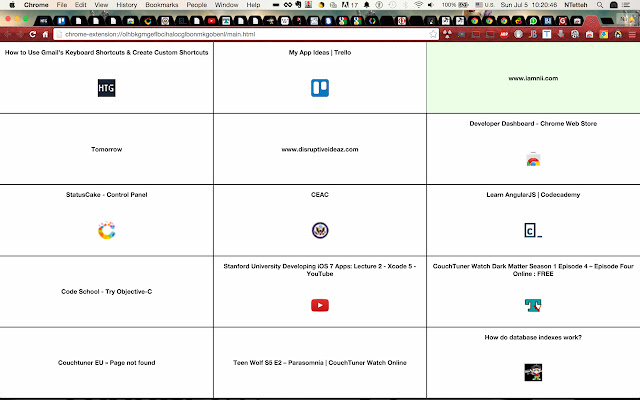
Preview all your open tabs in a grid view
Tab Viewerคืออะไร?
Tab Viewer เป็นส่วนขยายของ Chrome ที่พัฒนาโดย niiashikwei และคุณลักษณะหลักของมันคือ "Preview all your open tabs in a grid view"
ภาพหน้าจอของส่วนขยาย
ดาวน์โหลดไฟล์ CRX ของส่วนขยาย Tab Viewer
ดาวน์โหลดไฟล์ส่วนขยาย Tab Viewer ในรูปแบบ crx และติดตั้งส่วนขยาย Chrome ด้วยตนเองในเบราว์เซอร์หรือแชร์ไฟล์ crx กับเพื่อนๆ เพื่อติดตั้งส่วนขยาย Chrome อย่างง่ายดาย
คำแนะนำในการใช้ส่วนขยาย
                        Tab Viewer is a tool for managing and organizing open tabs. Currently it allows you to see all your open tabs in a tiled view. From the tiled view click a tile to jump to that tab.

Shortcut to trigger grid view: Alt + T

Features yet to come include:
1) closing tabs from tiled view
2) rearranging tabs from tiled view
3) saving a workspace, collection of tabs under a name
4) customizing the tabs with descriptions

and much much more! Stay tuned.
ข้อมูลพื้นฐานของส่วนขยาย
| ชื่อ |  Tab Viewer Tab Viewer |
| ID | nckgdfkgodfemnkdkfngdhfknlcokbha |
| URL อย่างเป็นทางการ | https://chrome.google.com/webstore/detail/tab-viewer/nckgdfkgodfemnkdkfngdhfknlcokbha |
| คำอธิบาย | Preview all your open tabs in a grid view |
| ขนาดไฟล์ | 6.57 KB |
| จำนวนการติดตั้ง | 477 |
| เวอร์ชันปัจจุบัน | 0.0.6 |
| อัปเดตครั้งล่าสุด | 2015-07-15 |
| วันที่เผยแพร่ | 2015-07-15 |
| คะแนน | 3.43/5 รวมทั้งหมด 7 คะแนน |
| ผู้พัฒนา | niiashikwei |
| ประเภทการชำระเงิน | free |
| ภาษาที่รองรับ | en |
| manifest.json | |
{
"update_url": "https:\/\/clients2.google.com\/service\/update2\/crx",
"name": "Tab Viewer",
"short_name": "Tab Viewer",
"version": "0.0.6",
"manifest_version": 2,
"description": "Preview all your open tabs in a grid view",
"browser_action": {
"default_icon": "icons\/tab-viewer-logo.png",
"default_title": "displays grid view of open tabs"
},
"permissions": [
"tabs",
"activeTab",
" | |