Shop on Amazon.com with LifeMiles
Add the LifeMiles extension to redeem your LifeMiles for products on Amazon.com
Shop on Amazon.com with LifeMilesคืออะไร?
Shop on Amazon.com with LifeMiles เป็นส่วนขยายของ Chrome ที่พัฒนาโดย http://lifemilesonlineshopping.com และคุณลักษณะหลักของมันคือ "Add the LifeMiles extension to redeem your LifeMiles for products on Amazon.com"
ภาพหน้าจอของส่วนขยาย


ดาวน์โหลดไฟล์ CRX ของส่วนขยาย Shop on Amazon.com with LifeMiles
ดาวน์โหลดไฟล์ส่วนขยาย Shop on Amazon.com with LifeMiles ในรูปแบบ crx และติดตั้งส่วนขยาย Chrome ด้วยตนเองในเบราว์เซอร์หรือแชร์ไฟล์ crx กับเพื่อนๆ เพื่อติดตั้งส่วนขยาย Chrome อย่างง่ายดาย
คำแนะนำในการใช้ส่วนขยาย
                        Redeeming is super easy!

1. Surf on Amazon.com and add all the products you want to your cart.
2. When you’re ready, go to checkout to see the price in miles
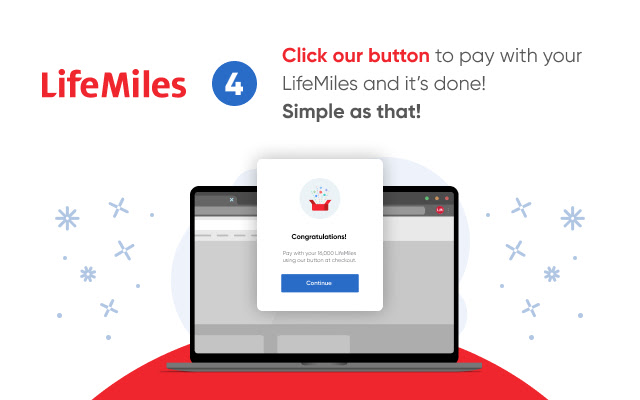
3. All set! Press our payment button and transform your LifeMiles into products.

Also, while you shop in your favorite online stores like Booking, Rental Cars, Hotels.com and many more, the extension lets you know when to activate to “Earn LifeMiles” for each dollar you spend.

When you download and install the LifeMiles button, you’re accepting:

Use license agreement: https://lifemilesonlineshopping.com/c/eula
Terms and conditions:  https://lifemilesonlineshopping.com/c/terms
Privacy policies: https://lifemilesonlineshopping.com/privacy-policy
ข้อมูลพื้นฐานของส่วนขยาย
| ชื่อ |  Shop on Amazon.com with LifeMiles Shop on Amazon.com with LifeMiles |
| ID | nhpbecookkacdjfpoiepncmcdjkemobm |
| URL อย่างเป็นทางการ | https://chrome.google.com/webstore/detail/compra-en-amazoncom-con-l/nhpbecookkacdjfpoiepncmcdjkemobm |
| คำอธิบาย | Add the LifeMiles extension to redeem your LifeMiles for products on Amazon.com |
| ขนาดไฟล์ | 2.1 MB |
| จำนวนการติดตั้ง | 12,379 |
| เวอร์ชันปัจจุบัน | 5.2.4 |
| อัปเดตครั้งล่าสุด | 2022-08-03 |
| วันที่เผยแพร่ | 2020-06-23 |
| คะแนน | 4.22/5 รวมทั้งหมด 289 คะแนน |
| ผู้พัฒนา | http://lifemilesonlineshopping.com |
| อีเมล | [email protected] |
| ประเภทการชำระเงิน | free |
| เว็บไซต์ส่วนขยาย | https://www.lifemilesonlineshopping.com |
| URL หน้านโยบายความเป็นส่วนตัว | https://www.lifemiles.com/privacy-policy |
| ภาษาที่รองรับ | en,es |
| manifest.json | |
{
    "update_url": "https:\/\/clients2.google.com\/service\/update2\/crx",
    "manifest_version": 2,
    "name": "__MSG_extName__",
    "description": "__MSG_extDesc__",
    "homepage_url": "https:\/\/lifemilesonlineshopping.com\/",
    "version": "5.2.4",
    "default_locale": "es",
    "background": {
        "persistent": false,
        "scripts": [
            "static\/js\/runtime.js",
            "static\/js\/background.js"
        ]
    },
    "content_scripts": [
        {
            "css": [
                "static\/css\/content.css"
            ],
            "matches": [
                "*:\/\/www.amazon.com\/*",
                "*:\/\/*.walmart.com\/*",
                "*:\/\/*.aliexpress.com\/*",
                "*:\/\/*.ebay.com\/*",
                "*:\/\/*.whitelabel.lifemiles.com\/*"
            ],
            "js": [
                "static\/js\/runtime.js",
                "static\/js\/content.js"
            ],
            "run_at": "document_start"
        },
        {
            "all_frames": true,
            "matches": [
                "*:\/\/apx-security.amazon.com\/*"
            ],
            "js": [
                "static\/js\/runtime.js",
                "static\/js\/iframe.js"
            ],
            "run_at": "document_end"
        }
    ],
    "icons": {
        "16": "icon-16.png",
        "48": "icon-48.png",
        "128": "icon-128.png"
    },
    "externally_connectable": {
        "matches": [
            "*:\/\/*.lifemilesonlineshopping.com\/*"
        ]
    },
    "web_accessible_resources": [
        "static\/img\/*.png",
        "static\/img\/*.jpg",
        "static\/assets\/*.svg",
        "static\/assets\/*.ttf",
        "static\/assets\/*.woff",
        "static\/assets\/*.woff2",
        "static\/assets\/*.eot",
        "static\/assets\/*.otf",
        "icon-small-128.png",
        "icon-16.png"
    ],
    "permissions": [
        "gcm",
        "notifications",
        "storage",
        "tabs",
        "cookies",
        "*:\/\/*\/*"
    ],
    "browser_action": {
        "default_icon": "icon-grey-128.png",
        "default_popup": "popup.html",
        "default_title": "__MSG_extTitle__"
    },
    "content_security_policy": "script-src 'self' https:\/\/www.google-analytics.com https:\/\/*.lifemilesonlineshopping.com; object-src 'self'"
} | |