Modern Password Manager
Browser Extension for the self-hosted password manager that is available at https://github.com/BenjaminHae/modern-password-manager.…
Modern Password Managerคืออะไร?
Modern Password Manager เป็นส่วนขยายของ Chrome ที่พัฒนาโดย bradevelop และคุณลักษณะหลักของมันคือ "Browser Extension for the self-hosted password manager that is available at https://github.com/BenjaminHae/modern-password-manager.…"
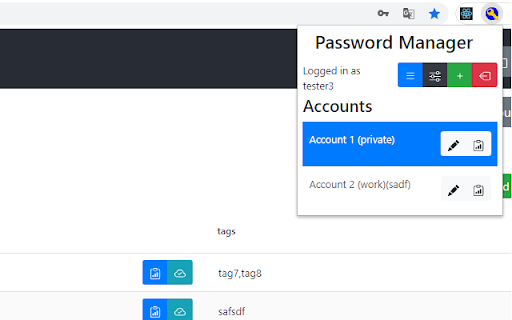
ภาพหน้าจอของส่วนขยาย

ดาวน์โหลดไฟล์ CRX ของส่วนขยาย Modern Password Manager
ดาวน์โหลดไฟล์ส่วนขยาย Modern Password Manager ในรูปแบบ crx และติดตั้งส่วนขยาย Chrome ด้วยตนเองในเบราว์เซอร์หรือแชร์ไฟล์ crx กับเพื่อนๆ เพื่อติดตั้งส่วนขยาย Chrome อย่างง่ายดาย
คำแนะนำในการใช้ส่วนขยาย
                        Browser Extension for the self-hosted password manager that is available at https://github.com/BenjaminHae/modern-password-manager.
Allows the user to use accounts from the self-hosted instance for logging in on webpages.

Offers access through popup (viewing/selecting accounts for origin of current tab) and context menu (inserting passwords and username).
ข้อมูลพื้นฐานของส่วนขยาย
| ชื่อ |  Modern Password Manager Modern Password Manager |
| ID | nicghopbfhgnjbbkdhkhaiekhpdjdfge |
| URL อย่างเป็นทางการ | https://chromewebstore.google.com/detail/modern-password-manager/nicghopbfhgnjbbkdhkhaiekhpdjdfge |
| คำอธิบาย | Browser Extension for the self-hosted password manager that is available at https://github.com/BenjaminHae/modern-password-manager.… |
| ขนาดไฟล์ | 543 KB |
| จำนวนการติดตั้ง | 55 |
| เวอร์ชันปัจจุบัน | 0.5.1 |
| อัปเดตครั้งล่าสุด | 2021-03-31 |
| วันที่เผยแพร่ | 2020-12-28 |
| คะแนน | 5.00/5 รวมทั้งหมด 1 คะแนน |
| ผู้พัฒนา | bradevelop |
| อีเมล | [email protected] |
| ประเภทการชำระเงิน | free |
| เว็บไซต์ส่วนขยาย | https://github.com/BenjaminHae/modern-password-manager |
| URL หน้าช่วยเหลือ | https://github.com/BenjaminHae/modern-password-manager/issues |
| URL หน้านโยบายความเป็นส่วนตัว | https://github.com/BenjaminHae/PwChromeExtension/blob/master/dataprivacy.md |
| ภาษาที่รองรับ | en |
| manifest.json | |
{
"update_url": "https:\/\/clients2.google.com\/service\/update2\/crx",
"manifest_version": 2,
"name": "Modern Password Manager",
"version": "0.5.1",
"permissions": [
"activeTab",
"*:\/\/*\/*",
"contextMenus",
"storage"
],
"browser_action": {
"default_popup": "popup\/index.html",
"default_icon": "assets\/iconLoggedOut.png",
"default_title": "Modern Password Manager"
},
"content_scripts": [
{
"js": [
"contentscript.js"
],
"run_at": "document_idle",
"all_frames": true,
"matches": [
" | |