DevTools Theme: NightLion Dark
NightLion Developer Tools theme dark
DevTools Theme: NightLion Darkคืออะไร?
DevTools Theme: NightLion Dark เป็นส่วนขยายของ Chrome ที่พัฒนาโดย Dmitry Gorobets และคุณลักษณะหลักของมันคือ "NightLion Developer Tools theme dark"
ภาพหน้าจอของส่วนขยาย
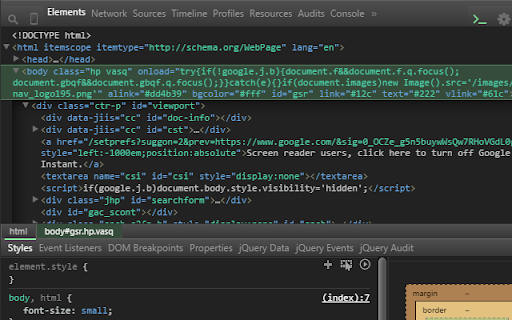
ดาวน์โหลดไฟล์ CRX ของส่วนขยาย DevTools Theme: NightLion Dark
ดาวน์โหลดไฟล์ส่วนขยาย DevTools Theme: NightLion Dark ในรูปแบบ crx และติดตั้งส่วนขยาย Chrome ด้วยตนเองในเบราว์เซอร์หรือแชร์ไฟล์ crx กับเพื่อนๆ เพื่อติดตั้งส่วนขยาย Chrome อย่างง่ายดาย
คำแนะนำในการใช้ส่วนขยาย
                        Installation Instructions
---------------------------------------------------------
- Add this theme
- Goto chrome://flags/#enable-devtools-experiments and Enable Developer Tools experiments. Select [Relaunch Now] at the bottom of the page.
- Open developer tools settings, select Experiments tab, and check 'Allow custom UI themes'.
- Reload devtools.
ข้อมูลพื้นฐานของส่วนขยาย
| ชื่อ | 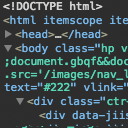 DevTools Theme: NightLion Dark DevTools Theme: NightLion Dark |
| ID | nmiejanhomgcihofiaipfpgenalpjnmp |
| URL อย่างเป็นทางการ | https://chromewebstore.google.com/detail/devtools-theme-nightlion/nmiejanhomgcihofiaipfpgenalpjnmp |
| คำอธิบาย | NightLion Developer Tools theme dark |
| ขนาดไฟล์ | 70.22 KB |
| จำนวนการติดตั้ง | 959 |
| เวอร์ชันปัจจุบัน | 1.0.6 |
| อัปเดตครั้งล่าสุด | 2017-02-28 |
| วันที่เผยแพร่ | 2017-02-28 |
| คะแนน | 4.67/5 รวมทั้งหมด 9 คะแนน |
| ผู้พัฒนา | Dmitry Gorobets |
| ประเภทการชำระเงิน | free |
| ภาษาที่รองรับ | en-US |
| manifest.json | |
{
    "update_url": "https:\/\/clients2.google.com\/service\/update2\/crx",
    "name": "DevTools Theme: NightLion Dark",
    "version": "1.0.6",
    "description": "NightLion Developer Tools theme dark",
    "devtools_page": "devtools.html",
    "manifest_version": 2,
    "icons": {
        "48": "images\/icon48.png",
        "96": "images\/icon96.png"
    }
} | |