Easy New Tab
New tab page with beautiful background and without distracting things
Easy New Tabคืออะไร?
Easy New Tab เป็นส่วนขยายของ Chrome ที่พัฒนาโดย C.A.M. First Agency Kft. และคุณลักษณะหลักของมันคือ "New tab page with beautiful background and without distracting things"
ภาพหน้าจอของส่วนขยาย
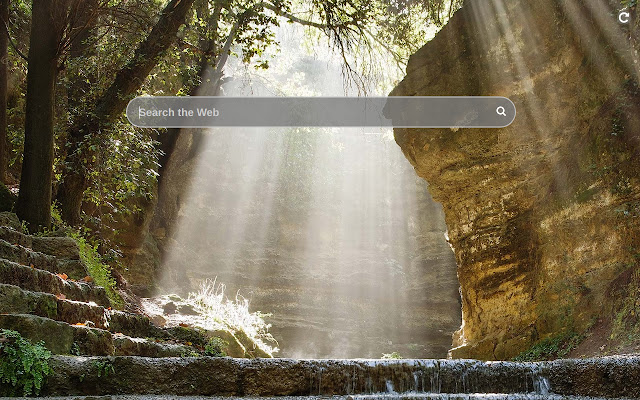
ดาวน์โหลดไฟล์ CRX ของส่วนขยาย Easy New Tab
ดาวน์โหลดไฟล์ส่วนขยาย Easy New Tab ในรูปแบบ crx และติดตั้งส่วนขยาย Chrome ด้วยตนเองในเบราว์เซอร์หรือแชร์ไฟล์ crx กับเพื่อนๆ เพื่อติดตั้งส่วนขยาย Chrome อย่างง่ายดาย
คำแนะนำในการใช้ส่วนขยาย
                        This extension replaces default new tab page with one where there is only a search bar with autocomplete, and the background is a random landscape image. Enjoy and relax while surfing the Internet!

By clicking "Add to chrome", I accept and agree to installing the Easy New Tab Chrome extension and setting Chrome™ New Tab to that provided by the service and the Terms of Use and Privacy Policy
ข้อมูลพื้นฐานของส่วนขยาย
| ชื่อ |  Easy New Tab Easy New Tab |
| ID | npiipcjhnhgklimfncldongkkhijemgm |
| URL อย่างเป็นทางการ | https://chrome.google.com/webstore/detail/npiipcjhnhgklimfncldongkkhijemgm |
| คำอธิบาย | New tab page with beautiful background and without distracting things |
| ขนาดไฟล์ | 290 KB |
| จำนวนการติดตั้ง | 57,925 |
| เวอร์ชันปัจจุบัน | 2.1 |
| อัปเดตครั้งล่าสุด | 2023-03-30 |
| วันที่เผยแพร่ | 2019-12-22 |
| คะแนน | 3.00/5 รวมทั้งหมด 2 คะแนน |
| ผู้พัฒนา | C.A.M. First Agency Kft. |
| อีเมล | [email protected] |
| ประเภทการชำระเงิน | free |
| URL หน้านโยบายความเป็นส่วนตัว | https://docs.google.com/document/d/e/2PACX-1vSZa40A0A9wELr9wJEB2nEGtltOPnWE3P3w9TicYLkJeixMZlv2vx6LOgtUfzdFZJFNUSOhRORML3tJ/pub |
| ภาษาที่รองรับ | en |
| manifest.json | |
{
    "update_url": "https:\/\/clients2.google.com\/service\/update2\/crx",
    "manifest_version": 3,
    "version": "2.1",
    "name": "Easy New Tab",
    "description": "New tab page with beautiful background and without distracting things",
    "chrome_url_overrides": {
        "newtab": "index.html"
    },
    "icons": {
        "128": "128.png"
    },
    "action": {
        "default_title": "Open Easy New Tab"
    },
    "background": {
        "service_worker": "js\/bg.js"
    }
} | |