Purdue Auto Login
Bypass Purdue Login's 2-factor authentication.
Purdue Auto Loginคืออะไร?
Purdue Auto Login เป็นส่วนขยายของ Chrome ที่พัฒนาโดย Han และคุณลักษณะหลักของมันคือ "Bypass Purdue Login's 2-factor authentication."
ภาพหน้าจอของส่วนขยาย
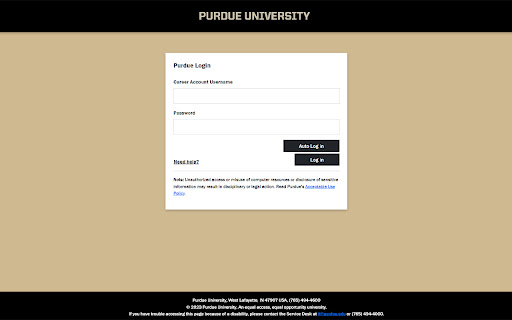
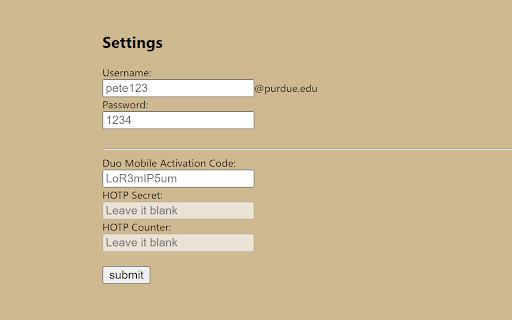
ดาวน์โหลดไฟล์ CRX ของส่วนขยาย Purdue Auto Login
ดาวน์โหลดไฟล์ส่วนขยาย Purdue Auto Login ในรูปแบบ crx และติดตั้งส่วนขยาย Chrome ด้วยตนเองในเบราว์เซอร์หรือแชร์ไฟล์ crx กับเพื่อนๆ เพื่อติดตั้งส่วนขยาย Chrome อย่างง่ายดาย
คำแนะนำในการใช้ส่วนขยาย
                        An extension to allow you log in using Purdue SSO (formerly BoilerKey) without using Duo Mobile app.

Disclaimer: This extension is not endorsed by, directly affiliated with, maintained, authorized, or sponsored by Purdue University.

The source code is available from:
https://github.com/DennyDai/Purdue-Auto-Login
ข้อมูลพื้นฐานของส่วนขยาย
| ชื่อ |  Purdue Auto Login Purdue Auto Login |
| ID | obgndlolbiommialjcbnblclpinopdog |
| URL อย่างเป็นทางการ | https://chromewebstore.google.com/detail/purdue-auto-login/obgndlolbiommialjcbnblclpinopdog |
| คำอธิบาย | Bypass Purdue Login's 2-factor authentication. |
| ขนาดไฟล์ | 6.95 KB |
| จำนวนการติดตั้ง | 67 |
| เวอร์ชันปัจจุบัน | 0.3.0 |
| อัปเดตครั้งล่าสุด | 2023-09-07 |
| วันที่เผยแพร่ | 2020-03-30 |
| คะแนน | 5.00/5 รวมทั้งหมด 2 คะแนน |
| ผู้พัฒนา | Han |
| อีเมล | [email protected] |
| ประเภทการชำระเงิน | free |
| เว็บไซต์ส่วนขยาย | https://github.com/DennyDai/Purdue-Auto-Login |
| ภาษาที่รองรับ | en-US |
| manifest.json | |
{
    "update_url": "https:\/\/clients2.google.com\/service\/update2\/crx",
    "name": "Purdue Auto Login",
    "description": "Bypass Purdue Login's 2-factor authentication.",
    "options_ui": {
        "open_in_tab": true,
        "page": "options.html"
    },
    "permissions": [
        "storage"
    ],
    "host_permissions": [
        "https:\/\/api-1b9bef70.duosecurity.com\/"
    ],
    "content_scripts": [
        {
            "matches": [
                "https:\/\/sso.purdue.edu\/*"
            ],
            "js": [
                "ssoPageInjection.js"
            ]
        },
        {
            "matches": [
                "https:\/\/api-1b9bef70.duosecurity.com\/frame\/v4\/auth\/*"
            ],
            "js": [
                "duoPageInjection.js"
            ]
        }
    ],
    "manifest_version": 3,
    "version": "0.3.0",
    "background": {
        "service_worker": "service_worker.js"
    }
} | |