简译划词插件
简译划词插件
简译划词插件คืออะไร?
简译划词插件 เป็นส่วนขยายของ Chrome ที่พัฒนาโดย https://indie1024.com และคุณลักษณะหลักของมันคือ "简译划词插件"
ภาพหน้าจอของส่วนขยาย
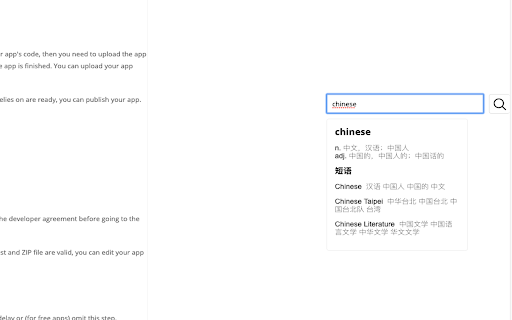
ดาวน์โหลดไฟล์ CRX ของส่วนขยาย 简译划词插件
ดาวน์โหลดไฟล์ส่วนขยาย 简译划词插件 ในรูปแบบ crx และติดตั้งส่วนขยาย Chrome ด้วยตนเองในเบราว์เซอร์หรือแชร์ไฟล์ crx กับเพื่อนๆ เพื่อติดตั้งส่วนขยาย Chrome อย่างง่ายดาย
คำแนะนำในการใช้ส่วนขยาย
划词翻译、划词插件、有道翻译、百度翻译、Google翻译 ข้อมูลพื้นฐานของส่วนขยาย
| ชื่อ |  简译划词插件 简译划词插件 |
| ID | oddifehabaikhdbjihhcohjcjejncmcg |
| URL อย่างเป็นทางการ | https://chromewebstore.google.com/detail/%E7%AE%80%E8%AF%91%E5%88%92%E8%AF%8D%E6%8F%92%E4%BB%B6/oddifehabaikhdbjihhcohjcjejncmcg |
| คำอธิบาย | 简译划词插件 |
| ขนาดไฟล์ | 192 KB |
| จำนวนการติดตั้ง | 38 |
| เวอร์ชันปัจจุบัน | 0.0.2 |
| อัปเดตครั้งล่าสุด | 2019-03-28 |
| วันที่เผยแพร่ | 2019-03-25 |
| คะแนน | 5.00/5 รวมทั้งหมด 5 คะแนน |
| ผู้พัฒนา | https://indie1024.com |
| อีเมล | [email protected] |
| ประเภทการชำระเงิน | free |
| ภาษาที่รองรับ | zh-CN |
| manifest.json | |
{
    "update_url": "https:\/\/clients2.google.com\/service\/update2\/crx",
    "name": "\u7b80\u8bd1\u5212\u8bcd\u63d2\u4ef6",
    "description": "\u7b80\u8bd1\u5212\u8bcd\u63d2\u4ef6",
    "version": "0.0.2",
    "manifest_version": 2,
    "icons": {
        "64": "icons\/icon-64.png",
        "128": "icons\/icon-128.png"
    },
    "permissions": [
        "tabs",
        "storage",
        "webRequest",
        "webRequestBlocking",
        "http:\/\/*\/*",
        "https:\/\/*\/*"
    ],
    "browser_action": {
        "default_title": "translate-extension",
        "default_icon": {
            "19": "icons\/icon-19.png",
            "38": "icons\/icon-38.png"
        },
        "default_popup": "popup\/popup.html"
    },
    "background": {
        "scripts": [
            "background.js"
        ]
    },
    "options_ui": {
        "page": "options\/options.html",
        "chrome_style": true
    },
    "content_security_policy": "script-src 'self' https:\/\/www.google-analytics.com\/analytics.js 'unsafe-inline' 'unsafe-eval'",
    "content_scripts": [
        {
            "matches": [
                "http:\/\/*\/*",
                "https:\/\/*\/*"
            ],
            "js": [
                "content.js"
            ],
            "css": [
                "styles\/content.css",
                "styles\/animate.css"
            ],
            "run_at": "document_end",
            "all_frames": false
        }
    ],
    "web_accessible_resources": [
        "scripts\/contentscript.js",
        "options.html",
        "images\/*"
    ]
} | |