tlda
Is the page you're looking at too long? You short on time? tlda it !! Instantly get a summary of the page you are browsing by just…
tldaคืออะไร?
tlda เป็นส่วนขยายของ Chrome ที่พัฒนาโดย https://tlda.io และคุณลักษณะหลักของมันคือ "Is the page you're looking at too long? You short on time? tlda it !! Instantly get a summary of the page you are browsing by just…"
ภาพหน้าจอของส่วนขยาย
ดาวน์โหลดไฟล์ CRX ของส่วนขยาย tlda
ดาวน์โหลดไฟล์ส่วนขยาย tlda ในรูปแบบ crx และติดตั้งส่วนขยาย Chrome ด้วยตนเองในเบราว์เซอร์หรือแชร์ไฟล์ crx กับเพื่อนๆ เพื่อติดตั้งส่วนขยาย Chrome อย่างง่ายดาย
คำแนะนำในการใช้ส่วนขยาย
                        Is the page you're looking at too long? You short on time? tlda it !!

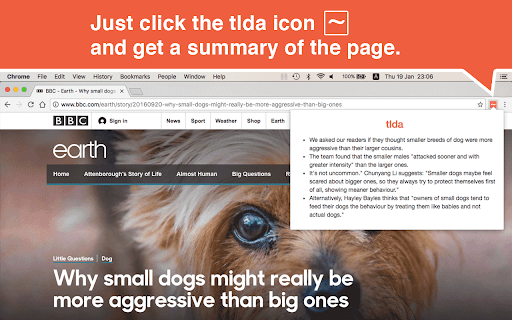
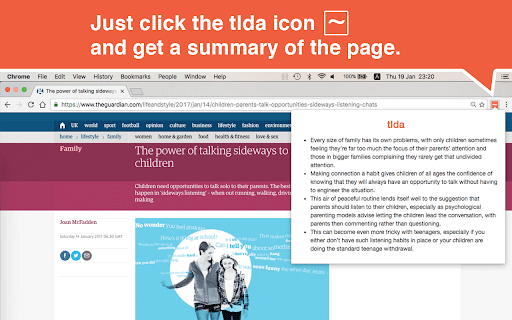
Instantly get a summary of the page you are browsing by just clicking the tlda icon on your chrome browser.

Just one click and tlda will extract main points of the webpage so you can get the gist of the content without reading the entire page.

Life is too short to read everything! Sometimes there are just too many interesting things to read but too little time.

For those who feel the same, we hope that tlda will enhance your reading life.

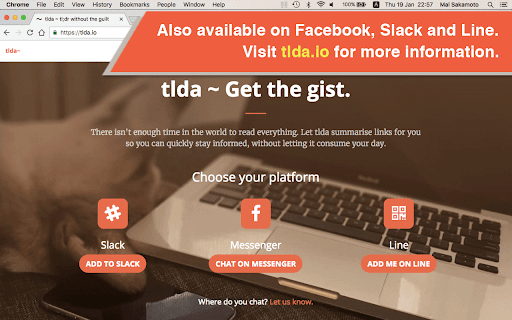
Also available as a chatbot on Facebook Messenger, Slack and Line.
Visit tlda.io for more information.
ข้อมูลพื้นฐานของส่วนขยาย
| ชื่อ |  tlda tlda |
| ID | ogefhmcfhgggggefddkaemfifdcljbml |
| URL อย่างเป็นทางการ | https://chromewebstore.google.com/detail/tlda/ogefhmcfhgggggefddkaemfifdcljbml |
| คำอธิบาย | Is the page you're looking at too long? You short on time? tlda it !! Instantly get a summary of the page you are browsing by just… |
| ขนาดไฟล์ | 145 KB |
| จำนวนการติดตั้ง | 87 |
| เวอร์ชันปัจจุบัน | 0.1.1 |
| อัปเดตครั้งล่าสุด | 2019-03-08 |
| วันที่เผยแพร่ | 2019-03-08 |
| คะแนน | 5.00/5 รวมทั้งหมด 2 คะแนน |
| ผู้พัฒนา | https://tlda.io |
| อีเมล | [email protected] |
| ประเภทการชำระเงิน | free |
| เว็บไซต์ส่วนขยาย | https://tlda.io |
| URL หน้าช่วยเหลือ | https://tlda.io/support |
| URL หน้านโยบายความเป็นส่วนตัว | https://tlda.io/privacy |
| ภาษาที่รองรับ | en |
| manifest.json | |
{
    "update_url": "https:\/\/clients2.google.com\/service\/update2\/crx",
    "manifest_version": 2,
    "name": "tlda",
    "version": "0.1.1",
    "icons": {
        "128": "assets\/img\/icons\/128\/app.png",
        "512": "assets\/img\/icons\/512\/app.png",
        "16": "assets\/img\/icons\/16\/app.png",
        "256": "assets\/img\/icons\/256\/app.png",
        "48": "assets\/img\/icons\/48\/app.png",
        "32": "assets\/img\/icons\/32\/app.png",
        "96": "assets\/img\/icons\/96\/app.png",
        "64": "assets\/img\/icons\/64\/app.png"
    },
    "permissions": [
        "tabs",
        "storage",
        "*:\/\/*.tlda.io\/*"
    ],
    "background": {
        "scripts": [
            "dependencies.js",
            "main.js",
            "launcher.js"
        ]
    },
    "browser_action": {
        "default_title": "tlda",
        "default_popup": "assets\/html\/popup.html",
        "default_icon": {
            "128": "assets\/img\/icons\/128\/app.png",
            "512": "assets\/img\/icons\/512\/app.png",
            "16": "assets\/img\/icons\/16\/app.png",
            "256": "assets\/img\/icons\/256\/app.png",
            "48": "assets\/img\/icons\/48\/app.png",
            "32": "assets\/img\/icons\/32\/app.png",
            "96": "assets\/img\/icons\/96\/app.png",
            "64": "assets\/img\/icons\/64\/app.png"
        }
    }
} | |