Peek Extension
Access your Peek Virtual Tours quickly from anywhere.
Peek Extensionคืออะไร?
Peek Extension เป็นส่วนขยายของ Chrome ที่พัฒนาโดย Peek และคุณลักษณะหลักของมันคือ "Access your Peek Virtual Tours quickly from anywhere."
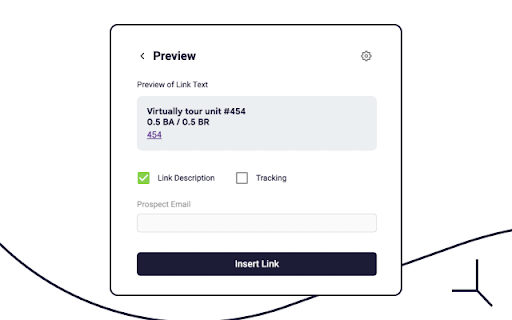
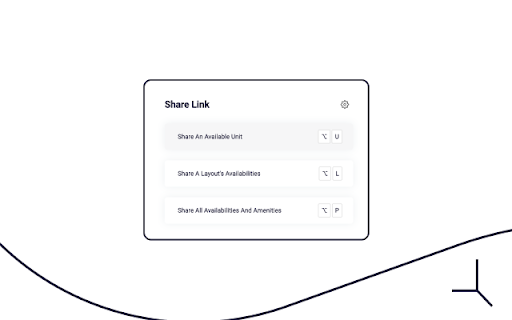
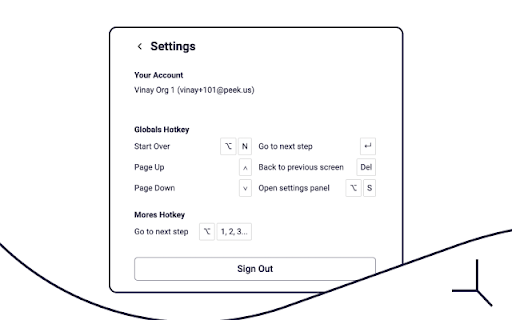
ภาพหน้าจอของส่วนขยาย
ดาวน์โหลดไฟล์ CRX ของส่วนขยาย Peek Extension
ดาวน์โหลดไฟล์ส่วนขยาย Peek Extension ในรูปแบบ crx และติดตั้งส่วนขยาย Chrome ด้วยตนเองในเบราว์เซอร์หรือแชร์ไฟล์ crx กับเพื่อนๆ เพื่อติดตั้งส่วนขยาย Chrome อย่างง่ายดาย
คำแนะนำในการใช้ส่วนขยาย
                        Peek's Chrome Extension v2.0 has its primary objective to enable users to quickly leverage Peek’s Prospect Intelligence Link Tracking directly from their Messaging, Email, CRM, and PMS Platforms.

In that way, users can send tracked links of Units, Layouts, and Properties through a pop-up interface accessible via keyboard shortcuts without logging in to the Peek's Dashboard — or even leaving their current Chrome Window.

To get started with Peek's Chrome Extension, install it for free in Chrome Web Store. After that, open it by typing “/peek” into any text box on a supported domain — remember to log in as an Organization Admin or a Management Pro Account. With that, finally, start sharing your Peek's Virtual Tours.
ข้อมูลพื้นฐานของส่วนขยาย
| ชื่อ |  Peek Extension Peek Extension |
| ID | pdnknfdebjkimdeiepefcbbfjkhoemem |
| URL อย่างเป็นทางการ | https://chromewebstore.google.com/detail/peek-extension/pdnknfdebjkimdeiepefcbbfjkhoemem |
| คำอธิบาย | Access your Peek Virtual Tours quickly from anywhere. |
| ขนาดไฟล์ | 1.29 MB |
| จำนวนการติดตั้ง | 92 |
| เวอร์ชันปัจจุบัน | 2.1.2 |
| อัปเดตครั้งล่าสุด | 2023-04-25 |
| วันที่เผยแพร่ | 2021-12-02 |
| คะแนน | 5.00/5 รวมทั้งหมด 1 คะแนน |
| ผู้พัฒนา | Peek |
| อีเมล | [email protected] |
| ประเภทการชำระเงิน | free |
| เว็บไซต์ส่วนขยาย | https://manage.peek.us/ |
| URL หน้านโยบายความเป็นส่วนตัว | https://www.peek.us/privacy-policy |
| ภาษาที่รองรับ | en-US |
| manifest.json | |
{
"update_url": "https:\/\/clients2.google.com\/service\/update2\/crx",
"name": "Peek Extension",
"description": "Access your Peek Virtual Tours quickly from anywhere.",
"version": "2.1.2",
"manifest_version": 3,
"icons": {
"16": "icons\/16.png",
"48": "icons\/64.png",
"128": "icons\/128.png"
},
"action": {
"default_icon": "icons\/128.png"
},
"permissions": [
"storage"
],
"content_scripts": [
{
"matches": [
" | |