Snap and Markup
Snap it and mark it up. Screenshot and Annotate tool.
Snap and Markupคืออะไร?
Snap and Markup เป็นส่วนขยายของ Chrome ที่พัฒนาโดย Lisa Norman และคุณลักษณะหลักของมันคือ "Snap it and mark it up. Screenshot and Annotate tool."
ภาพหน้าจอของส่วนขยาย
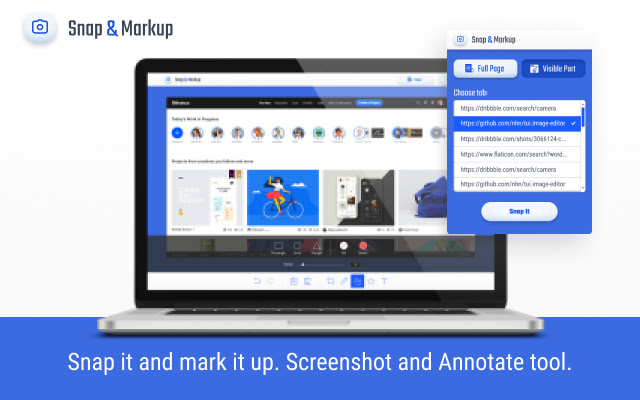
ดาวน์โหลดไฟล์ CRX ของส่วนขยาย Snap and Markup
ดาวน์โหลดไฟล์ส่วนขยาย Snap and Markup ในรูปแบบ crx และติดตั้งส่วนขยาย Chrome ด้วยตนเองในเบราว์เซอร์หรือแชร์ไฟล์ crx กับเพื่อนๆ เพื่อติดตั้งส่วนขยาย Chrome อย่างง่ายดาย
คำแนะนำในการใช้ส่วนขยาย
                        Snap and markup - screenshot tool with powerful image editor for annotations

Features
⭐Take full page screenshot or just a visible part
⭐Annotate a screenshot: crop, draw figures, lines, paste icons, add text
⭐Download as an image or copy to the clipboard

Quick start: use a browser toolbar and find an icon of Snap and Markup. Select a tab and take a screenshot.
ข้อมูลพื้นฐานของส่วนขยาย
| ชื่อ |  Snap and Markup Snap and Markup |
| ID | pkafhklapoapfeinmljkmjliiejoonae |
| URL อย่างเป็นทางการ | https://chrome.google.com/webstore/detail/snap-and-markup/pkafhklapoapfeinmljkmjliiejoonae |
| คำอธิบาย | Snap it and mark it up. Screenshot and Annotate tool. |
| ขนาดไฟล์ | 743 KB |
| จำนวนการติดตั้ง | 100,000 |
| เวอร์ชันปัจจุบัน | 2.7.5 |
| อัปเดตครั้งล่าสุด | 2020-12-24 |
| วันที่เผยแพร่ | 2020-08-30 |
| คะแนน | 3.67/5 รวมทั้งหมด 6 คะแนน |
| ผู้พัฒนา | Lisa Norman |
| อีเมล | [email protected] |
| ประเภทการชำระเงิน | free |
| URL หน้านโยบายความเป็นส่วนตัว | https://www.notion.so/Privacy-policy-Snap-and-markup-a3ba34e68edb419ab5cfc460f8d2fc3a |
| ภาษาที่รองรับ | id,ms,de,en,en-GB,en-US,fil,fr,nl,no,vi,tr,ca,da,et,es,es-419,hr,it,lv,lt,hu,pl,pt-BR,pt-PT,ro,sk,sl,fi,sv,cs,el,sr,bg,ru,uk,mr,hi,bn,gu,ta,te,ml,th,zh-CN,zh-TW,ja,ko |
| manifest.json | |
{
"update_url": "https:\/\/clients2.google.com\/service\/update2\/crx",
"name": "__MSG_name__",
"description": "__MSG_description__",
"version": "2.7.5",
"background": {
"page": "background.html"
},
"content_security_policy": "script-src 'self' https:\/\/www.google-analytics.com https:\/\/www.googletagmanager.com https:\/\/*.googleapis.com; object-src 'self'",
"browser_action": {
"default_popup": "popup.html",
"default_icon": "Icon_128.png"
},
"icons": {
"128": "Icon_128.png",
"48": "Icon_48.png",
"16": "Icon_16.png"
},
"manifest_version": 2,
"web_accessible_resources": [
"editor.html"
],
"default_locale": "en",
"permissions": [
"tabs",
" | |