Polycom Phone Control
Control your Polycom phone completely from your browser
Polycom Phone Control là gì?
Polycom Phone Control là một tiện ích mở rộng Chrome được phát triển bởi https://falldeaf.com, và tính năng chính của nó là "Control your Polycom phone completely from your browser".
Ảnh Chụp Màn Hình của Tiện Ích Mở Rộng
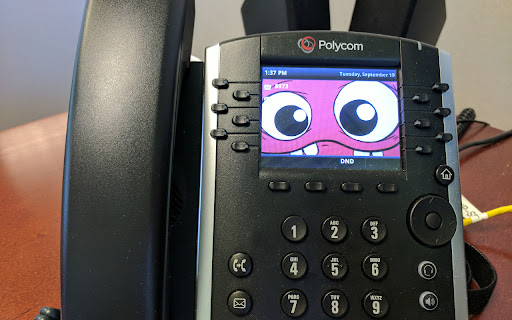


Tải xuống tệp CRX của tiện ích mở rộng Polycom Phone Control
Tải xuống các tệp mở rộng Polycom Phone Control dưới định dạng crx, cài đặt các tiện ích mở rộng Chrome bằng tay trong trình duyệt hoặc chia sẻ các tệp crx với bạn bè để dễ dàng cài đặt các tiện ích mở rộng Chrome.
Hướng Dẫn Sử Dụng Tiện Ích Mở Rộng
                        I created this extension to control my Polycom phone at work.

The interface itself doesn't have any polish but it's working well for me and I was also careful with the security of setting up push and poll access by dynamically generating and saving secure passwords.

This extension is also able to set up and configure your phone for remote access without needing to visit the Phone's internal web server.

Functionality includes:
* Selecting text on a page and calling the number from the right-click menu
* Saving a list of speed-dial numbers
* Controlling volume, dialing numbers, setting do not disturb, all from the browser icon popup.

For questions, comments, bugs, feature requests, please contact me at [email protected]
Thông Tin Cơ Bản về Tiện Ích Mở Rộng
| Tên |  Polycom Phone Control Polycom Phone Control |
| ID | agdkjllbafjhlanjjjbnohiekmplbnle |
| URL Chính Thức | https://chromewebstore.google.com/detail/polycom-phone-control/agdkjllbafjhlanjjjbnohiekmplbnle |
| Mô tả | Control your Polycom phone completely from your browser |
| Kích Thước Tệp | 53.23 KB |
| Số Lần Cài Đặt | 210 |
| Phiên Bản Hiện Tại | 1.2 |
| Cập Nhật Lần Cuối | 2017-09-20 |
| Ngày Phát Hành | 2017-09-20 |
| Nhà Phát Triển | https://falldeaf.com |
| [email protected] | |
| Loại Thanh Toán | free |
| Ngôn Ngữ Được Hỗ Trợ | en |
| manifest.json | |
{
    "update_url": "https:\/\/clients2.google.com\/service\/update2\/crx",
    "name": "Polycom Phone Control",
    "version": "1.2",
    "description": "Control your Polycom phone completely from your browser",
    "manifest_version": 2,
    "permissions": [
        "*:\/\/*\/*",
        "storage",
        "contextMenus",
        "notifications"
    ],
    "browser_action": {
        "default_icon": "icon48.png",
        "default_popup": "popup.html"
    },
    "icons": {
        "16": "icon16-on.png",
        "48": "icon48.png",
        "128": "icon128.png"
    },
    "options_page": "options.html",
    "background": {
        "scripts": [
            "background.js",
            "api.js"
        ]
    },
    "commands": {
        "_execute_browser_action": {
            "suggested_key": {
                "default": "Alt+Shift+P"
            }
        }
    }
} | |