Screenshot Master: Full Page Capture
Easy, free and full-featured screenshot app to capture, edit and save your screenshots effortlessly.
Screenshot Master: Full Page Capture là gì?
Screenshot Master: Full Page Capture là một tiện ích mở rộng Chrome được phát triển bởi aymasellkirom, và tính năng chính của nó là "Easy, free and full-featured screenshot app to capture, edit and save your screenshots effortlessly.".
Ảnh Chụp Màn Hình của Tiện Ích Mở Rộng
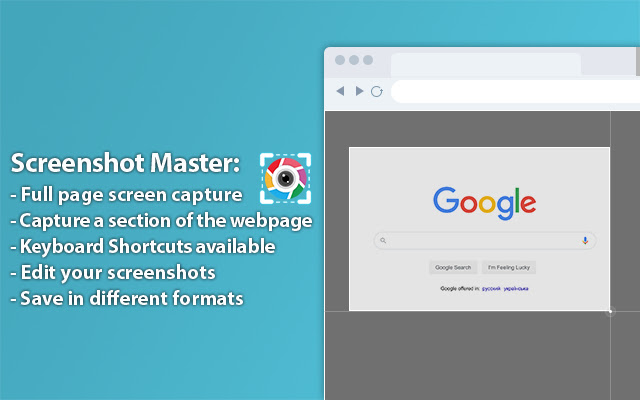

Tải xuống tệp CRX của tiện ích mở rộng Screenshot Master: Full Page Capture
Tải xuống các tệp mở rộng Screenshot Master: Full Page Capture dưới định dạng crx, cài đặt các tiện ích mở rộng Chrome bằng tay trong trình duyệt hoặc chia sẻ các tệp crx với bạn bè để dễ dàng cài đặt các tiện ích mở rộng Chrome.
Hướng Dẫn Sử Dụng Tiện Ích Mở Rộng
                        Screenshot Master is a simple screenshot capture extension that allows you to capture the entire screen with just one click. It works just like the native feature of Google Chrome to capture screen but in a more optimized way.

✍ Advantages:
☑︎ Easy and user friendly interface
☑︎ No restrictions on use
☑︎ Support full page screenshot
☑︎ Screen Capture Keyboard Shortcuts
☑︎ Best Quality, High-Resolution screenshots, support PNG, JPG, WEBP formats.

Screenshots are useful for a variety of reasons, such as requesting support or simply showing off what you have on your screen. Since screenshots are images, the data on them cannot be edited through any standard means. That's why built-in image editor is an added feature of this screenshot tool. You can use the simple image editor which offers a dozen different features.

✍ Screenshot Editor features:
☑︎  Write text
☑︎  Cropping
☑︎  Use arrows
☑︎  Include rectangular boxes or lines
☑︎  Support save screenshot to PNG, JPG, WEBP formats.

Privacy:
We do not collect, store, use, transfer or sell your personal information. In addition, we do not monitor your behavior on the Internet, do not monitor your actions and do not collect web pages that you visit in accordance with our policy https://bit.ly/2RbIRp6.
Thông Tin Cơ Bản về Tiện Ích Mở Rộng
| Tên |  Screenshot Master: Full Page Capture Screenshot Master: Full Page Capture |
| ID | apalagnadaipfbckpdghfbahagdcldka |
| URL Chính Thức | https://chrome.google.com/webstore/detail/screenshot-master-full-pa/apalagnadaipfbckpdghfbahagdcldka |
| Mô tả | Easy, free and full-featured screenshot app to capture, edit and save your screenshots effortlessly. |
| Kích Thước Tệp | 468 KB |
| Số Lần Cài Đặt | 100,000 |
| Phiên Bản Hiện Tại | 1.5 |
| Cập Nhật Lần Cuối | 2022-08-17 |
| Ngày Phát Hành | 2020-10-20 |
| Đánh Giá | 3.90/5 Tổng số 113 Đánh Giá |
| Nhà Phát Triển | aymasellkirom |
| [email protected] | |
| Loại Thanh Toán | free |
| URL Trang Chính Sách Bảo Mật | https://sites.google.com/view/screensho-tmaster-privacy/home |
| Ngôn Ngữ Được Hỗ Trợ | id,ms,de,en,en-GB,en-US,fr,nl,no,vi,tr,ca,da,et,es,es-419,hr,it,lv,lt,hu,pl,pt-BR,pt-PT,ro,sk,sl,fi,sv,cs,el,sr,bg,ru,uk,mr,hi,bn,gu,ta,te,ml,th,zh-CN,zh-TW,ja,ko |
| manifest.json | |
{
"background": {
"page": "background.html",
"persistent": true
},
"browser_action": {
"default_icon": {
"128": "logo.png"
}
},
"content_scripts": [
{
"js": [
"content_script.js"
],
"matches": [
" | |