Volume Booster - Amplifier
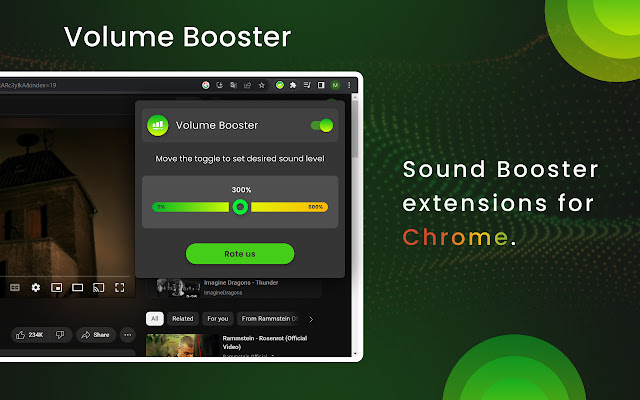
Move the toggle to manage the sound booster from zero to maximum level. Simply increase volume in a tab with Amplifier
Volume Booster - Amplifier là gì?
Volume Booster - Amplifier là một tiện ích mở rộng Chrome được phát triển bởi Sound Control, và tính năng chính của nó là "Move the toggle to manage the sound booster from zero to maximum level. Simply increase volume in a tab with Amplifier".
Ảnh Chụp Màn Hình của Tiện Ích Mở Rộng

Tải xuống tệp CRX của tiện ích mở rộng Volume Booster - Amplifier
Tải xuống các tệp mở rộng Volume Booster - Amplifier dưới định dạng crx, cài đặt các tiện ích mở rộng Chrome bằng tay trong trình duyệt hoặc chia sẻ các tệp crx với bạn bè để dễ dàng cài đặt các tiện ích mở rộng Chrome.
Hướng Dẫn Sử Dụng Tiện Ích Mở Rộng
                        Sound booster is a great way to get the most out of your audio experience. Whether you’re listening to music, watching a movie, or playing a game, having the right volume levels can make a huge difference. Volume booster can be found in a variety of forms, from software programs to hardware devices.

The extension allows to set the sound volume to the maximum level using convenient toggle in the extension's menu. Its functionality makes audio playing louder or quieter depending on the toggle position you set.

Enjoy pure sound with the desired sound level.

Sometimes audio in a tab should be set more or less and the extension makes it easily just using the mouse or touchpad. Audio Amplifier adds new features during the music listening or video watching.

Volume Booster is a free extension with convenient design for everyone.
Thông Tin Cơ Bản về Tiện Ích Mở Rộng
| Tên |  Volume Booster - Amplifier Volume Booster - Amplifier |
| ID | edlmpgmjephcpilcajonhemjfjneghpo |
| URL Chính Thức | https://chrome.google.com/webstore/detail/volume-booster/edlmpgmjephcpilcajonhemjfjneghpo |
| Mô tả | Move the toggle to manage the sound booster from zero to maximum level. Simply increase volume in a tab with Amplifier |
| Kích Thước Tệp | 117 KB |
| Số Lần Cài Đặt | 3,906,311 |
| Phiên Bản Hiện Tại | 2.1.16 |
| Cập Nhật Lần Cuối | 2023-04-26 |
| Ngày Phát Hành | 2022-12-09 |
| Đánh Giá | 4.60/5 Tổng số 43 Đánh Giá |
| Nhà Phát Triển | Sound Control |
| [email protected] | |
| Loại Thanh Toán | free |
| Ngôn Ngữ Được Hỗ Trợ | id,ms,de,en,en-GB,en-US,fil,fr,nl,no,vi,tr,ca,da,et,es,es-419,hr,lv,lt,hu,pl,pt-BR,pt-PT,ro,sk,sl,fi,sv,cs,el,sr,bg,ru,uk,mr,hi,bn,gu,ta,te,ml,th,zh-CN,zh-TW,ja,ko |
| manifest.json | |
{
"update_url": "https:\/\/clients2.google.com\/service\/update2\/crx",
"manifest_version": 3,
"name": "__MSG_app_name__",
"description": "__MSG_app_description__",
"default_locale": "en",
"version": "2.1.16",
"icons": {
"16": "assets\/icon.png",
"32": "assets\/icon.png",
"48": "assets\/icon.png",
"128": "assets\/icon.png"
},
"action": {
"default_icon": {
"19": "assets\/icon.png",
"38": "assets\/icon.png"
},
"default_title": "__MSG_app_name__"
},
"background": {
"service_worker": "data\/worker.js"
},
"content_scripts": [
{
"matches": [
" | |