FastSave & Repost for Instagram
Download or repost stories, videos & photos from Instagram.
FastSave & Repost for Instagram là gì?
FastSave & Repost for Instagram là một tiện ích mở rộng Chrome được phát triển bởi FastSave, và tính năng chính của nó là "Download or repost stories, videos & photos from Instagram.".
Ảnh Chụp Màn Hình của Tiện Ích Mở Rộng
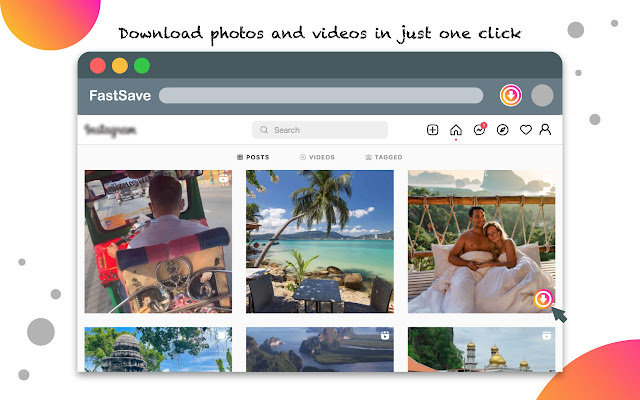
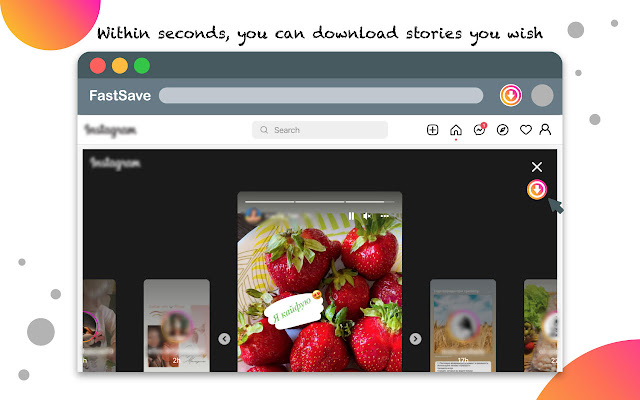
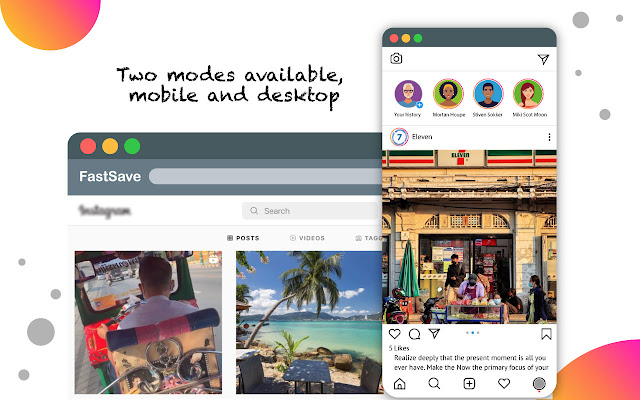
Tải xuống tệp CRX của tiện ích mở rộng FastSave & Repost for Instagram
Tải xuống các tệp mở rộng FastSave & Repost for Instagram dưới định dạng crx, cài đặt các tiện ích mở rộng Chrome bằng tay trong trình duyệt hoặc chia sẻ các tệp crx với bạn bè để dễ dàng cài đặt các tiện ích mở rộng Chrome.
Hướng Dẫn Sử Dụng Tiện Ích Mở Rộng
                        Instagram is a popular photo-sharing network which allows you to instantly share photo snaps and short video clips of your daily life. Many users enjoy this app so much that they want to use Instagram on PC and utilize its full function, just as if they were using it on their phone.

With FastSave for Instagram, you can use IG just like you’d normally use it on your smartphone. You will be able to see photos or video clips and post on IG from your computer. An added bonus is the built-in function to save photos and videos.

Wanna download videos and images from Instagram? It is simple now! FastSave extension - video & photo downloader. With this downloader, you can fast save any photo and video from Instagram. Just one click, FastSave will save your favorite photo and video to your PC or Mac. What’s more, it is 100% free for all user. You really should try this downloader tool.

🔸Features:
✨Two screen size modes - Desktop or Phone: Which should you choose?
✨Image photo save - Download high quality pictures that you like.
✨Video download - Download origin video.
✨Story download - Download Story anonymously.
✨Instant save - After you download, photos and videos will be quick saved to your PC or Mac automatically.

👉How to use:
✨Install FastSave.
✨Choose desktop or mobile mode.
✨Open Instagram and choose photo or video that you want to download.
✨Click to the download button and choose where you want to save the file.
✨Then photo or video you select will be saved automatically.

Source:
https://github.com/HuiiBuh/InstagramDownloader/blob/master/README.md
Thông Tin Cơ Bản về Tiện Ích Mở Rộng
| Tên |  FastSave & Repost for Instagram FastSave & Repost for Instagram |
| ID | fdedigfpeejoaoicpppjcpicekleaedb |
| URL Chính Thức | https://chrome.google.com/webstore/detail/fastsave-repost-for-insta/fdedigfpeejoaoicpppjcpicekleaedb |
| Mô tả | Download or repost stories, videos & photos from Instagram. |
| Kích Thước Tệp | 370 KB |
| Số Lần Cài Đặt | 300,000 |
| Phiên Bản Hiện Tại | 2.11 |
| Cập Nhật Lần Cuối | 2022-08-11 |
| Ngày Phát Hành | 2020-06-19 |
| Đánh Giá | 3.40/5 Tổng số 708 Đánh Giá |
| Nhà Phát Triển | FastSave |
| [email protected] | |
| Loại Thanh Toán | free |
| URL Trang Chính Sách Bảo Mật | https://sites.google.com/view/fastsaveforig/home |
| Ngôn Ngữ Được Hỗ Trợ | id,ms,de,en,en-GB,en-US,fil,fr,nl,no,vi,tr,ca,da,et,es,es-419,hr,it,lv,lt,hu,pl,pt-BR,pt-PT,ro,sk,sl,fi,sv,cs,el,sr,bg,ru,uk,mr,hi,bn,gu,ta,te,ml,th,zh-CN,zh-TW,ja,ko |
| manifest.json | |
{
"update_url": "https:\/\/clients2.google.com\/service\/update2\/crx",
"manifest_version": 2,
"name": "__MSG_appName__",
"description": "__MSG_appDesc__",
"default_locale": "en",
"version": "2.11",
"icons": {
"32": "assets\/32.png",
"64": "assets\/64.png",
"128": "assets\/128.png"
},
"permissions": [
"storage",
"cookies",
"webRequest",
"webRequestBlocking",
"downloads",
"tabs",
" | |