Insert Timestamp
Insert Timestamp
Insert Timestamp là gì?
Insert Timestamp là một tiện ích mở rộng Chrome được phát triển bởi Dave Xu, và tính năng chính của nó là "Insert Timestamp".
Ảnh Chụp Màn Hình của Tiện Ích Mở Rộng
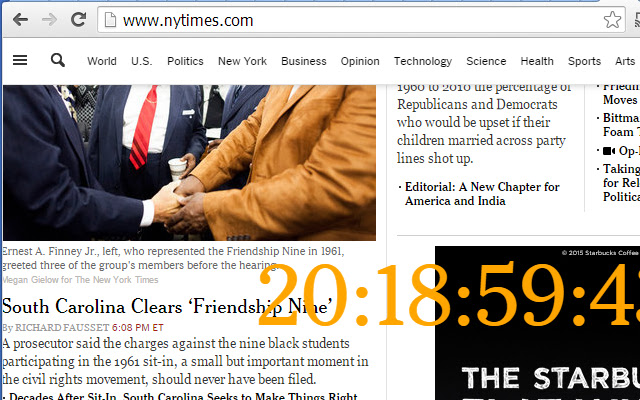


Tải xuống tệp CRX của tiện ích mở rộng Insert Timestamp
Tải xuống các tệp mở rộng Insert Timestamp dưới định dạng crx, cài đặt các tiện ích mở rộng Chrome bằng tay trong trình duyệt hoặc chia sẻ các tệp crx với bạn bè để dễ dàng cài đặt các tiện ích mở rộng Chrome.
Hướng Dẫn Sử Dụng Tiện Ích Mở Rộng
                        2015-01-28
Dave Xu
1. better position selection
2. bigger numbers
3. bug fix : the clock cannot be seen on youtube web pages.

2015-01-21
Dave Xu
This is a simple extention, will only inject real-time clock into current webpage.
I develop it just for some tests, wish it could be helpful for other people.
Thông Tin Cơ Bản về Tiện Ích Mở Rộng
| Tên |  Insert Timestamp Insert Timestamp |
| ID | hojacnchclkfkdkcadnfogedeppclijb |
| URL Chính Thức | https://chrome.google.com/webstore/detail/insert-timestamp/hojacnchclkfkdkcadnfogedeppclijb |
| Mô tả | Insert Timestamp |
| Kích Thước Tệp | 8.5 KB |
| Số Lần Cài Đặt | 21 |
| Phiên Bản Hiện Tại | 1.1 |
| Cập Nhật Lần Cuối | 2015-01-28 |
| Ngày Phát Hành | 2015-01-28 |
| Đánh Giá | 4.00/5 Tổng số 1 Đánh Giá |
| Nhà Phát Triển | Dave Xu |
| Loại Thanh Toán | free |
| Trang Web Mở Rộng | http://www.linkedin.com/in/yuandaxu |
| URL Trang Trợ Giúp | http://xuyuanda.blogspot.com |
| Ngôn Ngữ Được Hỗ Trợ | en-US |
| manifest.json | |
{
    "update_url": "https:\/\/clients2.google.com\/service\/update2\/crx",
    "name": "Insert Timestamp",
    "version": "1.1",
    "manifest_version": 2,
    "description": "Insert Timestamp",
    "icons": {
        "16": "icon16.png",
        "48": "icon48.png",
        "128": "icon128.png"
    },
    "content_security_policy": "script-src 'self' 'unsafe-eval'; object-src 'self'",
    "permissions": [
        "activeTab",
        "*:\/\/www.youtube.com\/*",
        "http:\/\/*\/*",
        "https:\/\/*\/*",
        "unlimitedStorage"
    ],
    "content_scripts": [
        {
            "matches": [
                "*:\/\/www.youtube.com\/*",
                "http:\/\/*\/*",
                "https:\/\/*\/*"
            ],
            "all_frames": false,
            "css": [
                "show.css"
            ],
            "js": [
                "cbd.js",
                "ccc.js"
            ],
            "run_at": "document_end"
        }
    ]
} | |