Hackpad Downloader
Add download links to hackpad in different formats.
Hackpad Downloader là gì?
Hackpad Downloader là một tiện ích mở rộng Chrome được phát triển bởi Ash Wu (hSATAC), và tính năng chính của nó là "Add download links to hackpad in different formats.".
Ảnh Chụp Màn Hình của Tiện Ích Mở Rộng
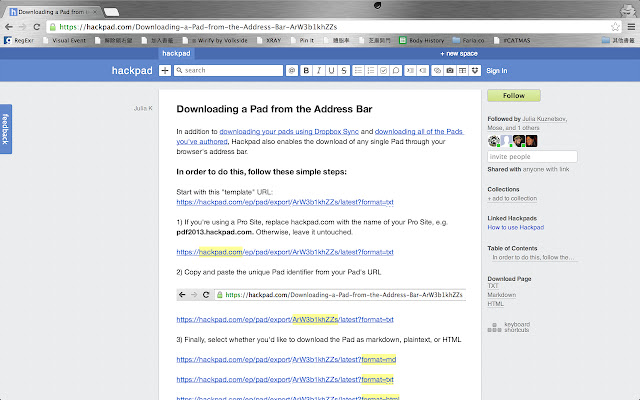
Tải xuống tệp CRX của tiện ích mở rộng Hackpad Downloader
Tải xuống các tệp mở rộng Hackpad Downloader dưới định dạng crx, cài đặt các tiện ích mở rộng Chrome bằng tay trong trình duyệt hoặc chia sẻ các tệp crx với bạn bè để dễ dàng cài đặt các tiện ích mở rộng Chrome.
Hướng Dẫn Sử Dụng Tiện Ích Mở Rộng
                        Hackpad Downloader simplifies your export / download process by adding a Download Page section directly to hackpad sidebar.

You can choose different format including TXT, Markdown or HTML to download.

NOTE: If your hackpad contains non-ascii characters, the downloaded file may be broken. This is a known hackpad issue, waiting to be fixed.
Thông Tin Cơ Bản về Tiện Ích Mở Rộng
| Tên |  Hackpad Downloader Hackpad Downloader |
| ID | jhkfiecgggifjcoliemlcajokapmcpih |
| URL Chính Thức | https://chrome.google.com/webstore/detail/hackpad-downloader/jhkfiecgggifjcoliemlcajokapmcpih |
| Mô tả | Add download links to hackpad in different formats. |
| Kích Thước Tệp | 13.21 KB |
| Số Lần Cài Đặt | 145 |
| Phiên Bản Hiện Tại | 1.0.2 |
| Cập Nhật Lần Cuối | 2014-09-17 |
| Ngày Phát Hành | 2014-09-17 |
| Đánh Giá | 4.00/5 Tổng số 5 Đánh Giá |
| Nhà Phát Triển | Ash Wu (hSATAC) |
| Loại Thanh Toán | free |
| Ngôn Ngữ Được Hỗ Trợ | en |
| manifest.json | |
{
    "update_url": "https:\/\/clients2.google.com\/service\/update2\/crx",
    "manifest_version": 2,
    "name": "Hackpad Downloader",
    "description": "Add download links to hackpad in different formats.",
    "version": "1.0.2",
    "content_scripts": [
        {
            "matches": [
                "https:\/\/*.hackpad.com\/*",
                "https:\/\/hackpad.com\/*"
            ],
            "js": [
                "zepto.min.js",
                "content.js"
            ],
            "css": [
                "content.css"
            ],
            "run_at": "document_end",
            "all_frames": true
        }
    ]
} | |