Picture Downloader
Picture Downloader. Browse and save - image downloader on webpages.
Picture Downloader là gì?
Picture Downloader là một tiện ích mở rộng Chrome được phát triển bởi Picture Downloader, và tính năng chính của nó là "Picture Downloader. Browse and save - image downloader on webpages.".
Ảnh Chụp Màn Hình của Tiện Ích Mở Rộng
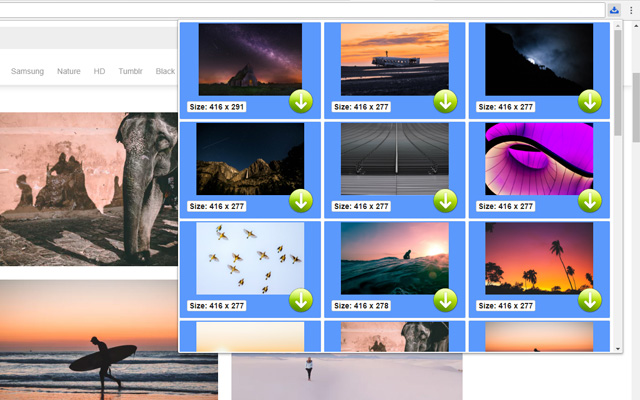
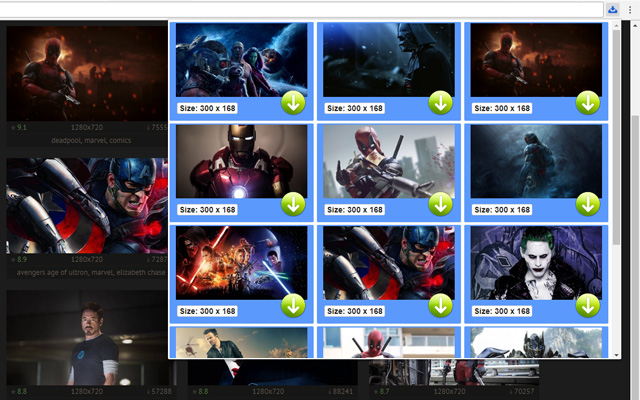

Tải xuống tệp CRX của tiện ích mở rộng Picture Downloader
Tải xuống các tệp mở rộng Picture Downloader dưới định dạng crx, cài đặt các tiện ích mở rộng Chrome bằng tay trong trình duyệt hoặc chia sẻ các tệp crx với bạn bè để dễ dàng cài đặt các tiện ích mở rộng Chrome.
Hướng Dẫn Sử Dụng Tiện Ích Mở Rộng
                        Picture Downloader is useful tool for displaying, browsing and downloading photos from any webpages.

* Finds pictures on any websites.
* The size of each image is displayed.
* Image download to your hard disk.

How it works
************
* Click to the icon on current webpage.
* Here you can start downloading.

Fast and professional Picture Downloader for all users.
Thông Tin Cơ Bản về Tiện Ích Mở Rộng
| Tên |  Picture Downloader Picture Downloader |
| ID | kokbcpaapofnbifgdlmokekjphgdlphp |
| URL Chính Thức | https://chrome.google.com/webstore/detail/picture-downloader/kokbcpaapofnbifgdlmokekjphgdlphp |
| Mô tả | Picture Downloader. Browse and save - image downloader on webpages. |
| Kích Thước Tệp | 91.22 KB |
| Số Lần Cài Đặt | 8,193 |
| Phiên Bản Hiện Tại | 1.2.2 |
| Cập Nhật Lần Cuối | 2022-11-27 |
| Ngày Phát Hành | 2020-03-11 |
| Đánh Giá | 2.79/5 Tổng số 29 Đánh Giá |
| Nhà Phát Triển | Picture Downloader |
| [email protected] | |
| Loại Thanh Toán | free |
| Ngôn Ngữ Được Hỗ Trợ | en |
| manifest.json | |
{
"update_url": "https:\/\/clients2.google.com\/service\/update2\/crx",
"version": "1.2.2",
"name": "Picture Downloader",
"description": "Picture Downloader. Browse and save - image downloader on webpages.",
"background": {
"scripts": [
"jquery.js",
"background.js"
]
},
"browser_action": {
"default_icon": "img\/ico_19.png",
"default_popup": "popup.html"
},
"content_security_policy": "script-src 'self'; object-src 'self'",
"icons": {
"128": "img\/ico_128.png",
"16": "img\/ico_16.png",
"48": "img\/ico_48.png"
},
"manifest_version": 2,
"permissions": [
"activeTab",
" | |