Bulk OnlyFans Downloader
Export or download all the media from an OnlyFans account
Bulk OnlyFans Downloader là gì?
Bulk OnlyFans Downloader là một tiện ích mở rộng Chrome được phát triển bởi OnlyFansData, và tính năng chính của nó là "Export or download all the media from an OnlyFans account".
Ảnh Chụp Màn Hình của Tiện Ích Mở Rộng
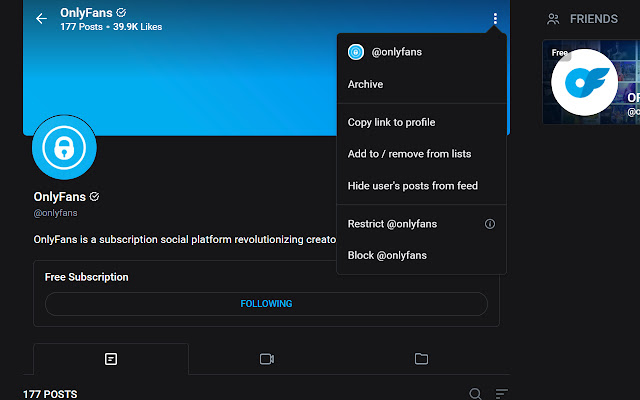


Tải xuống tệp CRX của tiện ích mở rộng Bulk OnlyFans Downloader
Tải xuống các tệp mở rộng Bulk OnlyFans Downloader dưới định dạng crx, cài đặt các tiện ích mở rộng Chrome bằng tay trong trình duyệt hoặc chia sẻ các tệp crx với bạn bè để dễ dàng cài đặt các tiện ích mở rộng Chrome.
Hướng Dẫn Sử Dụng Tiện Ích Mở Rộng
                        This extension allows you to scrape all posts on an account you own or are subscribed too.

Download Features:
*Ability to download media in posts.
*Ability to archive and export all media links (Images, Videos, and Audio) to a json file.
Thông Tin Cơ Bản về Tiện Ích Mở Rộng
| Tên |  Bulk OnlyFans Downloader Bulk OnlyFans Downloader |
| ID | mkgcehccdbbncfnpbncjfmeifpdonnci |
| URL Chính Thức | https://chrome.google.com/webstore/detail/bulk-onlyfans-downloader/mkgcehccdbbncfnpbncjfmeifpdonnci |
| Mô tả | Export or download all the media from an OnlyFans account |
| Kích Thước Tệp | 82.9 KB |
| Số Lần Cài Đặt | 13,673 |
| Phiên Bản Hiện Tại | 1.0.0 |
| Cập Nhật Lần Cuối | 2021-05-25 |
| Ngày Phát Hành | 2021-05-25 |
| Đánh Giá | 1.22/5 Tổng số 45 Đánh Giá |
| Nhà Phát Triển | OnlyFansData |
| [email protected] | |
| Loại Thanh Toán | free |
| Ngôn Ngữ Được Hỗ Trợ | en-US |
| manifest.json | |
{
"update_url": "https:\/\/clients2.google.com\/service\/update2\/crx",
"name": "Bulk OnlyFans Downloader",
"version": "1.0.0",
"description": "Export or download all the media from an OnlyFans account",
"permissions": [
"webRequest",
"storage",
"downloads"
],
"host_permissions": [
"*:\/\/*.onlyfans.com\/*"
],
"content_scripts": [
{
"matches": [
"*:\/\/*.onlyfans.com\/*"
],
"js": [
"\/scripts\/jquery-3.4.1.min.js",
"api.js",
"ofdc.js",
"of.js",
"pages.js",
"process_pages.js"
]
}
],
"background": {
"service_worker": "background.js"
},
"action": {
"default_popup": "",
"default_icon": {
"128": "images\/BOFDI.png"
}
},
"icons": {
"128": "images\/BOFDI.png"
},
"web_accessible_resources": [
{
"resources": [
"images\/*",
"html\/*"
],
"matches": [
" | |