Manilla - Auto Login
Manilla Auto Login
Manilla - Auto Login là gì?
Manilla - Auto Login là một tiện ích mở rộng Chrome được phát triển bởi https://manilla.com, và tính năng chính của nó là "Manilla Auto Login".
Ảnh Chụp Màn Hình của Tiện Ích Mở Rộng


Tải xuống tệp CRX của tiện ích mở rộng Manilla - Auto Login
Tải xuống các tệp mở rộng Manilla - Auto Login dưới định dạng crx, cài đặt các tiện ích mở rộng Chrome bằng tay trong trình duyệt hoặc chia sẻ các tệp crx với bạn bè để dễ dàng cài đặt các tiện ích mở rộng Chrome.
Hướng Dẫn Sử Dụng Tiện Ích Mở Rộng
                        Overview
To use the Auto Login extension, you will need to have a Manilla account. Sign up at http://www.manilla.com.

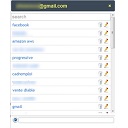
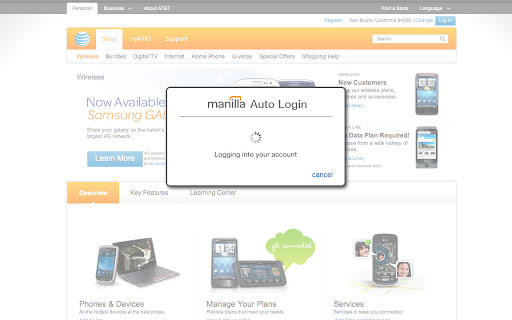
The Manilla Auto Login extension allows you to seamlessly access some linked accounts without entering a password, making it even faster and easier to manage all of your accounts. Once you've installed it, just click the "pay bill" or "go to site" button from an account page.

The Auto Login extension is available for the Chrome, Firefox, Internet Explorer, and Safari browsers. Mobile browsers such as iOS and Android are not supported. The extension must be installed separately for each browser and computer on which you use Manilla.

Security
Your login information is communicated securely to the Auto Login extension using AES 256-bit encryption (the strongest version of a standard endorsed by the National Institute of Standards and Technology). None of your information is stored in the Auto Login extension itself. The Auto Login extension is not recommended for use with public computers.
Thông Tin Cơ Bản về Tiện Ích Mở Rộng
| Tên |  Manilla - Auto Login Manilla - Auto Login |
| ID | ofnmjkalkfignhmkhohdaipkbcchbmca |
| URL Chính Thức | https://chromewebstore.google.com/detail/manilla-auto-login/ofnmjkalkfignhmkhohdaipkbcchbmca |
| Mô tả | Manilla Auto Login |
| Kích Thước Tệp | 2.4 MB |
| Số Lần Cài Đặt | 3,779 |
| Phiên Bản Hiện Tại | 2.0.28 |
| Cập Nhật Lần Cuối | 2013-09-12 |
| Ngày Phát Hành | 2013-09-11 |
| Đánh Giá | 3.45/5 Tổng số 11 Đánh Giá |
| Nhà Phát Triển | https://manilla.com |
| Loại Thanh Toán | free |
| Trang Web Mở Rộng | http://www.manilla.com/ |
| URL Trang Trợ Giúp | https://www.manilla.com/what-is-manilla/faq/ |
| Ngôn Ngữ Được Hỗ Trợ | id,ms,de,en-GB,en-US,fr,nl,vi,tr,ca,da,et,es,es-419,hr,it,lv,lt,hu,pl,pt-BR,pt-PT,ro,sk,sl,fi,sv,cs,el,sr,bg,ru,uk,iw,mr,hi,bn,gu,ta,kn-IN,ml,th,ar,zh-CN,zh-TW,ja,ko |
| manifest.json | |
{
    "update_url": "https:\/\/clients2.google.com\/service\/update2\/crx",
    "background": {
        "page": "background.html"
    },
    "manifest_version": 2,
    "name": "Manilla - Auto Login ",
    "version": "2.0.28",
    "description": "Manilla Auto Login",
    "icons": {
        "16": "images\/icon16.png",
        "32": "images\/icon32.png",
        "48": "images\/icon48.png",
        "128": "images\/icon128.png"
    },
    "default_locale": "en_US",
    "permissions": [
        "tabs",
        "http:\/\/*.manilla.com\/*",
        "https:\/\/*.manilla.com\/*",
        "http:\/\/*.lastpass.com\/*",
        "https:\/\/*.lastpass.com\/*"
    ],
    "content_scripts": [
        {
            "matches": [
                "http:\/\/*\/*",
                "https:\/\/*\/*",
                "file:\/\/\/*"
            ],
            "js": [
                "onloadwff.js"
            ],
            "all_frames": true,
            "run_at": "document_start"
        },
        {
            "matches": [
                "http:\/\/*\/*",
                "https:\/\/*\/*"
            ],
            "js": [
                "csp.js"
            ],
            "all_frames": true,
            "run_at": "document_start"
        }
    ]
} | |