HarverX
Supercharge your ATS experience.
什么是HarverX?
HarverX是由https://harver.com开发的Chrome扩展程序,该扩展的主要功能是“Supercharge your ATS experience.”。
扩展截图


下载HarverX扩展crx文件
下载HarverX扩展crx格式的文件,手动将Chrome插件安装到浏览器中,也可以将crx文件分享给朋友,轻松安装Chrome插件。
扩展使用说明
                        Use Harver's Matching Technology straight from your ATS and supercharge your hiring!
HarverX seamlessly connects Harver to your Applicant Tracking System with the click of a button.
Enjoy Harver's top features without ever switching systems.

With HarverX you can:
* Invite applicants to Harver vacancies straight from your ATS.
* View applicants' scores on various tests.
* View the Harver Matching Score and Harver Matching Profile.

How to use:
* Add the extension to your Browser
* Log-in with your Harver (my.harver.com) credentials
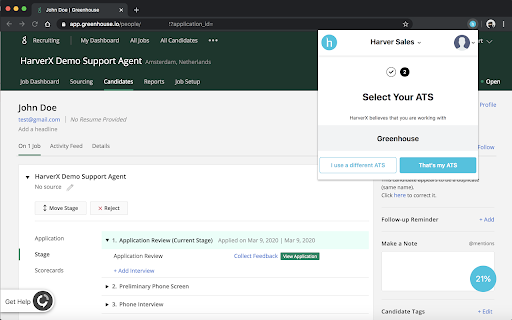
* Select and confirm your preferred ATS
* Go to your ATS and open a Candidate profile to see the results
扩展基本信息
| 名称 |  HarverX HarverX |
| ID | aapfkdnggjpjpmnbibjnpnkolpgkmcol |
| 官方URL | https://chromewebstore.google.com/detail/harverx/aapfkdnggjpjpmnbibjnpnkolpgkmcol |
| 简介 | Supercharge your ATS experience. |
| 文件大小 | 1.34 MB |
| 安装次数 | 99 |
| 当前版本 | 1.7.0 |
| 更新时间 | 2021-06-11 |
| 上架时间 | 2020-03-15 |
| 评分 | 5.00/5 共3次评分 |
| 开发者 | https://harver.com |
| 电子邮箱 | [email protected] |
| 付费类型 | free |
| 扩展官网 | https://harver.com/ |
| 帮助页面URL | https://support.harver.com/ |
| 隐私政策页面URL | https://harver.com/privacy-policy |
| 支持的语言 | en |
| manifest.json | |
{
"update_url": "https:\/\/clients2.google.com\/service\/update2\/crx",
"manifest_version": 2,
"name": "HarverX",
"description": "Supercharge your ATS experience.",
"version": "1.7.0",
"browser_action": {
"default_icon": {
"16": ".\/assets\/[email protected]",
"48": ".\/assets\/[email protected]",
"128": ".\/assets\/[email protected]"
},
"default_title": "HarverX",
"default_popup": "popup\/popup.html"
},
"options_page": "options\/options.html",
"background": {
"scripts": [
"background.js"
],
"persistent": false
},
"icons": {
"16": ".\/assets\/[email protected]",
"48": ".\/assets\/[email protected]",
"128": ".\/assets\/[email protected]"
},
"content_security_policy": "script-src 'self' 'unsafe-eval' https:\/\/www.google-analytics.com; object-src 'self'",
"permissions": [
"background",
"tabs",
"activeTab",
"storage",
"webNavigation",
" | |