[Beta] Twitch Plus
Twitch plus is an application that bring some features to improve your experience on twitch. Features available on twitch plus 👇…
什么是[Beta] Twitch Plus?
[Beta] Twitch Plus是由CodeOz开发的Chrome扩展程序,该扩展的主要功能是“Twitch plus is an application that bring some features to improve your experience on twitch. Features available on twitch plus 👇…”。
扩展截图

下载[Beta] Twitch Plus扩展crx文件
下载[Beta] Twitch Plus扩展crx格式的文件,手动将Chrome插件安装到浏览器中,也可以将crx文件分享给朋友,轻松安装Chrome插件。
扩展使用说明
                        Twitch plus is an application that bring some features to improve your experience on twitch.

Features available on twitch plus 👇

- Historic chat (alt + up or down, when you go to another stream, historic is clean)

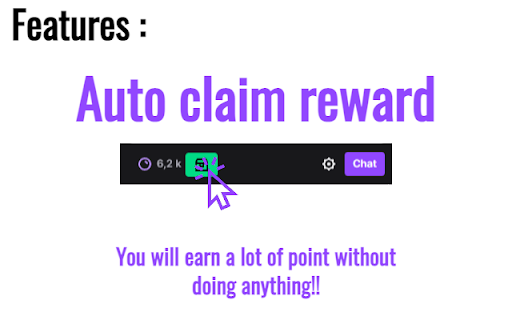
- Auto-claim bonus (when bonus is available, extension will automatically claim it for you, so you can earn a lot of points!)

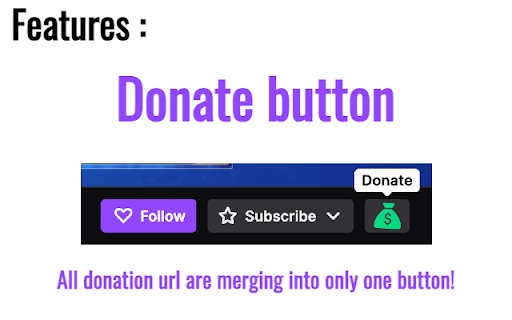
- Donate Button (If streamer has an external link for donations, you can access it directly by clicking on the donate button!)

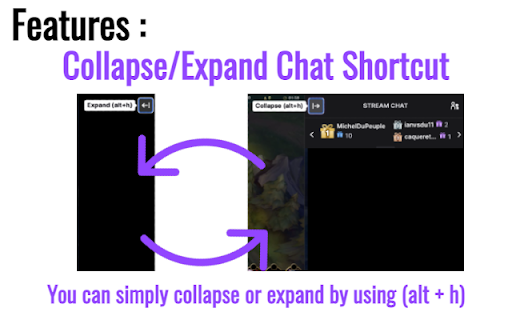
- Collapse/Expand Chat shortcut (alt + h)

If you find any bugs or any suggestions or you want to contact developer, please send email to [email protected].

Github of creator -> https://github.com/Code-Oz
扩展基本信息
| 名称 | ![[Beta] Twitch Plus](https://lh3.googleusercontent.com/DLwASYkpjiJoRwu8dc-Cw8sV1rRfrJviZ-wd3pvzQuMFEVbFL6gRuQy8mhbjorc62_PcJg58SmGQr0wxfgFFZznlDCQ) [Beta] Twitch Plus [Beta] Twitch Plus |
| ID | ahdoacgdgcgkhmajnmibefppffbbkgnl |
| 官方URL | https://chromewebstore.google.com/detail/beta-twitch-plus/ahdoacgdgcgkhmajnmibefppffbbkgnl |
| 简介 | Twitch plus is an application that bring some features to improve your experience on twitch. Features available on twitch plus 👇… |
| 文件大小 | 167 KB |
| 安装次数 | 88 |
| 当前版本 | 1.0.1 |
| 更新时间 | 2022-01-11 |
| 上架时间 | 2022-01-07 |
| 开发者 | CodeOz |
| 电子邮箱 | [email protected] |
| 付费类型 | free |
| 支持的语言 | en-US |
| manifest.json | |
{
    "update_url": "https:\/\/clients2.google.com\/service\/update2\/crx",
    "manifest_version": 2,
    "name": "[Beta] Twitch Plus",
    "version": "1.0.1",
    "icons": {
        "256": "logo.png"
    },
    "background": {
        "scripts": [
            "background.js"
        ],
        "persistent": false
    },
    "permissions": [
        "activeTab",
        "tabs"
    ],
    "browser_action": {
        "default_popup": "menu.html"
    },
    "content_scripts": [
        {
            "matches": [
                "https:\/\/www.twitch.tv\/*"
            ],
            "js": [
                "content.js"
            ],
            "css": [
                "style.css"
            ]
        }
    ]
} | |