Mango Picker - Web Automation & Scraper
MangoPicker is No code Automation Tool. Automatically process repetitive tasks and get the desired data.
什么是Mango Picker - Web Automation & Scraper?
Mango Picker - Web Automation & Scraper是由https://mgpicker.com开发的Chrome扩展程序,该扩展的主要功能是“MangoPicker is No code Automation Tool. Automatically process repetitive tasks and get the desired data.”。
扩展截图


下载Mango Picker - Web Automation & Scraper扩展crx文件
下载Mango Picker - Web Automation & Scraper扩展crx格式的文件,手动将Chrome插件安装到浏览器中,也可以将crx文件分享给朋友,轻松安装Chrome插件。
扩展使用说明
                        🕓 get off work early 🕓

Reduce your work hours with MangoPicker and Automate repetitive tasks.


📚 Collect the desired data all at once. 📚

Easily extract the desired data from the web via the data extraction feature and save it to Excel or JSON file!

MangoPicker provides you with an easy web automation, web crawling, and web scraping features.

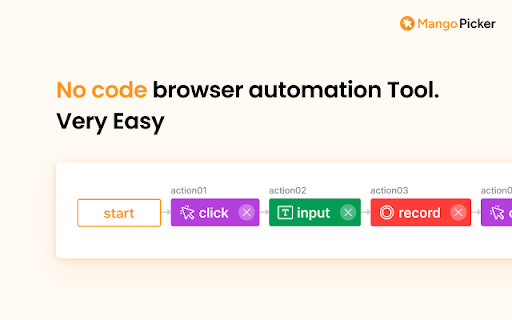
Build your own web automation program by stacking actions such as clicking, extracting, and inputting as blocks!
We have made it easy for anyone. Just 5 minutes to get the job done.


⭐️ Key Features ⭐️


1️⃣ Web Automation (Block Stacking)

With the easy block stacking feature, users can configure desired web tasks in block units.

Blocks represent actions such as clicking, extracting, and inputting, and by combining them, complex tasks can be implemented easily and quickly.


2️⃣ Recording Feature

Automatically detect user actions such as clicking, extracting, and inputting to incrementally build automation tasks.

Recording actions eliminate the need to manually stack blocks, increasing work efficiency.


3️⃣ Dashboard

Provides a dashboard window to monitor running blocks and view extracted data.

Monitor ongoing tasks and easily check extracted data.


4️⃣ Data Extraction

Extract desired data from the web and download it to Excel or JSON file. This feature allows extraction of various data such as articles or product information.

Maximize work efficiency with simple and accurate data extraction.


Our basic version is provided for free, and it is easy for anyone to use.

Experience the convenience of web automation and data extraction via our service right now!
扩展基本信息
| 名称 |  Mango Picker - Web Automation & Scraper Mango Picker - Web Automation & Scraper |
| ID | ajmhgecmlnjafdbheokocddnhapinlcn |
| 官方URL | https://chromewebstore.google.com/detail/mango-picker-web-automati/ajmhgecmlnjafdbheokocddnhapinlcn |
| 简介 | MangoPicker is No code Automation Tool. Automatically process repetitive tasks and get the desired data. |
| 文件大小 | 7.42 MB |
| 安装次数 | 234 |
| 当前版本 | 1.5.3 |
| 更新时间 | 2024-01-22 |
| 上架时间 | 2023-07-02 |
| 评分 | 5.00/5 共1次评分 |
| 开发者 | https://mgpicker.com |
| 电子邮箱 | [email protected] |
| 付费类型 | free |
| 隐私政策页面URL | https://mangopicker.notion.site/Privacy-Policy-2023-09-19-e056db3ddf8447beba8d0740554ad105?pvs=4 |
| 支持的语言 | en,ko |
| manifest.json | |
{
"update_url": "https:\/\/clients2.google.com\/service\/update2\/crx",
"manifest_version": 3,
"name": "__MSG_appName__",
"description": "__MSG_appDesc__",
"default_locale": "en",
"version": "1.5.3",
"version_name": "1.5.3",
"icons": {
"16": "assets\/icons\/logo-16.png",
"32": "assets\/icons\/logo-32.png",
"48": "assets\/icons\/logo-48.png",
"128": "assets\/icons\/logo-128.png"
},
"background": {
"service_worker": "background.mjs"
},
"permissions": [
"tabs",
"storage",
"cookies"
],
"action": [],
"host_permissions": [
" | |