Social Sender
This extension will send messages to businesses via multiple social sites, automatically.
什么是Social Sender?
Social Sender是由Social Sender开发的Chrome扩展程序,该扩展的主要功能是“This extension will send messages to businesses via multiple social sites, automatically.”。
扩展截图
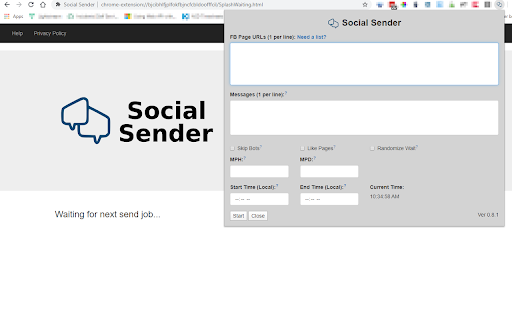
下载Social Sender扩展crx文件
下载Social Sender扩展crx格式的文件,手动将Chrome插件安装到浏览器中,也可以将crx文件分享给朋友,轻松安装Chrome插件。
扩展使用说明
The Social Sender Chrome extension will allow you to message local businesses via multiple social media platforms automatically on a schedule. 扩展基本信息
| 名称 |  Social Sender Social Sender |
| ID | bjcibhlfjplfokfbjncfcbldoofffcil |
| 官方URL | https://chromewebstore.google.com/detail/social-sender/bjcibhlfjplfokfbjncfcbldoofffcil |
| 简介 | This extension will send messages to businesses via multiple social sites, automatically. |
| 文件大小 | 17.78 MB |
| 安装次数 | 25 |
| 当前版本 | 0.8.4 |
| 更新时间 | 2020-08-27 |
| 上架时间 | 2020-03-10 |
| 开发者 | Social Sender |
| 电子邮箱 | [email protected] |
| 付费类型 | free |
| 扩展官网 | https://www.socialsender.cc |
| 隐私政策页面URL | http://www.socialsender.cc/privacypolicy |
| 支持的语言 | en-US |
| manifest.json | |
{
    "update_url": "https:\/\/clients2.google.com\/service\/update2\/crx",
    "manifest_version": 2,
    "name": "Social Sender",
    "description": "This extension will send messages to businesses via multiple social sites, automatically.",
    "version": "0.8.4",
    "permissions": [
        "https:\/\/*.facebook.com\/",
        "https:\/\/*.instagram.com\/",
        "https:\/\/*.linkedin.com\/",
        "https:\/\/*.socialsender.cc\/",
        "tabs",
        "debugger",
        "storage"
    ],
    "content_security_policy": "script-src 'self' https:\/\/ssl.google-analytics.com; object-src 'self'",
    "icons": {
        "16": "img\/icon_16.png",
        "32": "img\/icon_32.png",
        "48": "img\/icon_48.png",
        "128": "img\/icon_128.png"
    },
    "browser_action": {
        "default_popup": "popup.html",
        "default_icon": {
            "16": "img\/icon_16.png",
            "32": "img\/icon_32.png",
            "48": "img\/icon_48.png",
            "128": "img\/icon_128.png"
        }
    },
    "background": {
        "scripts": [
            "jquery-3.4.1.min.js",
            "background.js"
        ],
        "persistent": true
    }
} | |