mystique
css randomizer
什么是mystique?
mystique是由https://mystique-plugin.com开发的Chrome扩展程序,该扩展的主要功能是“css randomizer”。
扩展截图
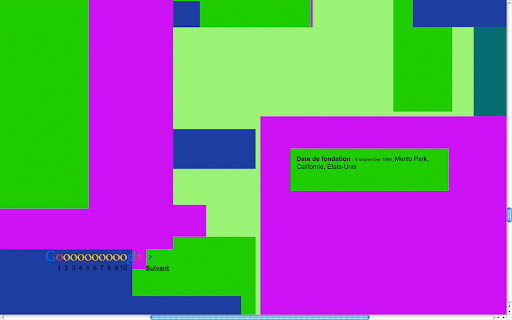
下载mystique扩展crx文件
下载mystique扩展crx格式的文件,手动将Chrome插件安装到浏览器中,也可以将crx文件分享给朋友,轻松安装Chrome插件。
扩展使用说明
                        Mystique is a plugin that allows you to see internet in a different way by randomizing the css code of a page.

User guide:
once you've downloaded mystique, click on the "add to chrome" button. Go on any website and click on the little puzzle icon at the top right of your window. Don't worry, Mystique doesn't affect permanently your browser, just refresh the page and it'll display normally.

Mystique est un plugin qui vous permet de visualiser internet autrement en aléatoirisant les données du code CSS.

Mode d'emploi:
Une fois le plugin téléchargé, cliquez sur "ajouter à chrome", ouvrez un nouvel onglet sur votre navigateur. Rendez vous sur le site de votre choix, ou effectuez simplement une recherche sur Google, cliquez sur l'icône en forme de pièce de puzzle en haut à droite de votre navigateur et le tour est joué. Mystique n'affecte pas définitivement votre navigateur, rafraichissez la page et elle s'affichera de nouveau normalement.

Created by Louise de Montalembert and Louis Georget
Programmed by Christophe Salaün
www.l-dm.com
www.louis-georget.com
扩展基本信息
| 名称 |  mystique mystique |
| ID | ccjbjnmiajalcfibfjmaniplejodjpjc |
| 官方URL | https://chromewebstore.google.com/detail/mystique/ccjbjnmiajalcfibfjmaniplejodjpjc |
| 简介 | css randomizer |
| 文件大小 | 158 KB |
| 安装次数 | 32 |
| 当前版本 | 2.2 |
| 更新时间 | 2014-12-14 |
| 上架时间 | 2014-12-14 |
| 评分 | 4.75/5 共4次评分 |
| 开发者 | https://mystique-plugin.com |
| 付费类型 | free |
| 扩展官网 | http://mystique-plugin.com |
| 帮助页面URL | http://mystique-plugin.com |
| 支持的语言 | fr |
| manifest.json | |
{
    "update_url": "https:\/\/clients2.google.com\/service\/update2\/crx",
    "name": "mystique",
    "description": "css randomizer",
    "version": "2.2",
    "permissions": [
        "activeTab"
    ],
    "icons": {
        "16": "icon16.png",
        "48": "icon48.png",
        "128": "icon128.png"
    },
    "background": {
        "scripts": [
            "jquery.js",
            "background.js",
            "jquery-ui.js"
        ],
        "persistent": false
    },
    "browser_action": {
        "default_title": "css"
    },
    "manifest_version": 2
} | |