Pulse Wallet Chromium
A safe and fast way to explore and master PulseChain. Store, manage, trade, and swap crypto and NFT anywhere anytime.
什么是Pulse Wallet Chromium?
Pulse Wallet Chromium是由business开发的Chrome扩展程序,该扩展的主要功能是“A safe and fast way to explore and master PulseChain. Store, manage, trade, and swap crypto and NFT anywhere anytime.”。
扩展截图

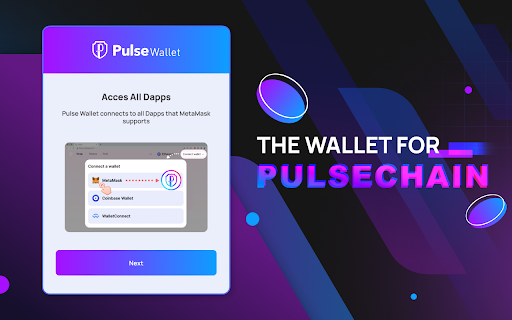
下载Pulse Wallet Chromium扩展crx文件
下载Pulse Wallet Chromium扩展crx格式的文件,手动将Chrome插件安装到浏览器中,也可以将crx文件分享给朋友,轻松安装Chrome插件。
扩展使用说明
                        Pulse Wallet Chromium is the open-sourced, privacy fork of Rabby Wallet, built by the community, for the community.

Our goal is to provide top-notch privacy and security to our users, and we are committed to maintaining this standard. You can manage your digital assets with peace of mind, knowing that your personal information is respected and protected. We support PulseChain natively, EVM blockchains, and, in the future, SVM blockchains as well.

With Pulse Wallet, we offer various features, including:

EASY LOGIN
- Import Wallet: import your existing wallet using 12 or 24 seed phrases.
- Hardware Wallet: import your hardware wallet into Pulse Wallet extension for easy and secure transactions.

ESSENTIAL SECURITY
- View transaction content, risk check, and estimated balance changes before signing.

NETWORKS
- Seamlessly switch between PulseChain and other supported EVM chains.
- Display tokens corresponding to your selected Network.
- Automatically switch chains corresponding to the active Dapps and websites.

KEEP TRACK OF YOUR ASSETS
- Store all tokens on PulseChain and other EVM chains.
- Add any custom tokens you need if they are not in the default list.
- Support a wide range of tokens of above networks, including PLS, HEX, PLSX, ETH, USDT, USDC, DAI and many more.
- View both NFTs and fungible tokens on PulseChain.

SEND AND RECEIVE TOKENS
- Send your tokens to anyone using wallet address, anywhere in the world, and anytime you wish.
- Receive tokens just by sharing your wallet address.
- Whitelist feature makes it more convenient to send tokens to frequent addresses.
扩展基本信息
| 名称 |  Pulse Wallet Chromium Pulse Wallet Chromium |
| ID | ciojocpkclfflombbcfigcijjcbkmhaf |
| 官方URL | https://chromewebstore.google.com/detail/pulse-wallet-chromium/ciojocpkclfflombbcfigcijjcbkmhaf |
| 简介 | A safe and fast way to explore and master PulseChain. Store, manage, trade, and swap crypto and NFT anywhere anytime. |
| 文件大小 | 10.13 MB |
| 安装次数 | 341 |
| 当前版本 | 0.0.1 |
| 更新时间 | 2023-12-26 |
| 上架时间 | 2023-12-24 |
| 评分 | 4.00/5 共3次评分 |
| 开发者 | business |
| 电子邮箱 | [email protected] |
| 付费类型 | free |
| 扩展官网 | https://thepulsewallet.org/ |
| 帮助页面URL | https://thepulsewallet.org/#support |
| 隐私政策页面URL | https://docs.thepulsewallet.org/pulse-wallet/resources/privacy-policy |
| 支持的语言 | en,zh-CN |
| manifest.json | |
{
"update_url": "https:\/\/clients2.google.com\/service\/update2\/crx",
"manifest_version": 3,
"name": "Pulse Wallet Chromium",
"short_name": "Pulse Wallet Chromium",
"version": "0.0.1",
"default_locale": "en",
"description": "__MSG_appDescription__",
"icons": {
"16": "images\/icon-16.png",
"19": "images\/icon-19.png",
"32": "images\/icon-32.png",
"38": "images\/icon-38.png",
"48": "images\/icon-48.png",
"64": "images\/icon-64.png",
"128": "images\/icon-128.png",
"512": "images\/icon-512.png"
},
"action": {
"default_icon": {
"16": "images\/icon-16.png",
"19": "images\/icon-19.png",
"32": "images\/icon-32.png",
"48": "images\/icon-48.png",
"128": "images\/icon-128.png"
},
"default_title": "Pulse Wallet Chromium - The Privacy Fork of Rabby Wallet",
"default_popup": "popup.html"
},
"author": "https:\/\/thepulsewallet.org\/",
"background": {
"service_worker": "sw.js"
},
"content_scripts": [
{
"all_frames": true,
"js": [
"webextension-polyfill.js",
"content-script.js"
],
"matches": [
"file:\/\/*\/*",
"http:\/\/*\/*",
"https:\/\/*\/*"
],
"run_at": "document_start"
},
{
"matches": [
"*:\/\/connect.trezor.io\/*\/popup.html",
"https:\/\/connect.onekey.so\/popup.html"
],
"js": [
"vendor\/trezor\/trezor-content-script.js"
]
}
],
"content_security_policy": {
"extension_pages": "script-src 'self' 'wasm-unsafe-eval'; object-src 'self'"
},
"permissions": [
"storage",
"unlimitedStorage",
"activeTab",
"notifications",
"contextMenus"
],
"host_permissions": [
" | |