Chrome Passwords History
Domain Extension for Chrome Passwords. --- This extension enables Chrome Password to store your per Domain settings like counter…
什么是Chrome Passwords History?
Chrome Passwords History是由Christoph Roeder开发的Chrome扩展程序,该扩展的主要功能是“Domain Extension for Chrome Passwords. --- This extension enables Chrome Password to store your per Domain settings like counter…”。
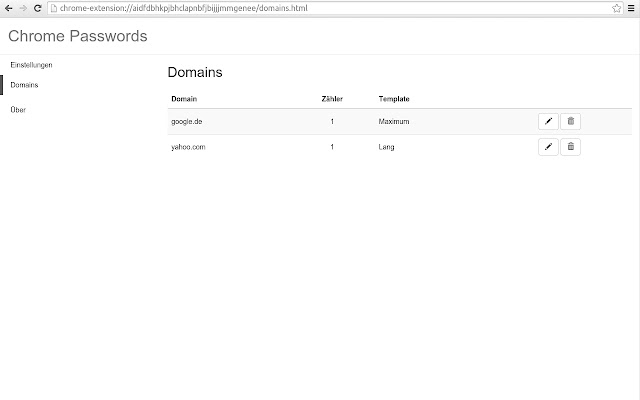
扩展截图
下载Chrome Passwords History扩展crx文件
下载Chrome Passwords History扩展crx格式的文件,手动将Chrome插件安装到浏览器中,也可以将crx文件分享给朋友,轻松安装Chrome插件。
扩展使用说明
                        Domain Extension for Chrome Passwords.
---
This extension enables Chrome Password to store your per Domain settings like counter and selected template, so you don't have to.
扩展基本信息
| 名称 |  Chrome Passwords History Chrome Passwords History |
| ID | cmeaokcaickhjmmbbkkncmbmjmjnoigj |
| 官方URL | https://chrome.google.com/webstore/detail/chrome-passwords-history/cmeaokcaickhjmmbbkkncmbmjmjnoigj |
| 简介 | Domain Extension for Chrome Passwords. --- This extension enables Chrome Password to store your per Domain settings like counter… |
| 文件大小 | 7.08 KB |
| 安装次数 | 33 |
| 当前版本 | 1.3.1 |
| 更新时间 | 2016-02-05 |
| 上架时间 | 2016-02-05 |
| 评分 | 1.00/5 共1次评分 |
| 开发者 | Christoph Roeder |
| 电子邮箱 | [email protected] |
| 付费类型 | free |
| 支持的语言 | en-US |
| manifest.json | |
{
    "update_url": "https:\/\/clients2.google.com\/service\/update2\/crx",
    "manifest_version": 2,
    "name": "Chrome Passwords History",
    "version": "1.3.1",
    "minimum_chrome_version": "38",
    "key": "MIIBIjANBgkqhkiG9w0BAQEFAAOCAQ8AMIIBCgKCAQEAuUzg5I4ISw8+wf4T1mq2OqWPhM7SJpXQyG2aXS6ns4TlduBj\/hbu87JOvb6Ew1Nj7jKsUW06e0ziSaZjf8MiyqVbbstQLoLTlDGIltTOOvzQnYAwlMWt2kXF+fdfuJqbMlM88Mg\/AfVIWUsXXq4vuQnfeBlBgWzqe2ztGD6FlYVx+Hv5RJ1WkZya9uc2P4YYvKt7iLyKYWFjC8q71jE8Vb14UPqnNfVC132yQn5P85N\/qnk4Z3Xclo3dds+TBXL6E9M4eXweQekbggZGRZa\/\/p0WkAwupiwfFowHLIYpJ9RZ7kWLyo2gKKhlTfloU0NuVjj\/vSNhP1s2oIlFnjYEgQIDAQAB",
    "permissions": [
        "storage",
        "identity",
        "https:\/\/www.googleapis.com\/"
    ],
    "oauth2": {
        "client_id": "425614405729-nuphivim4i09e5dgmlck69p1p7o3iqc1.apps.googleusercontent.com",
        "scopes": [
            "https:\/\/www.googleapis.com\/auth\/chromewebstore.readonly"
        ]
    },
    "icons": {
        "48": "images\/icon48.png",
        "128": "images\/icon128.png"
    },
    "background": {
        "scripts": [
            "scripts\/background.min.js"
        ],
        "persistent": true
    }
} | |